• Gigabit Ethernet board: Required if you want to connect the machine to a network using a 1000BASE-T,
100BASE-TX, or 10BASE-T cable.
4.
10BASE-T/100BASE-TX port
Port for connecting the 10BASE-T or 100BASE-TX cable
• Slot A can contain one module only: You can install only one IEEE 1284 interface board or one
Wireless LAN interface unit at a time in this slot.
•
The Ethernet and Gigabit Ethernet port cannot be used simultaneously. If the optional Gigabit
Ethernet board is installed, connect the Ethernet cable to the port on the Gigabit Ethernet board
Communication with the machine will fail if cables are connected to both ports simultaneously.
• The Bluetooth interface unit and the Wireless LAN board cannot be used simultaneously.
Connecting to the Ethernet Interface
This section describes how to connect an Ethernet cable to the Ethernet interface.
• If the main power switch is on, turn it off.
•
Use the following Ethernet cables.
• Unshielded Twisted Pair Cable (UTP) or Shielded Twisted Pair Cable (STP) and Category type
5 or more
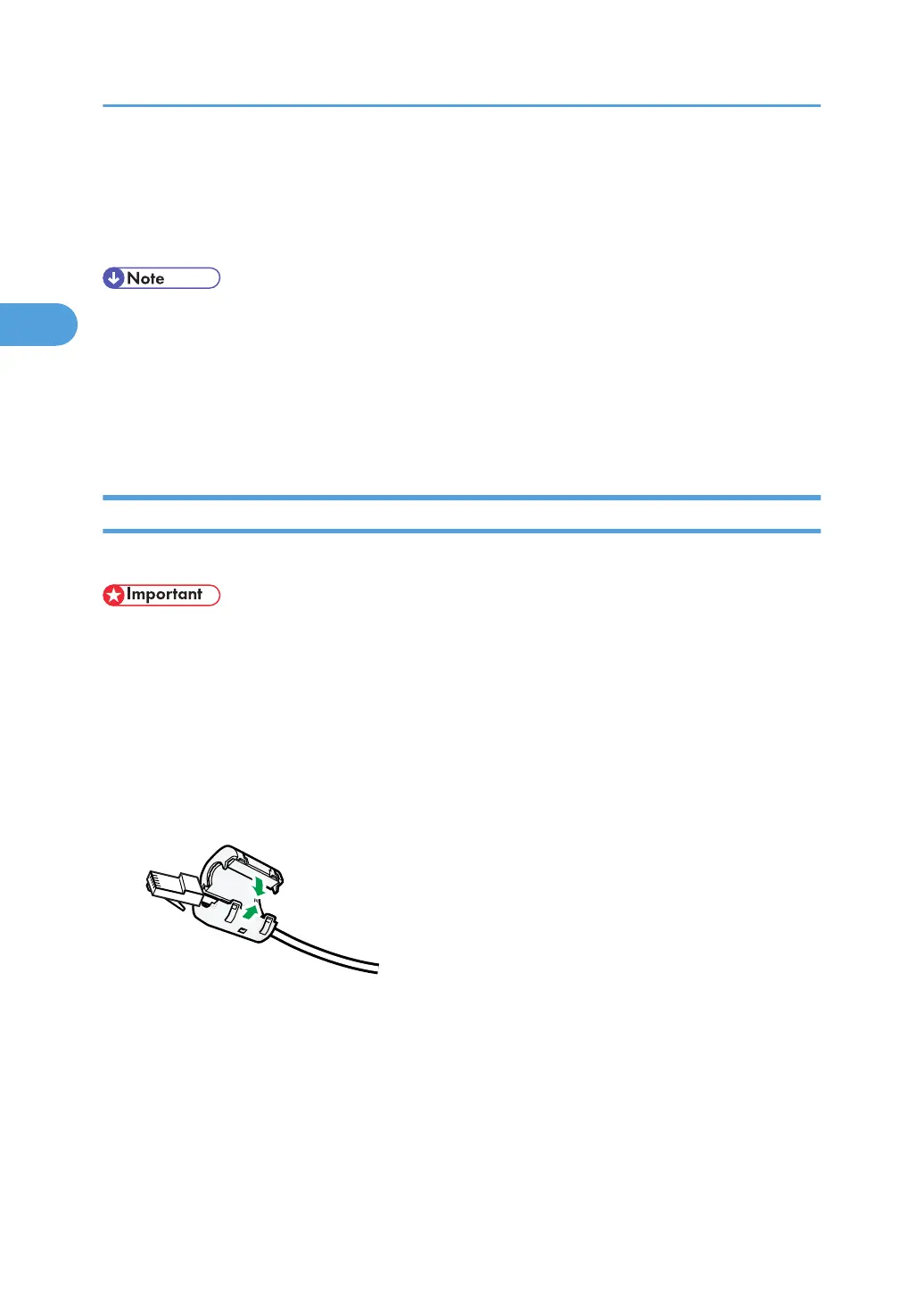
1. Attach the supplied ferrite core at the machine end of the Ethernet interface cable.
2. Make sure the main power is switched off.
2. Connecting the Machine
72



 To Next Page