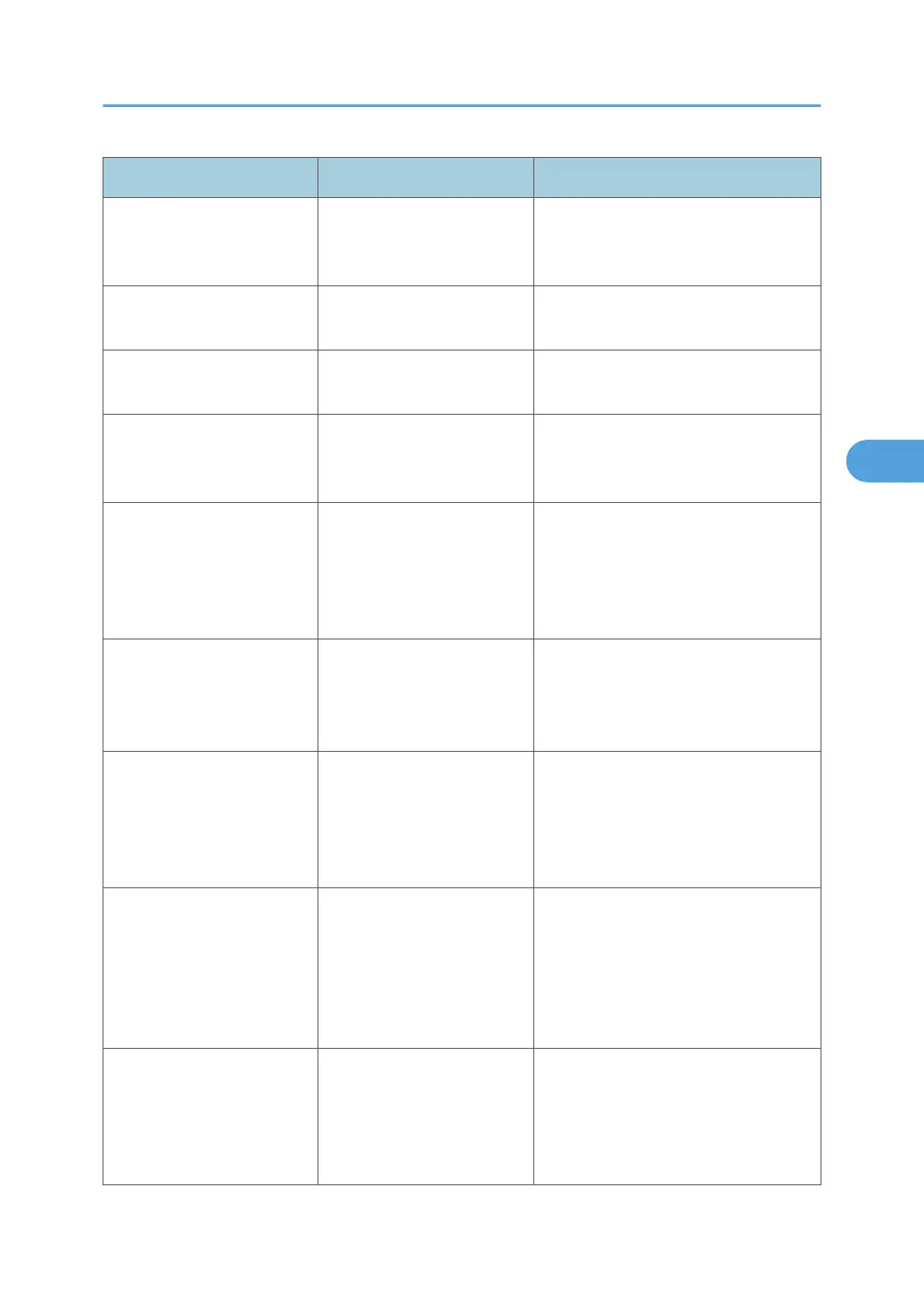
Message Causes Solutions
"84: Error" There is no work area
available for image
processing.
Decrease the number of files sent to the
machine.
"85: Error" The specified graphics
library is unavailable.
Check that the data is valid.
"86: Error" Parameters of the control
code are invalid.
Check the print settings.
"91: Error" Printing was canceled by the
auto job cancel function due
to a command error.
Check that the data is valid.
"92: Error" Printing was canceled
because [Job Reset] or the
[Clear/Stop] key was
selected on the machine's
control panel.
Perform the print operation again if
necessary.
"98: Error" The machine could not
access Hard disk correctly.
Turn off the main power switch, and
then back on again. If the message
appears frequently, contact your
service representative.
"Address Book is currently in
use by another function.
Authentication has failed."
The machine currently
cannot perform
authentication because the
Address Book is being used
by another function.
Wait a while, and then retry the
operation.
"Auto-registration of user
information has failed."
Automatic registration of
information for LDAP
Authentication or Windows
Authentication failed
because the Address Book is
full.
Contact your administrator.
"Cannot store data of this
size."
The paper size exceeded
the capacity of the
Document Server.
Reduce the paper size of the file that
you want to send to a size that the
Document Server can store. Custom
size files can be sent but not stored
afterward.
Messages Displayed When Using the Printer Function
77



 To Next Page