Select this to individually scan the size of originals loaded into the ADF. For example, when A3 (11 ×
17 ) and A4 (8
1
/
2
× 11 ) size originals are sent together, usually all are sent using the size of the
first original. By selecting Mixed Original Sizes, the machine scans and sends each original according
to its size.
• When placing originals in the ADF, align their rear and left edges against the ADF, and adjust the
document guide according to the largest original.
•
Since small originals may not be correctly aligned with the original guide, the scanned image may
be slanted.
The sizes of the originals that can be placed in this mode are as follows:
(mainly Europe and Asia)
A3 , A4 , B4 JIS , B5 JIS , 11 × 17 , 8
1
/
2
× 13 , 8
1
/
2
× 11
(mainly North America)
11 × 17 , 8
1
/
2
× 14 , 8
1
/
2
× 11 , 10 × 14 , 7
1
/
4
× 10
1
/
2
, A3 , A4
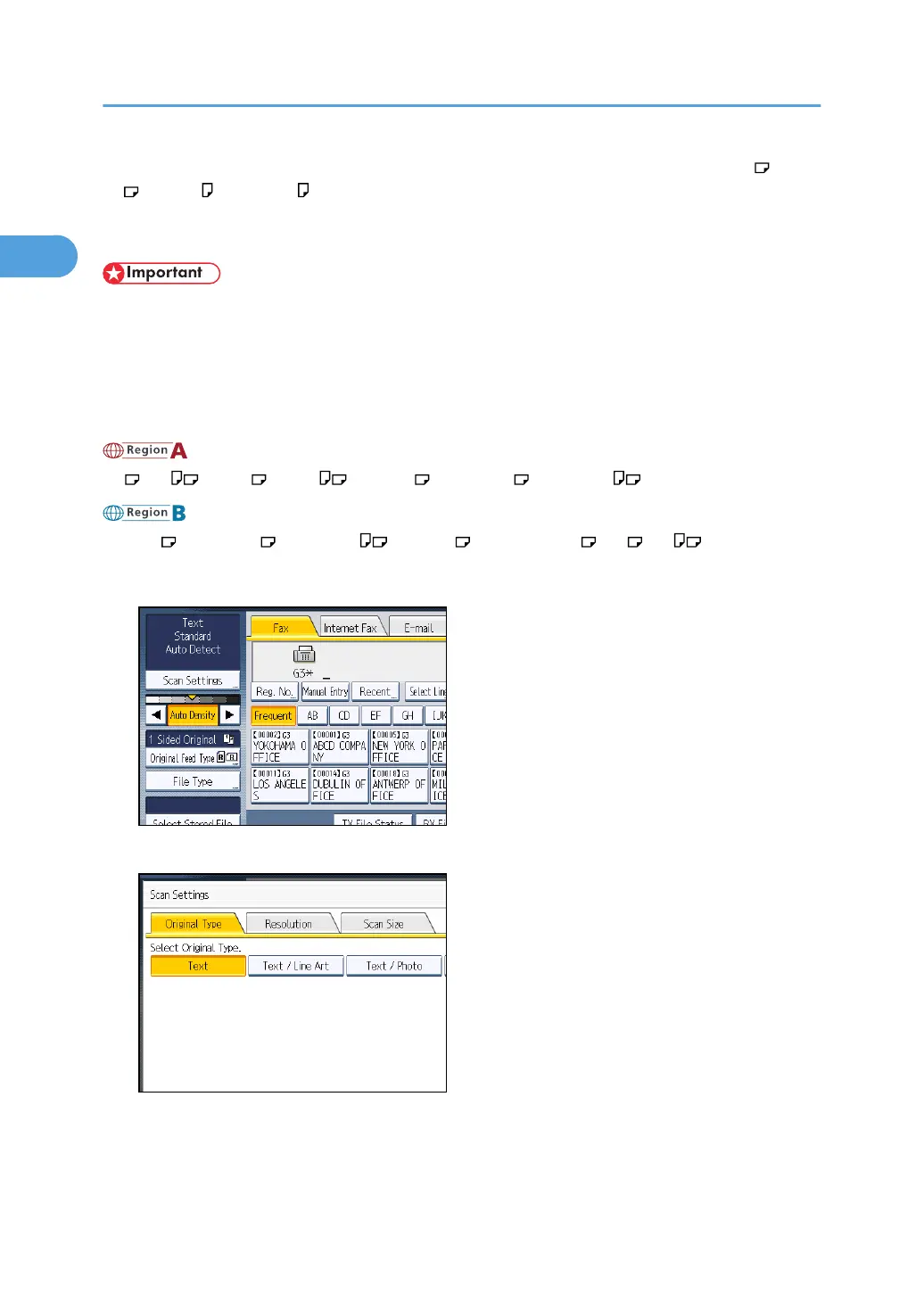
1. Press [Scan Settings].
2. Press [Scan Size].
1. Transmission
78



 To Next Page