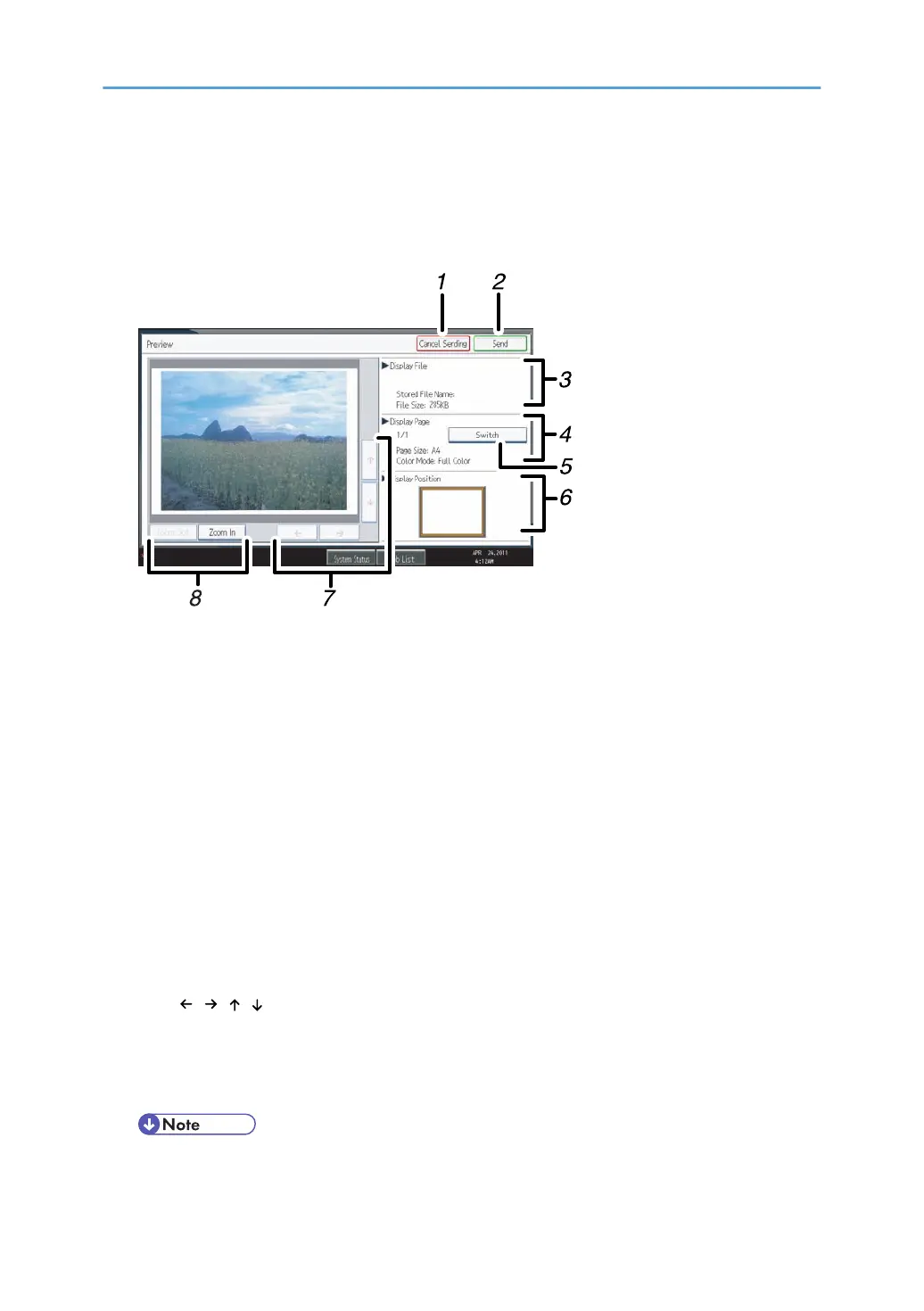
Before you start scanning, press [Preview]. If you scan originals while [Preview] is selected, the Preview
screen appears. You can start or cancel sending the files after checking the preview and the scan
settings used for scanning.
Preview
1. [Cancel Sending]
Press to close a preview and interrupt a transmission.
2.
[Send]
Press to close a preview and continue a transmission.
3. Display File
Displays a file's name and size.
4. Display Page
Displays the number of the currently displayed page, total number of pages, page size, and color
mode.
5. [Switch]
Press to change the page of the selected file that is displayed.
6. Display Position
Displays the position of an image when enlarged.
7. [
][ ][ ][ ]
Press to shift the displayed area.
8.
[Zoom Out] and [Zoom In]
Press to reduce or enlarge the displayed preview.
• Preview is not available if you are scanning by WSD. View the scanned images on the
destination computer instead.
17



 To Next Page