2. Sending Scan Files to Folders
Using the Scan to Folder function, you can send scan files over the network to shared folders, FTP server
folders, or NetWare folders. You can send scan files to a shared folder on a computer simply by placing
the original and using the control panel to specify the recipient.
Before Sending Files by Scan to Folder
This section describes the preparations and procedure for sending files by Scan to Folder.
Overview of Sending Scan Files by Scan to Folder
This section describes the process for sending scan files by Scan to Folder.
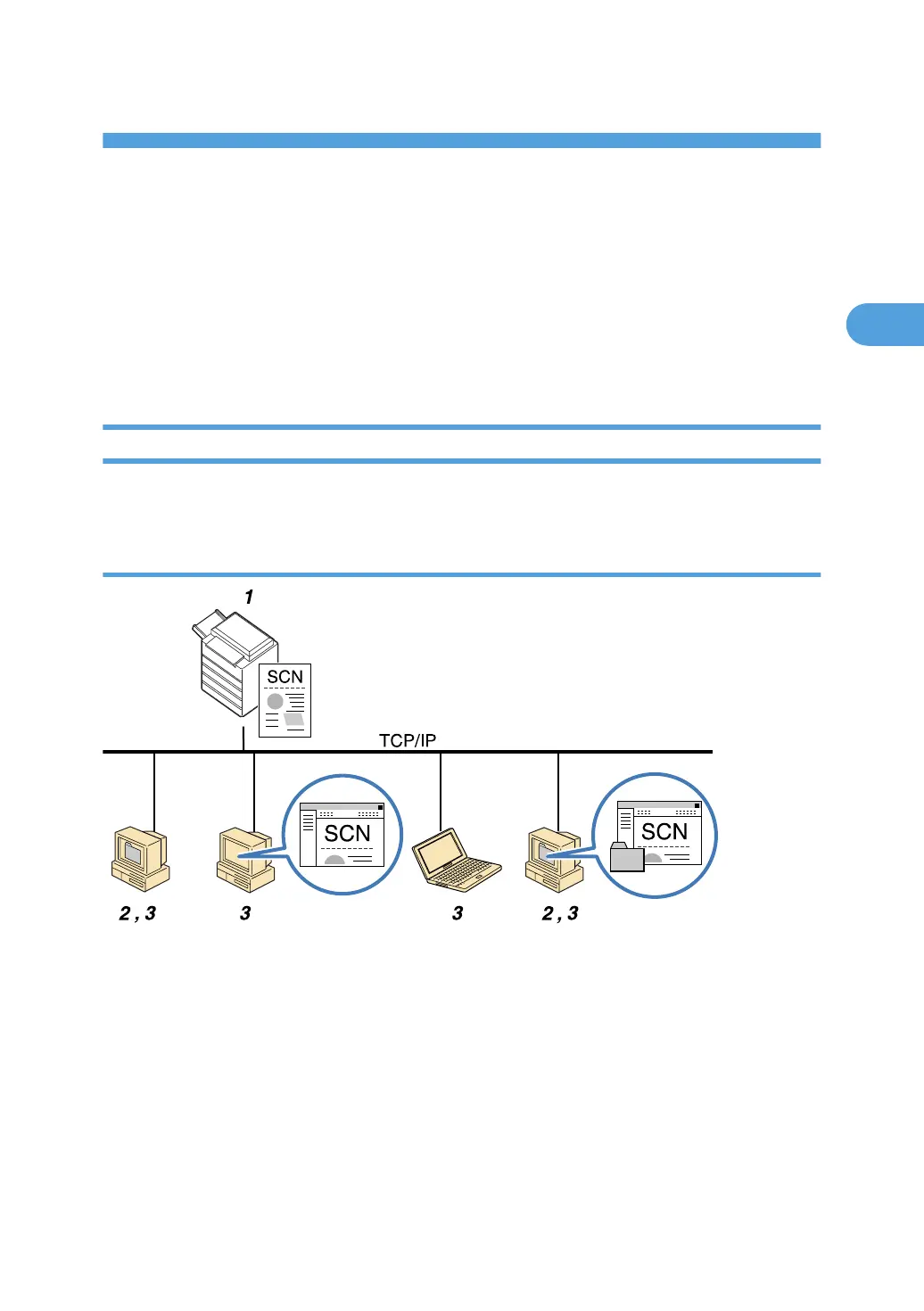
Sending files to shared folders
1. This machine
After you place the original and specify a destination computer on the control panel, the scanned document is
sent to a shared folder on the destination computer. To send scan files to shared network folders, use the SMB
protocol.
2. Destination Computer
The scanned document is sent to the specified shared folder.
3. Client computer
The scanned document is sent to the specified shared folder. From a client computer, you can also browse
scanned files sent to shared folders on different computers.
55



 To Next Page