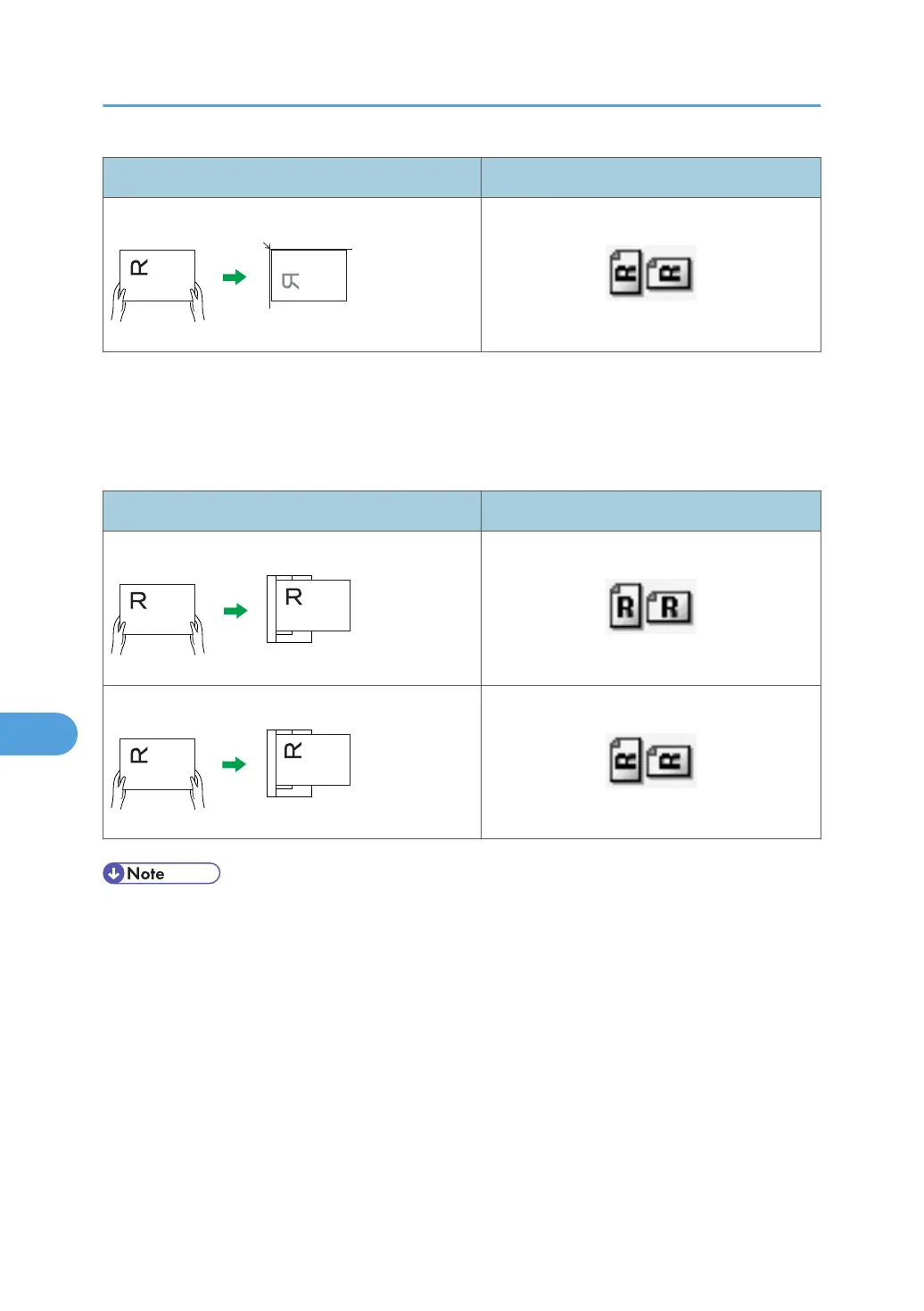
Original orientation Control panel key
top edge touches top left corner of exposure glass
ADF
Hold the original so that its text is in the natural readable orientation, and then place it face up in
the ADF.
Original orientation and control panel key selection
Original orientation Control panel key
top edge touches rear of ADF
top edge placed first
• When you specify full color, gray scale, or [Auto Colour Select] for Original Type, and single page
TIFF/JPEG or multi-page TIFF is selected as the file type, refer to the tables below for how to place
originals. Originals placed in orientations that are not recommended in the table might appear
incorrectly top/bottom oriented on client computer displays.
8. Various Scan Settings
174



 To Next Page