Two-sided original
This section explains the settings for scanning both sides of originals.
1. Press [Original Feed Type].
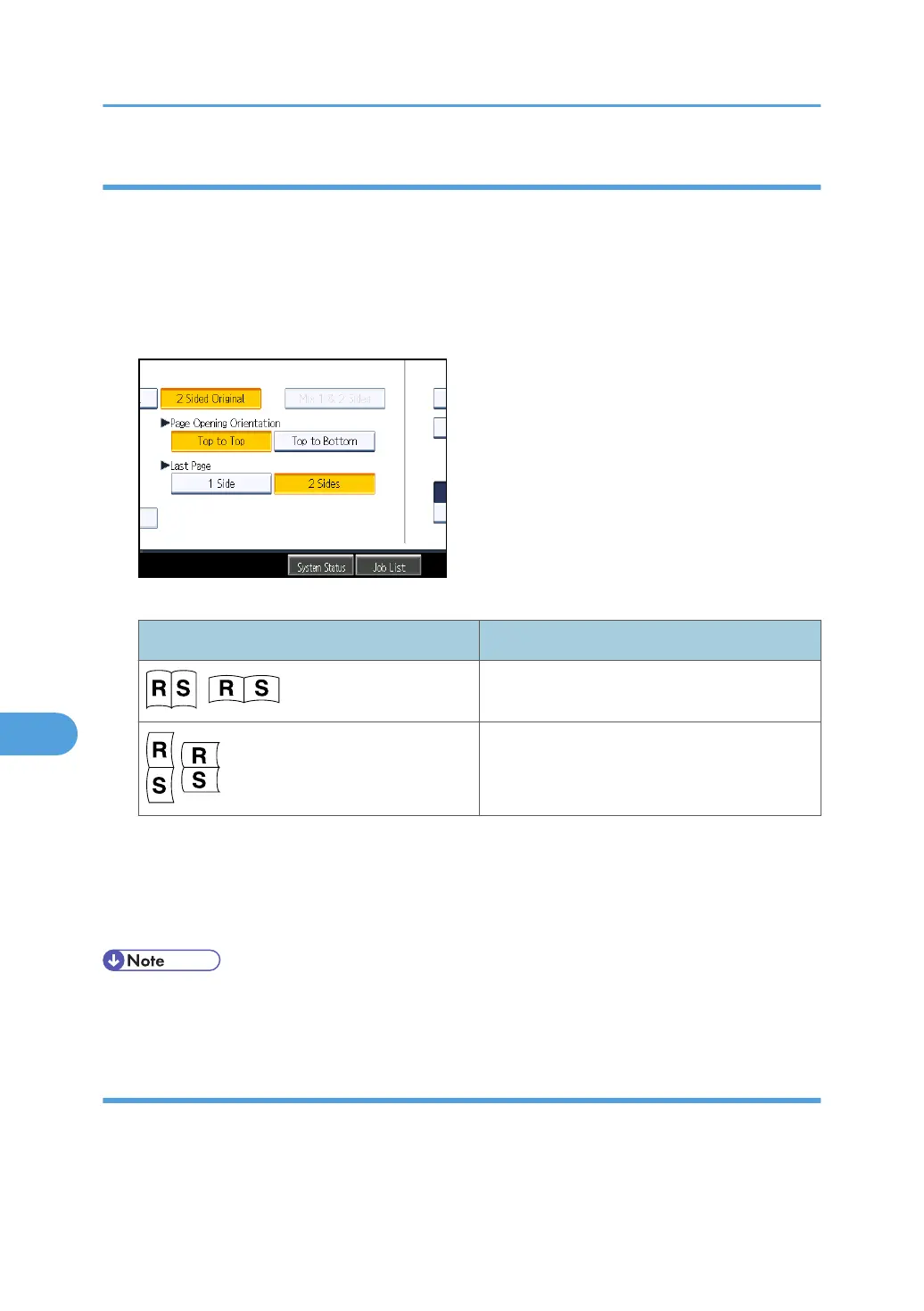
2. In [Original Settings], select [2 Sided Original].
3. In [Page Opening Orientation], select [Top to Top] or [Top to Bottom] according to the
binding orientation of the originals.
Binding orientation and required page opening orientation
Binding orientation Page opening orientation
Top to Top
Top to Bottom
4. If the last page of the last original is blank, in [Last Page], select [1 Side] or [2 Sides].
To skip the last page, select [1 Side].
To scan the last page as blank page, select [2 Sides].
5. Press [OK].
• If you selected [Divide], the setting made here is applied to the last page of each batch of divided
originals.
Multiple originals containing one-sided and two-sided pages
This section explains the settings for switching between [1 Sided Original] and [2 Sided Original] when
scanning multiple originals containing one-sided and two-sided pages.
8. Various Scan Settings
176



 To Next Page