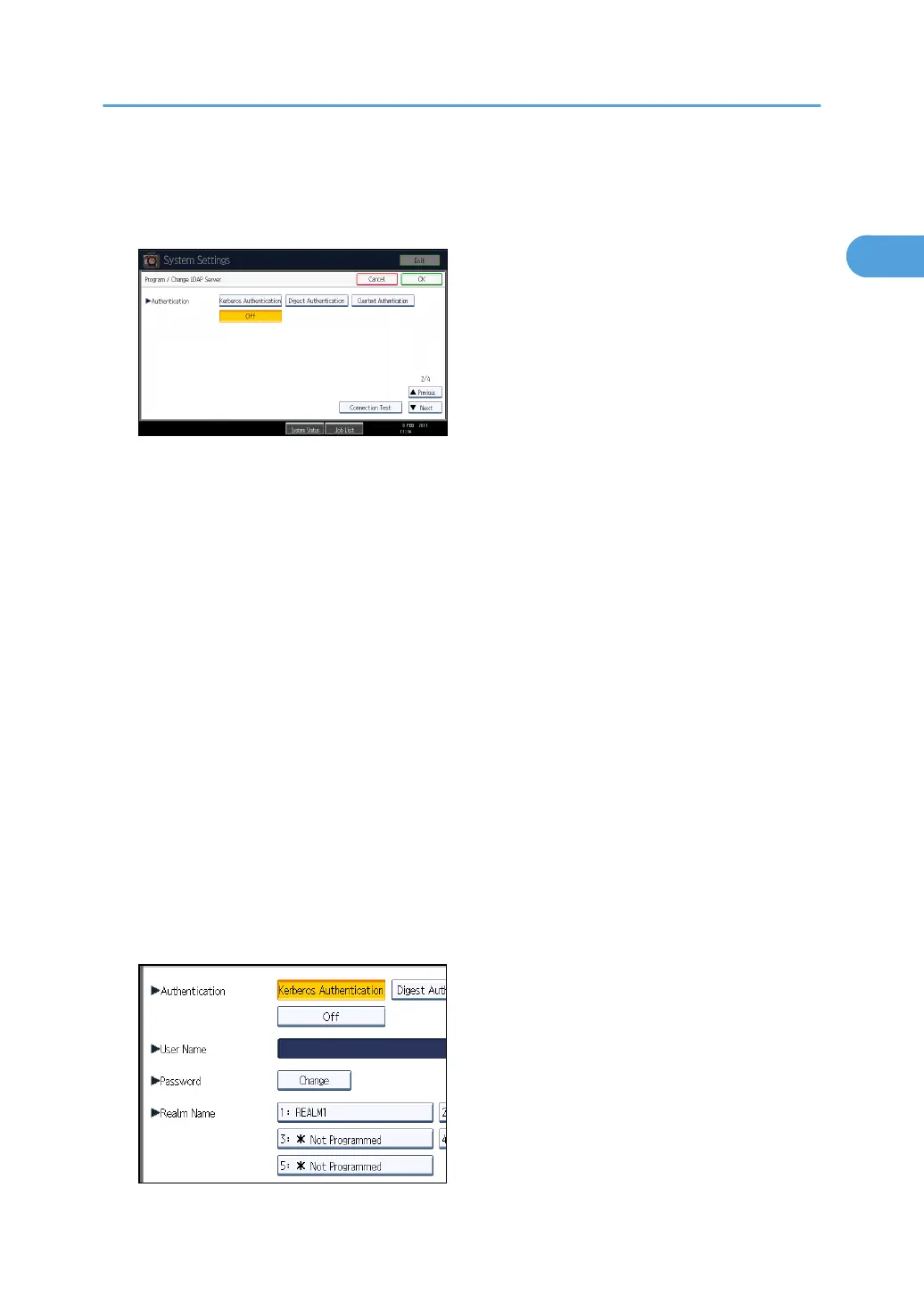
If you select [Digest Authentication] or [Cleartext Authentication], proceed to step 19 to 22, and
then proceed to step 24.
If you select [Kerberos Authentication], proceed to step 19 to 23, and then proceed to step 24.
19. Press [Change] under "User Name".
When [Kerberos Authentication], [Digest Authentication], or [Cleartext Authentication] is selected
for the authentication setting, use the administrator account name and password. Do not enter the
administrator account name and password when using authentication for each individual or each
search.
20. Enter the user name, and then press [OK].
Procedures for the user name setting differ depending on server environment. Check your server
environment before making the setting.
Example: Domain Name\User Name, User Name@Domain Name, CN=Name, OU=Department
Name, DC=Server Name
21. Press [Change] under "Password".
22. Enter the password, and then press [OK].
The user name and password are required for administrator authentication to access the LDAP
server.
You can connect to the LDAP server using a user name and password stored in the Address Book.
For details, see "Registering SMTP and LDAP Authentication".
If you select [Digest Authentication] or [Cleartext Authentication], proceed to step 24.
23. Select the Realm.
Programming the LDAP server
63



 To Next Page