• Before using this machine with a wireless LAN interface, you must select [Wireless LAN] in [LAN
Type].
• p.34 "Interface Settings"
Setup Procedure
This section describes how to setup wireless LAN interface.
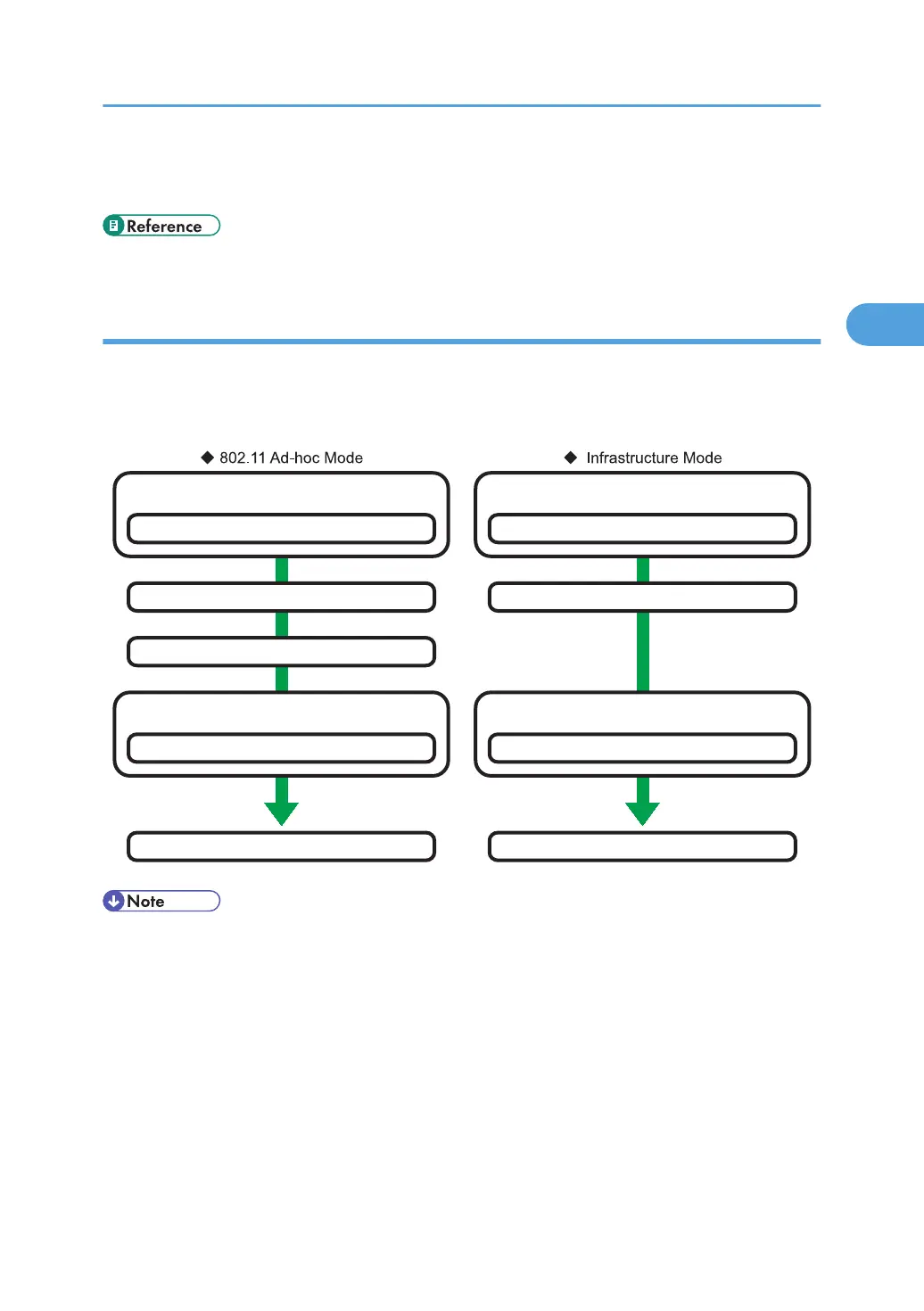
To configure the wireless LAN settings: open [System Settings], [Interface Settings], select [Wireless
LAN], and then use the following procedure.
Select Security Type
Enable/Disable Encryption (WEP/WPA)
Select the communication mode
802.11 Ad-hoc Mode
Set the SSID
Select ad-hoc channel
Confirm the connection
Select Security Type
Enable/Disable Encryption (WEP/WPA)
Select the communication mode
Infrastructure Mode
Set the SSID
Confirm the connection
BZU020
• Select [802.11 Ad-hoc Mode] when connecting Windows XP as a wireless LAN client using
Windows XP standard driver or utilities, or when not using the infrastructure mode.
•
When [802.11 Ad-hoc Mode] is selected in Communication Mode, select the channel for [Ad-hoc
Channel]. Set a channel that matches the type of wireless LAN being used. For details about setting
the Ad-hoc Channel, see "Interface Settings ".
• You can specify either "WEP" or "WPA" to the Security Method.
• Specify "WPA", when [Communication Mode] is set to [Infrastructure Mode].
• If you select the [WPA] option for Security Method, select one of the following: [WPA-PSK],
[WPA], [WPA2-PSK], or [WPA2]. If you select [WPA-PSK] or [WPA2-PSK], enter your PSK. If you
Connecting to the Interface
79



 To Next Page