For details about specifying login user name and login password, see "Specifying Login User Names
and Passwords".
• When using "Use Auth. Info at Login" for "SMTP Authentication", "Folder Authentication", or "LDAP
Authentication", a user name other than "other", "admin", "supervisor" or "HIDE***" must be
specified. The symbol "***" represents any character.
•
To use "Use Auth. Info at Login" for "SMTP Authentication", a login password up to 128 characters
in length must be specified.
1. Press the [User Tools/Counter] key.
2. Press [System Settings].
3. Press [Administrator Tools].
4. Press [Address Book Management].
5. Select the user.
6. Press [Auth. Info].
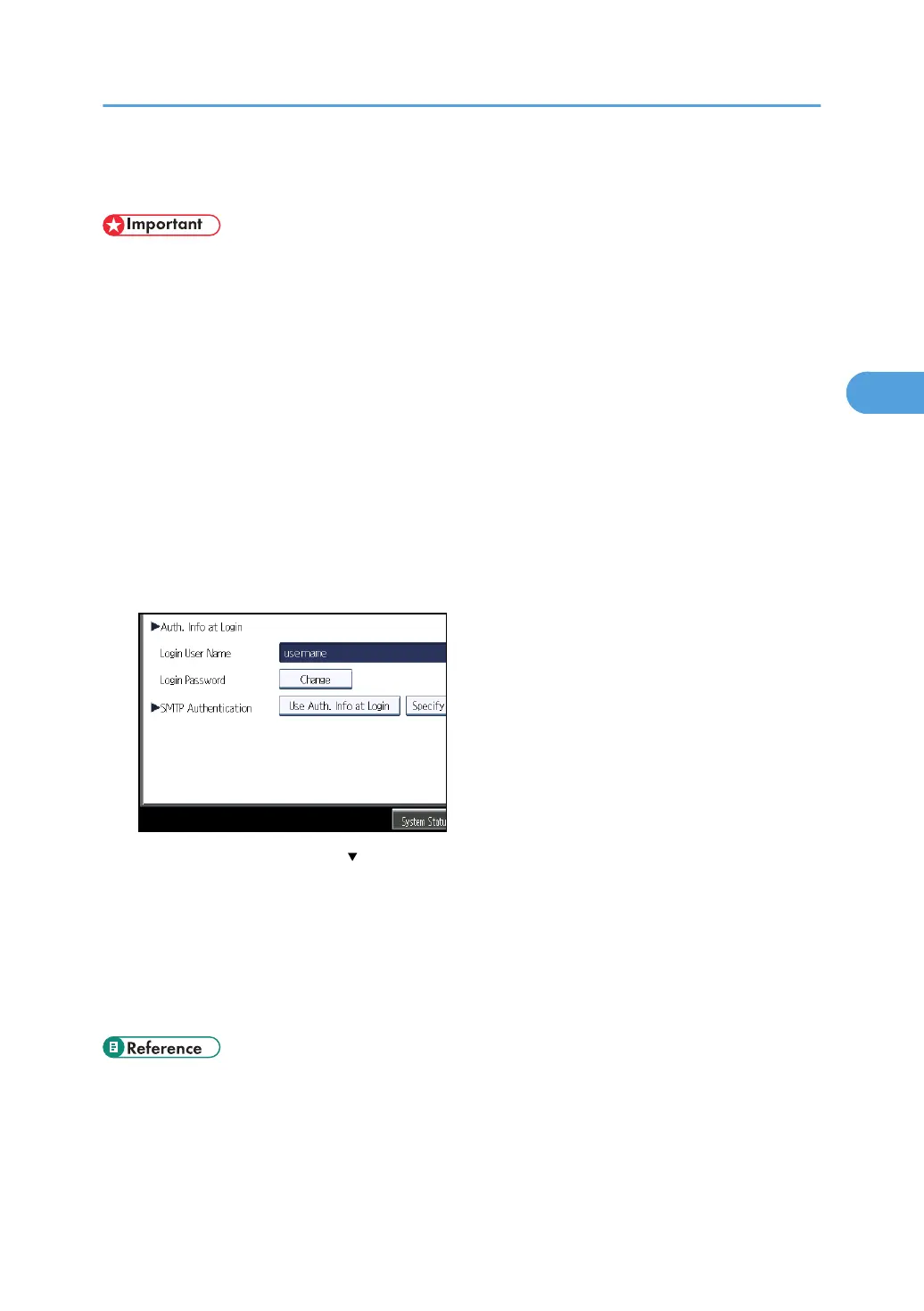
7. Select [Use Auth. Info at Login] in "SMTP Authentication".
If this item is not visible, press [ Next] to display more settings.
For folder authentication, select [Use Auth. Info at Login] in "Folder Authentication".
For LDAP authentication, select [Use Auth. Info at Login] in "LDAP Authentication".
8. Press [OK].
9. Press [Exit] twice.
10. Press the [User Tools/Counter] key.
• p.50 "Specifying Login User Names and Passwords"
Basic Authentication
53


 To Next Page