For more information about these and the extended security functions, see "Specifying the Extended
Security Functions".
"Restricting Destinations" can also be specified using Web Image Monitor. For details, see Web Image
Monitor Help.
For details about logging in and logging out with administrator authentication, see "Logging in Using
Administrator Authentication" and "Logging out Using Administrator Authentication".
1. Press the [User Tools/Counter] key.
2. Press [System Settings].
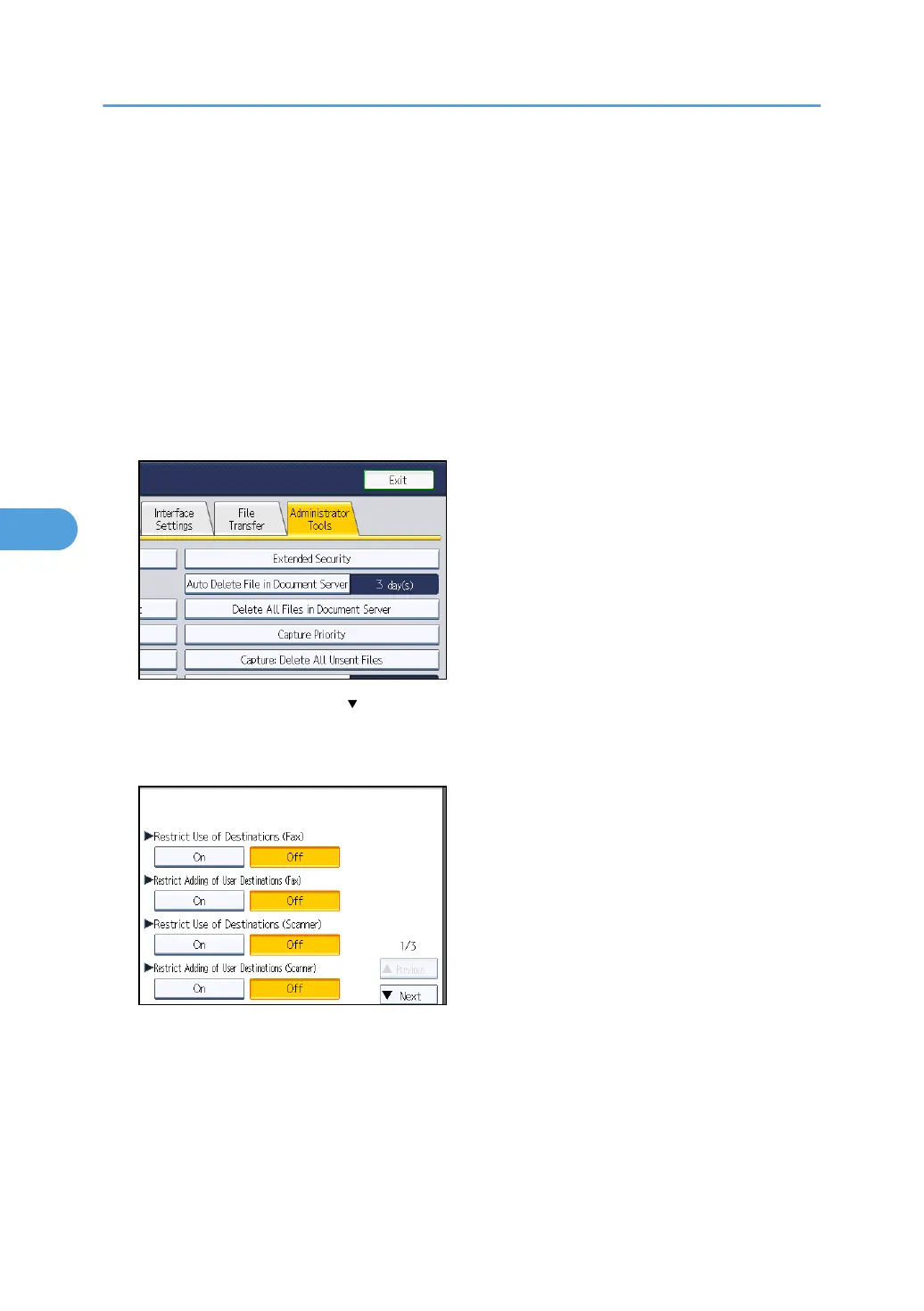
3. Press [Administrator Tools].
4. Press [Extended Security].
If this item is not visible, press [ Next] to display more settings.
5. Press [On] for "Restrict Use of Destinations (Fax)" and/or "Restrict Use of Destinations
(Scanner)".
If you set "Restrict Use of Destinations (Fax)" to [On], "Restrict Adding of User Destinations (Fax)"
will not appear. Similarly, if you set "Restrict Use of Destinations (Scanner)" to [On], "Restrict
Adding of User Destinations (Scanner)" will not appear.
6. Press [OK].
7. Press the [User Tools/Counter] key.
5. Securing Information Sent over the Network or Stored on Hard Disk
118



 To Next Page