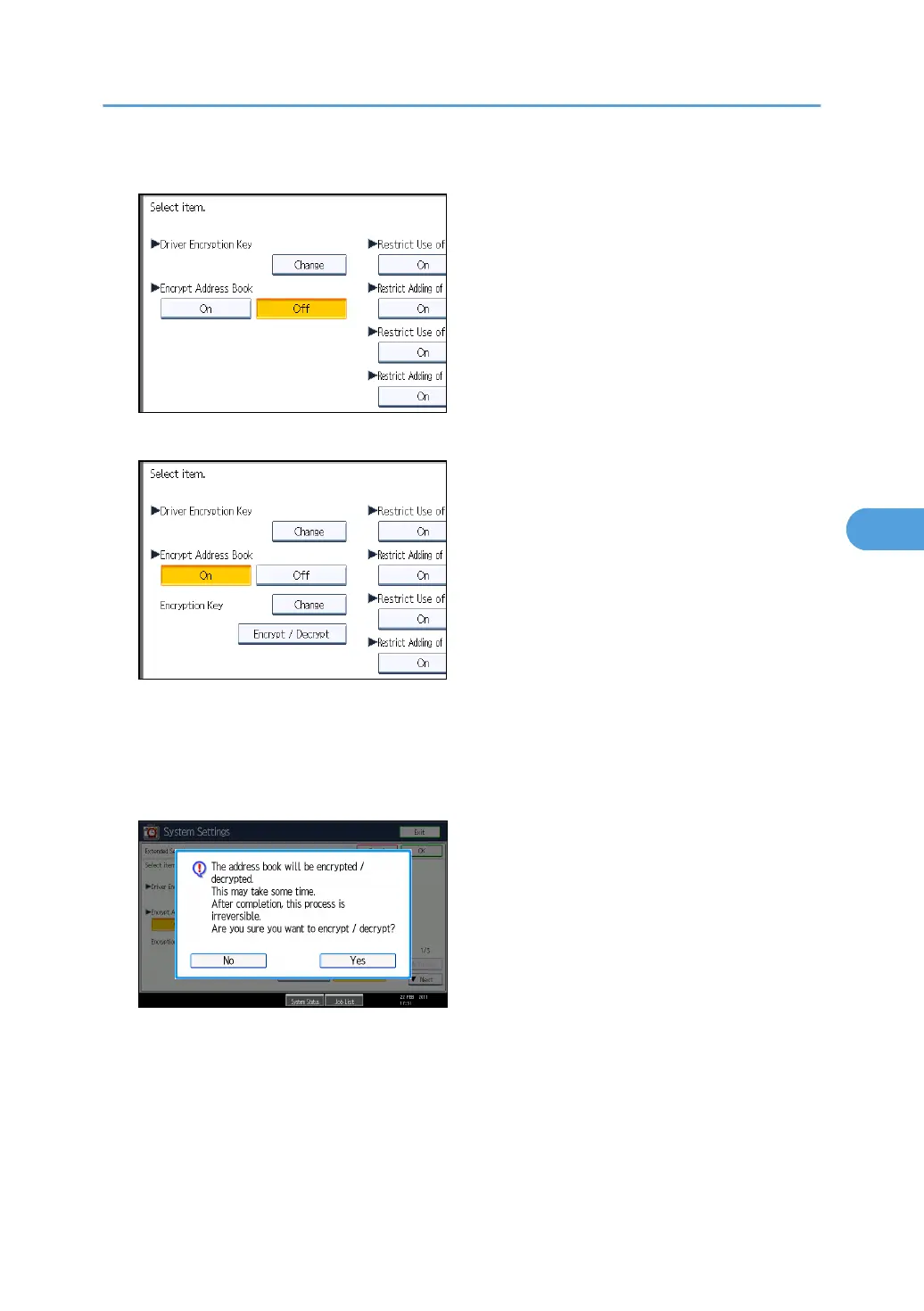
5. Press [On] for "Encrypt Address Book".
6. Press [Change] for "Encryption Key".
7. Enter the encryption key, and then press [OK].
Enter the encryption key using up to 32 alphanumeric characters.
8. Press [Encrypt / Decrypt].
9. Press [Yes].
Do not switch the main power off during encryption, as doing so may corrupt the data.
Encrypting the data in the Address Book may take a long time.
The time it takes to encrypt the data in the Address Book depends on the number of registered
users.
The machine cannot be used during encryption.
Protecting the Address Book
131



 To Next Page