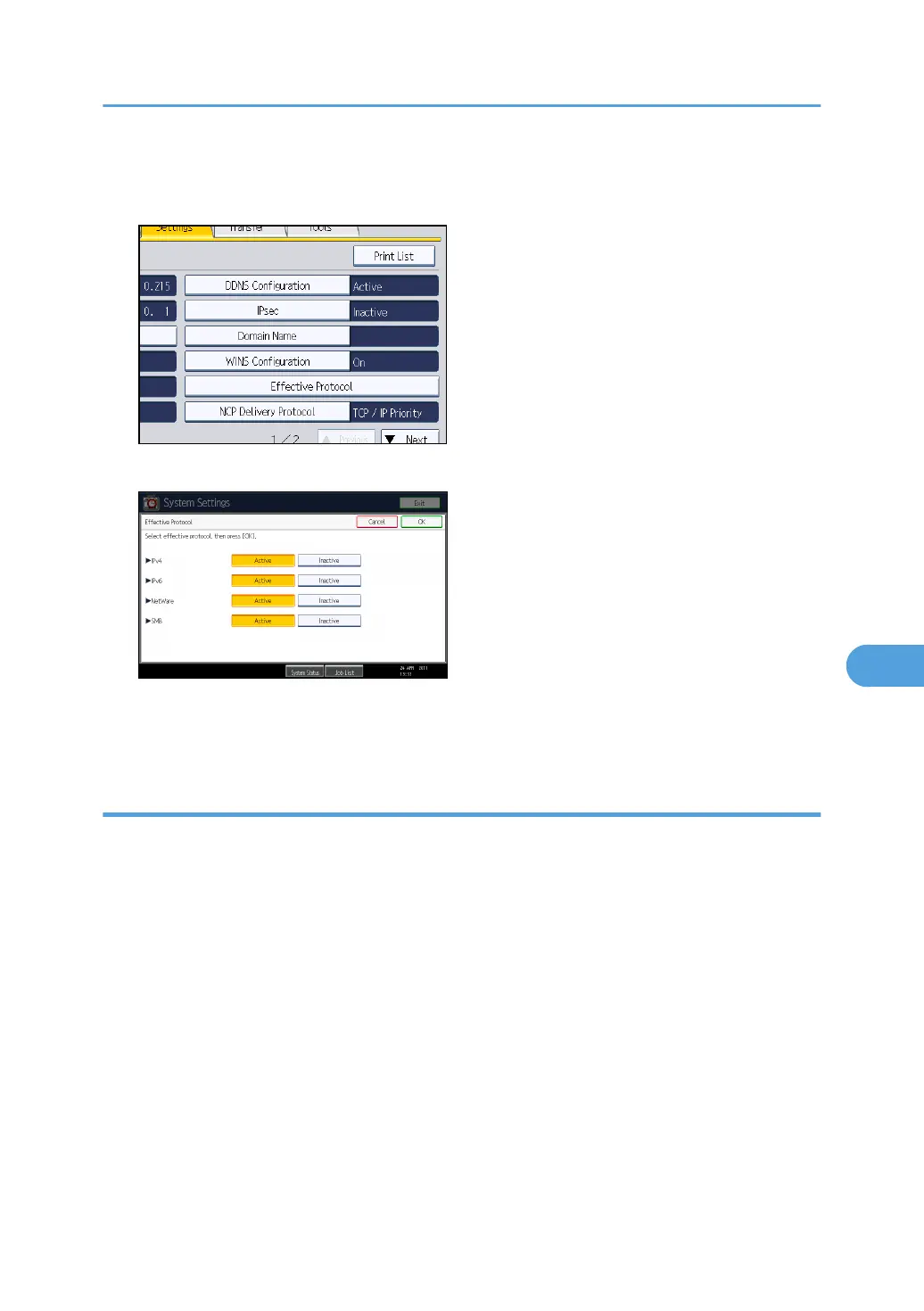
3. Press [Interface Settings].
4. Press [Effective Protocol].
5. Press [Inactive] for the protocol you want to disable.
6. Press [OK].
7. Press the [User Tools/Counter] key.
Enabling and Disabling Protocols Using Web Image Monitor
1. Open a Web browser.
2. Enter "http://(the machine's IP address or host name)/" in the address bar.
When entering an IPv4 address, do not begin segments with zeros. For example: If the address is
"192.168.001.010", you must enter it as "192.168.1.10" to connect to the machine.
The top page of Web Image Monitor appears.
3. Click [Login].
The network administrator can log in.
Enter the login user name and login password.
4. Click [Configuration], and then click [Network Security] under "Security".
5. Set the desired protocols to active/inactive (or open/close).
6. Click [OK].
7. Click [OK].
Preventing Unauthorized Access
211



 To Next Page