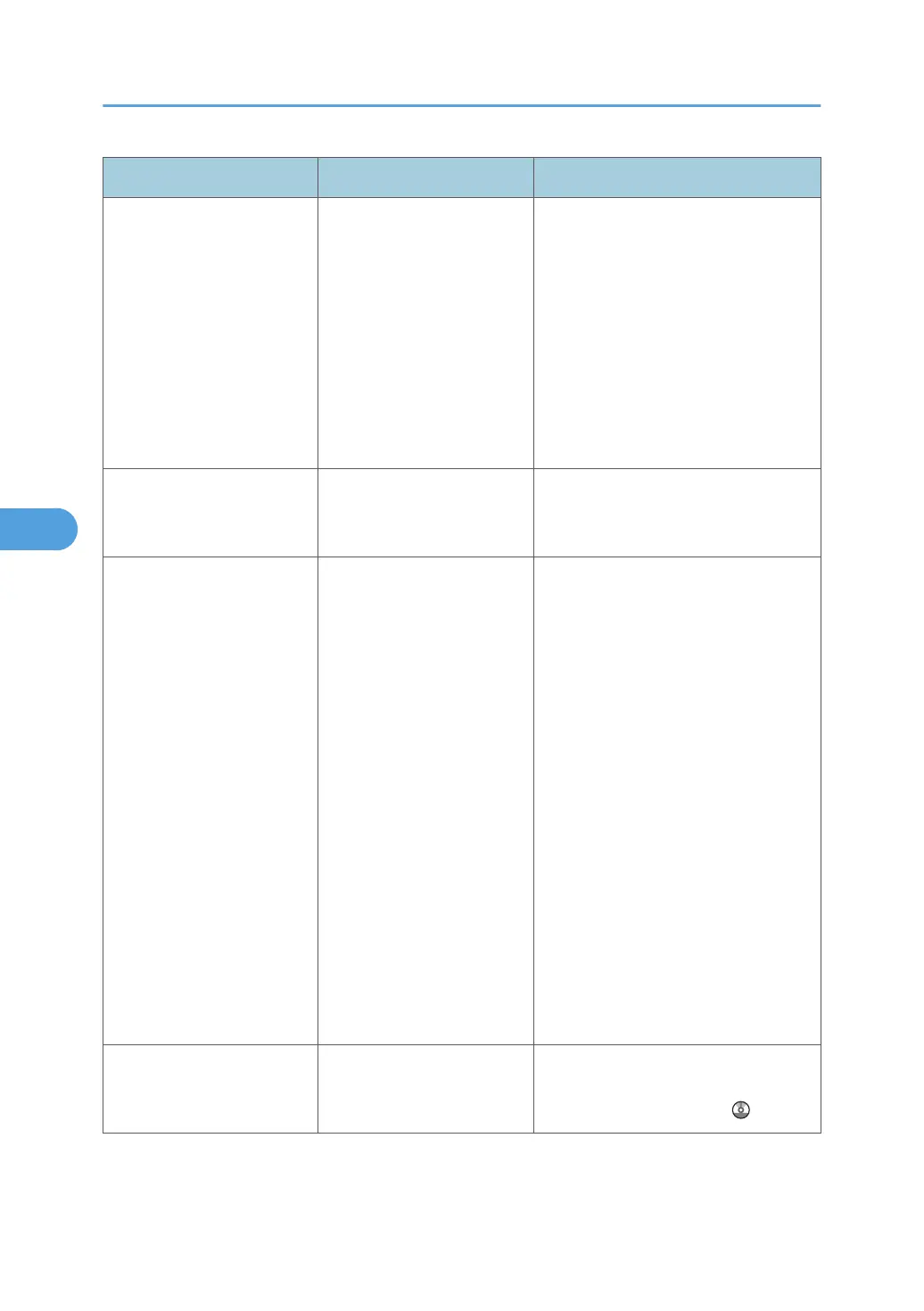
Message Causes Solutions
"Cannot detect original size.
Select scan size."
The original placed on the
exposure glass is a
nonstandard size.
• Place the original correctly.
•
Specify the scan size.
• When placing an original directly
on the exposure glass, the lifting/
lowering action of the exposure
glass cover or ADF triggers the
automatic original size detection
process. Lift the exposure glass
cover or ADF by 30 degrees or
more.
"Cannot find the specified
path. Please check the
settings."
The destination computer
name or folder name is
invalid.
Check whether the computer name and
the folder name for the destination are
correct.
"Cannot find the specified
path. Please check the
settings."
An antivirus program or a
firewall is preventing the
machine connecting to your
computer.
• Antivirus programs and firewalls
can prevent client computers from
establishing connection with this
machine.
•
To prevent an antivirus
application blocking the
connection, register the scanner
program in the antivirus
program's exclusion list. For
details about the procedure for
excluding a program, see your
antivirus application's Help.
• To prevent a firewall blocking the
connection, register the machine's
IP address in the firewall's IP
address exclusion settings. For
details about the procedure for
excluding an IP address, see your
firewall's Help.
"Cannot start scanning
because communication was
failed."
Scan Profile is not set on the
client computer.
Set Scan Profile. For details about how
to do this, see "Changing a Scan
Profile", Scanner Reference
.
5. Troubleshooting When Using the Scanner Function
100



 To Next Page