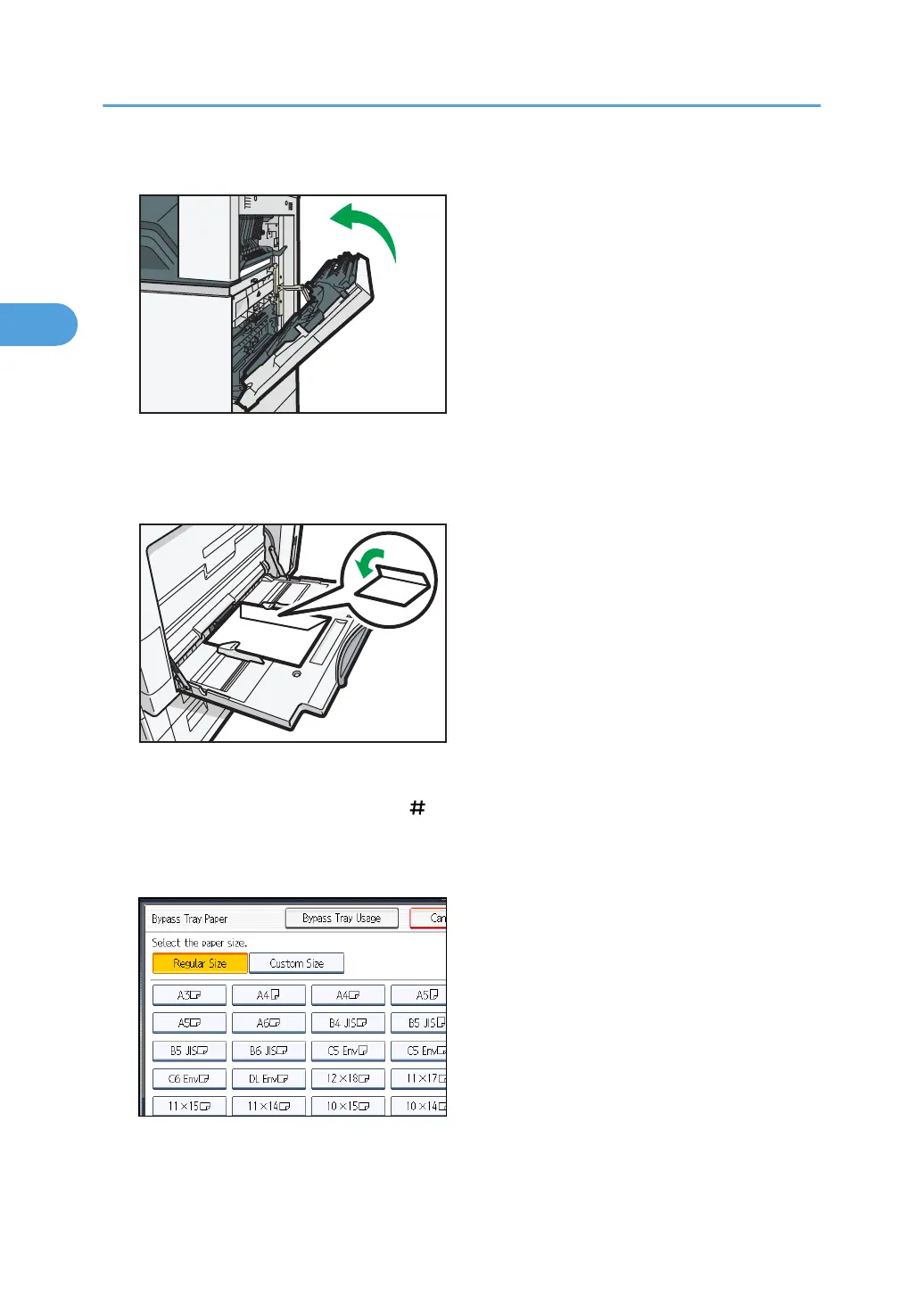
3. Close the right cover.
4. Open the bypass tray and set the envelopes print side down with their flaps closed and
pointing toward the back of the machine. Push the envelopes into the machine until you
hear the beep.
5. Align the paper guides to the envelope size.
6. Press [Bypass], and then press the [ ] key.
7. Press [Paper Size].
8. Select the envelope size, and then press [OK] twice.
9. Place the originals, and then press the [Start] key.
2. Basic Copying
52



 To Next Page