2. In the [Layout:] list, select the combination pattern from the list.
3. Change any other print settings if necessary.
4. Click [OK] to close the [Printing Preferences] dialog box.
5. Print the document using the print function in the document's native application.
• This function is also available using the PostScript 3 printer driver. For details, see PostScript 3
Supplement.
•
If the document contains pages with different original sizes, page breaks may occur.
• If the application you are using also has a combine function, disable it. If the application's combine
function is also enabled when the driver's combine function enabled, incorrect printing is likely.
• For details about combining pages with different orientations and other advanced functions, see
the printer driver Help.
Types of combine printing
This section explains the different methods of combine printing that are available. Combine printing
allows you to print 2, 4, 6, 9, or 16 pages at reduced size onto a single sheet and to specify a page
ordering pattern for the combination.
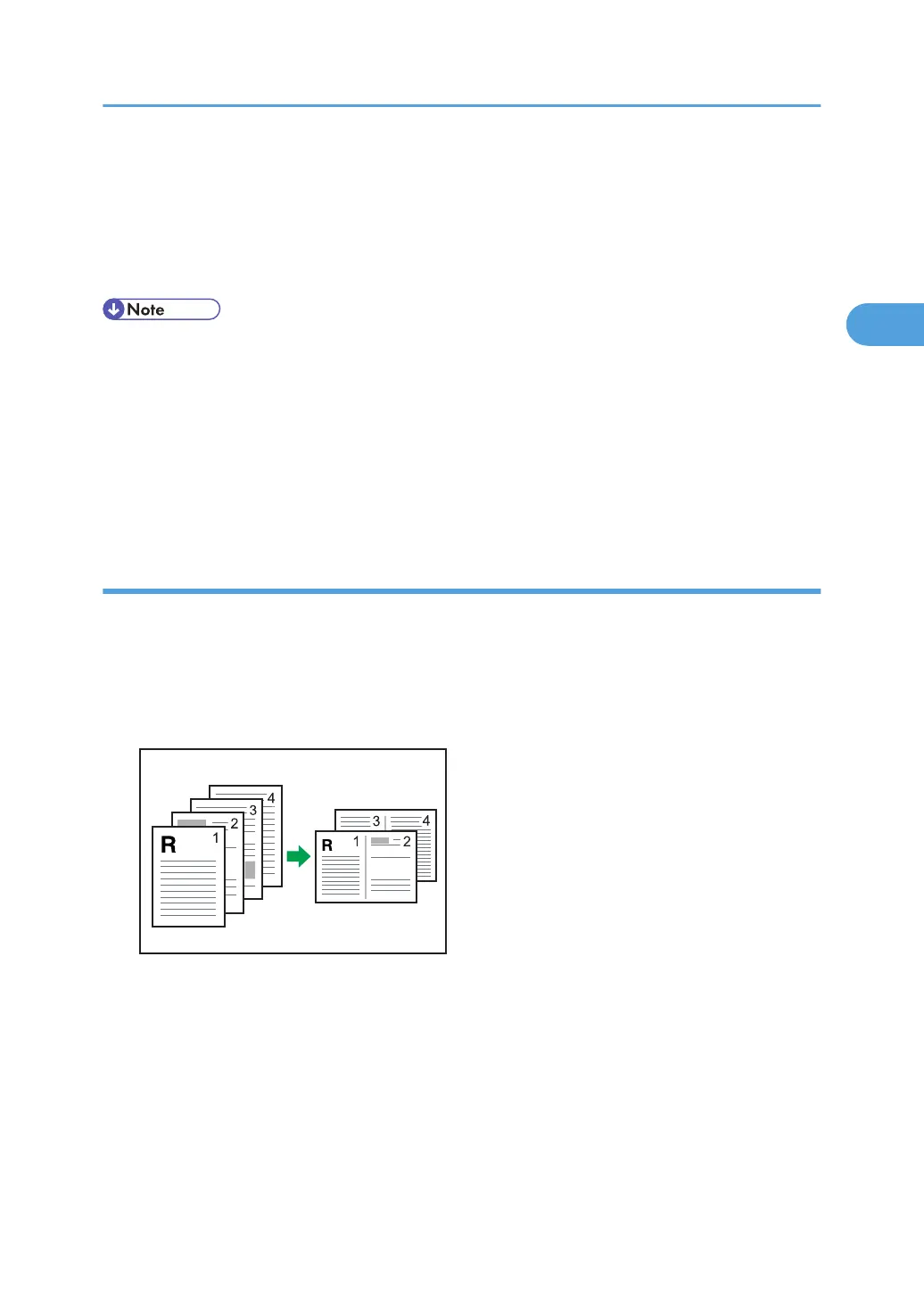
The following illustrations show example page ordering patterns for 2- and 4-page combinations.
2 Pages per Sheet
Frequently Used Print Methods
73



 To Next Page