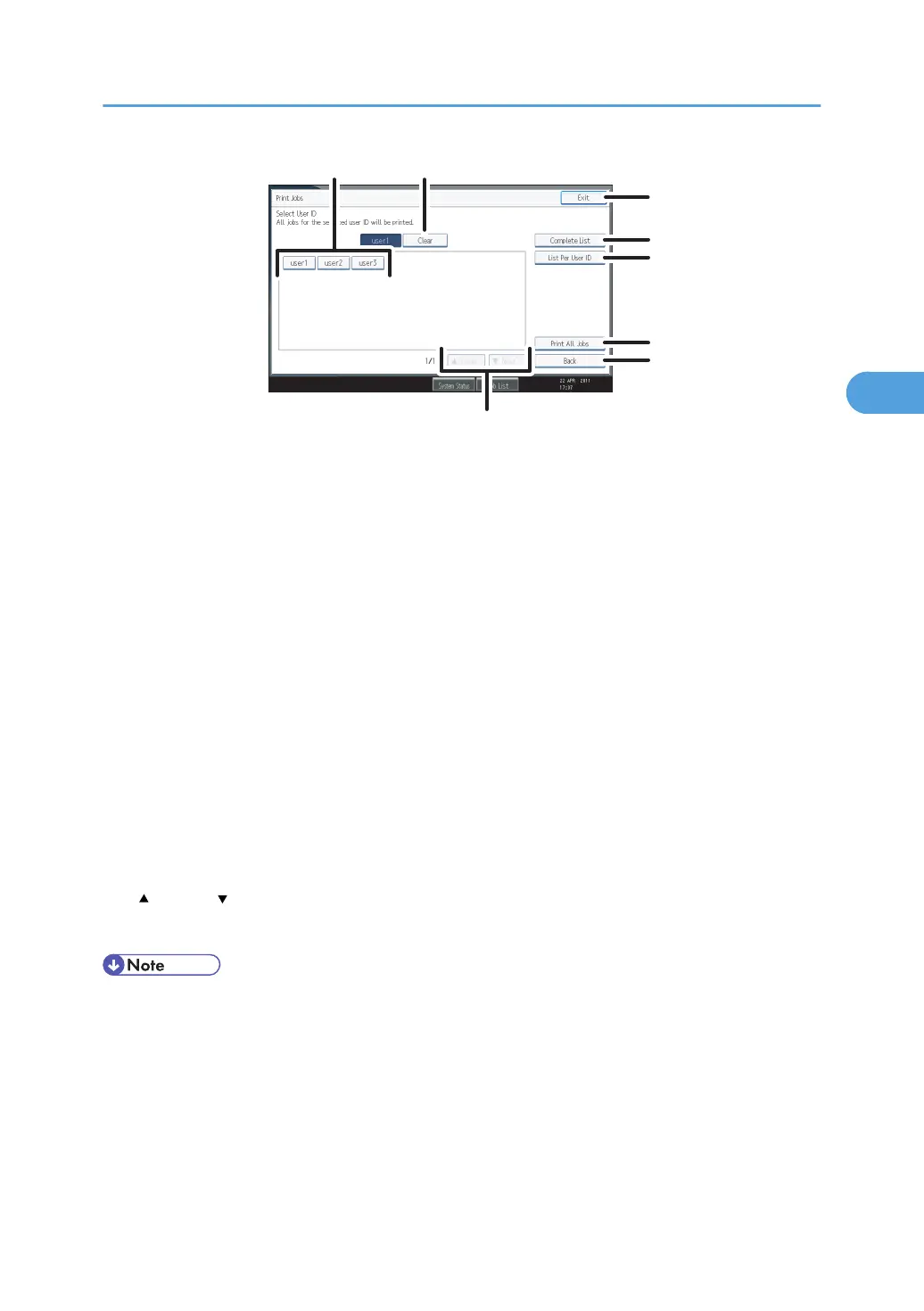
1. User ID
Displays the User IDs who sent files to the machine.
2.
Clear
Clears a selection.
3. Exit
Returns to the printer screen.
4. Complete List
Displays all print jobs.
5. List Per User ID
Displays the print job list of each ID.
6. Print All Jobs
Prints all selected type of files sent by the user ID.
7. Back
Returns to the previous screen.
8.
Previous/ Next
If the list of files does not fit on the screen, scroll up or down to view the list.
• Multiple files can be selected on the Print Jobs screen. To clear selection, press the selected print
jobs again.
•
The display is not updated if a new file is stored while the list of stored files is displayed. To update
the display, press [Exit] to return to the printer screen, and then press [Print Jobs] again.
• If a large number of print jobs are stored in the machine, processing may slow down temporarily,
depending on which functions are used.
• If you press [List Per User ID] in the Complete List screen, the screen switches to the List Per User ID
screen where [Back] appears at the bottom right. Press [Back] to switch to the Complete List screen.
Using the Print Job Function
109



 To Next Page