• To use this function, the optional HDD unit and printer/scanner functions are required.
•
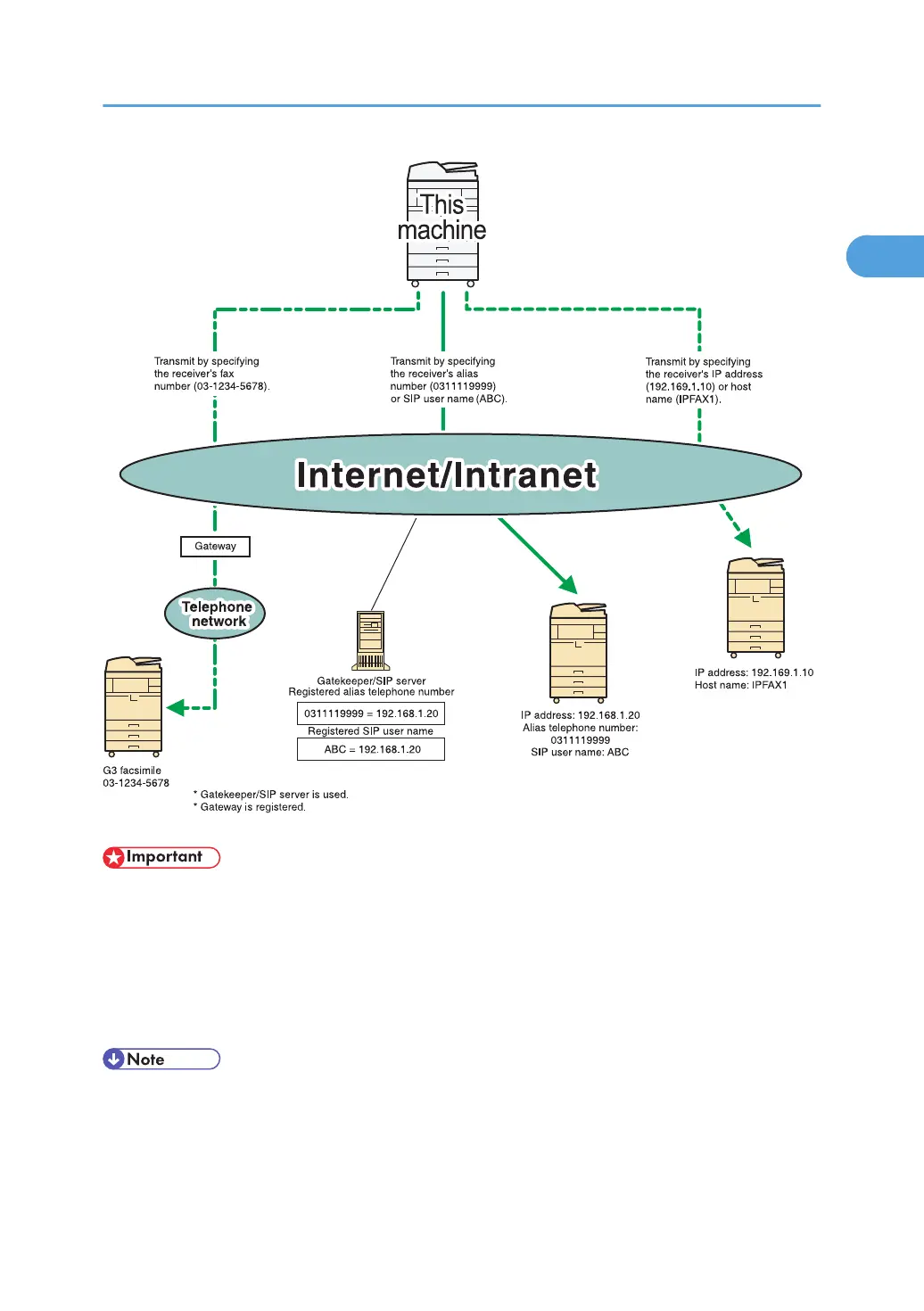
To use IP-Fax functions, this machine must be connected to a LAN and its IP-Fax settings correctly
specified under Initial Settings in the Facsimile Features menu. For details about these settings, see
“Initial Settings”.
• Before using this function, configure the network in the System Settings menu. For details about the
required settings, see “Connecting the Machine”, Network and System Settings Reference.
• IP-Fax supported by this machine is ITU-T Recommendation T.38 compliant.
•
SIP allows you to transmit and receive documents over an IPv6 network.
• For details about H.323 Settings, SIP Settings, or Program / Change / Delete Gateway, see
“Initial Settings”.
IP-Fax Functions
37



 To Next Page