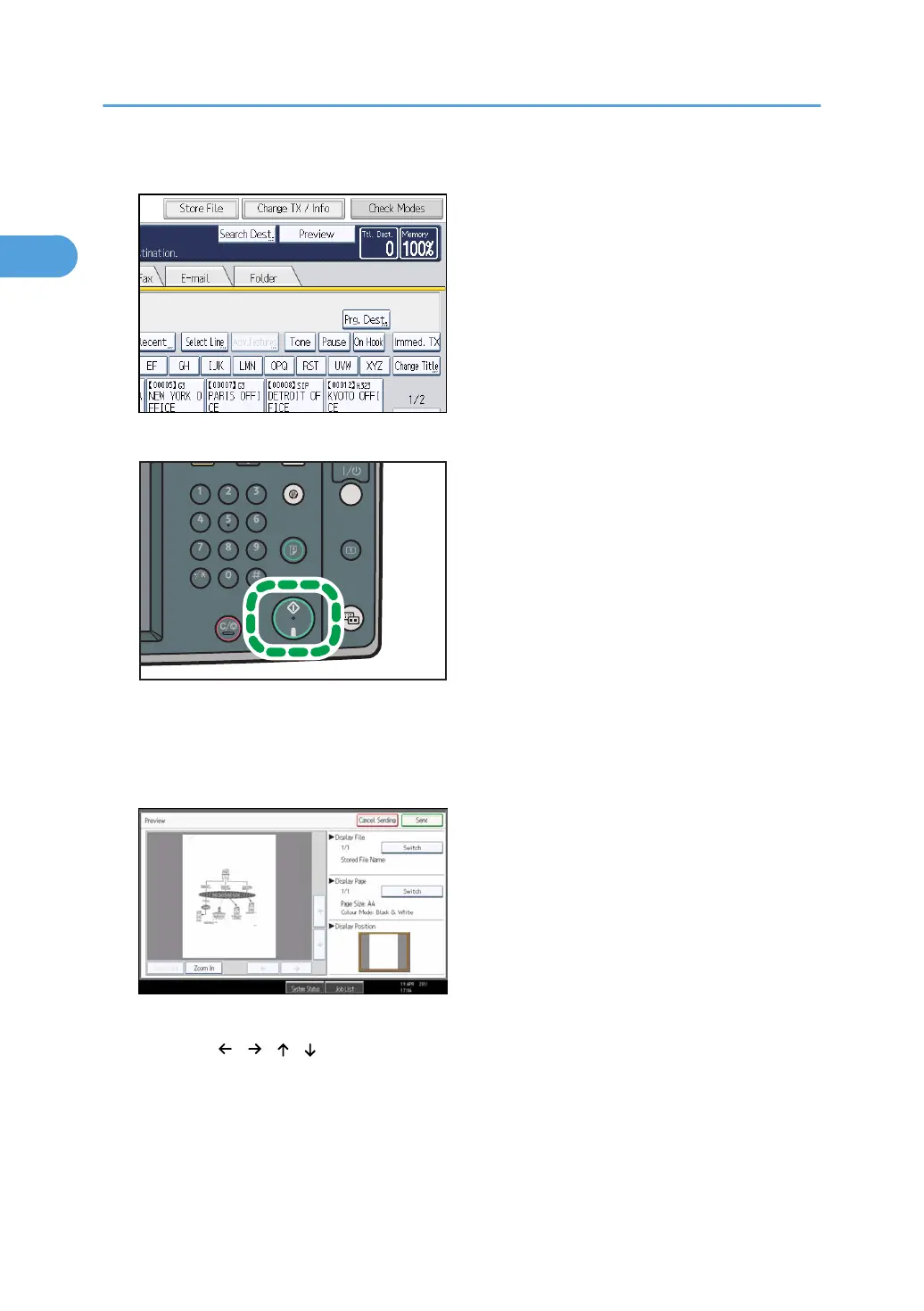
2. Press [Preview].
3. Specify the destination, and then press the [Start] key.
The machine starts to scan the original. When scanning ends, a preview is displayed.
If you want to cancel a preview, press [Cancel].
4. Check the preview.
• Press [Zoom Out] or [Zoom In] to reduce or enlarge the preview image.
•
Press [
] [ ] [ ] [ ] to scroll the preview image.
•
Press [Switch] under “Display File” to display another selected file.
• Press [Switch] under “Display Page” to change the displayed page.
5. Press [Send].
Transmission starts.
1. Transmission
66



 To Next Page