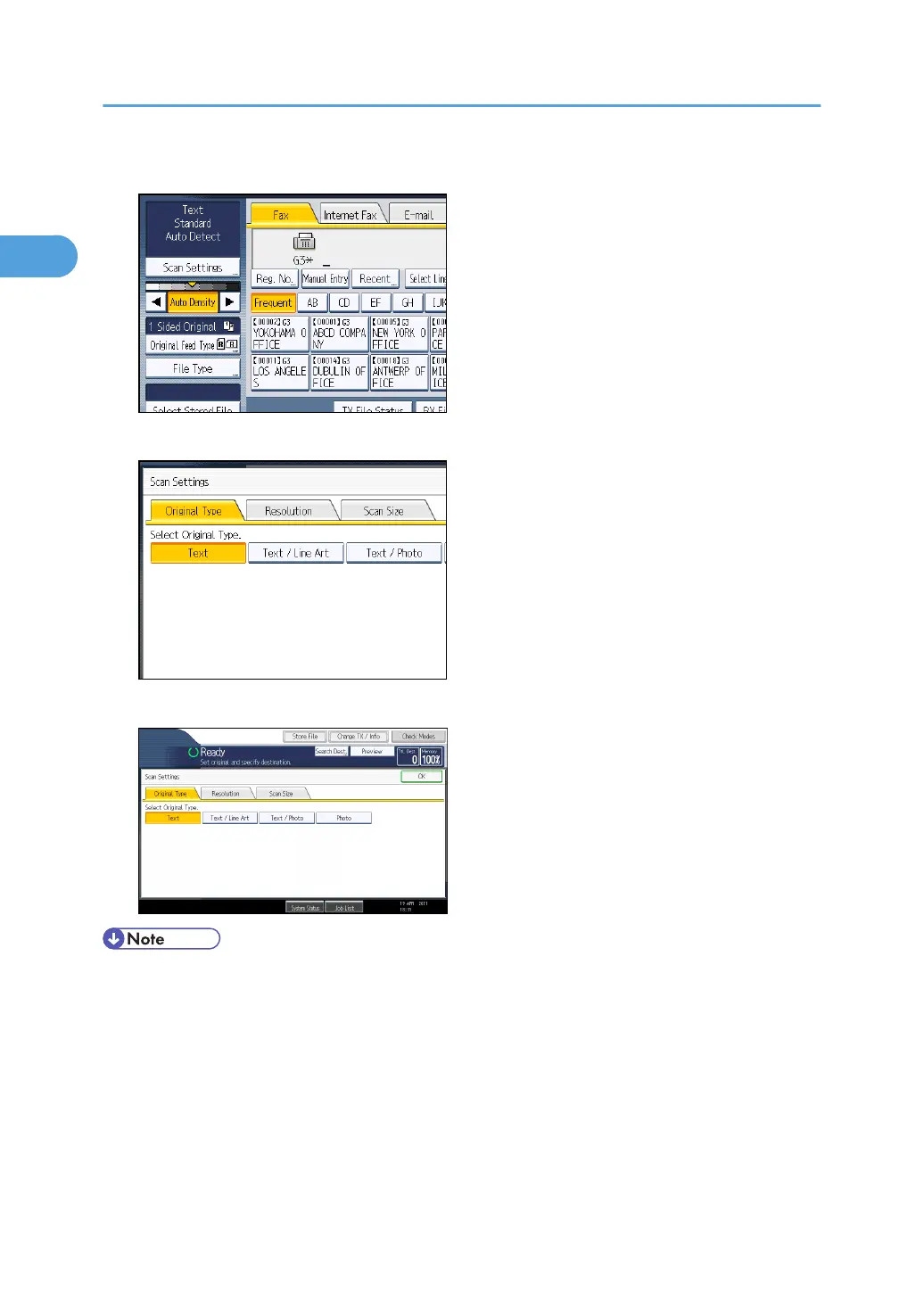
1. Press [Scan Settings].
2. Make sure that [Original Type] is selected.
3. Select the original type you require, and then press [OK].
• If you select [Text / Line Art], [Text / Photo], or [Photo], the transmission will take longer than when
[Text] is selected.
•
If you send a fax document with [Text / Line Art], [Text / Photo], or [Photo] and the background of
the received image is dirty, reduce the density setting and resend the fax. For details about setting
the image density, see “Density (Contrast)”.
• You can set the original type that is selected right after the machine is turned on or whenever the
[Clear Modes] key is pressed. See “Changing the Default Functions of the Fax's Initial Display”.
1. Transmission
70



 To Next Page