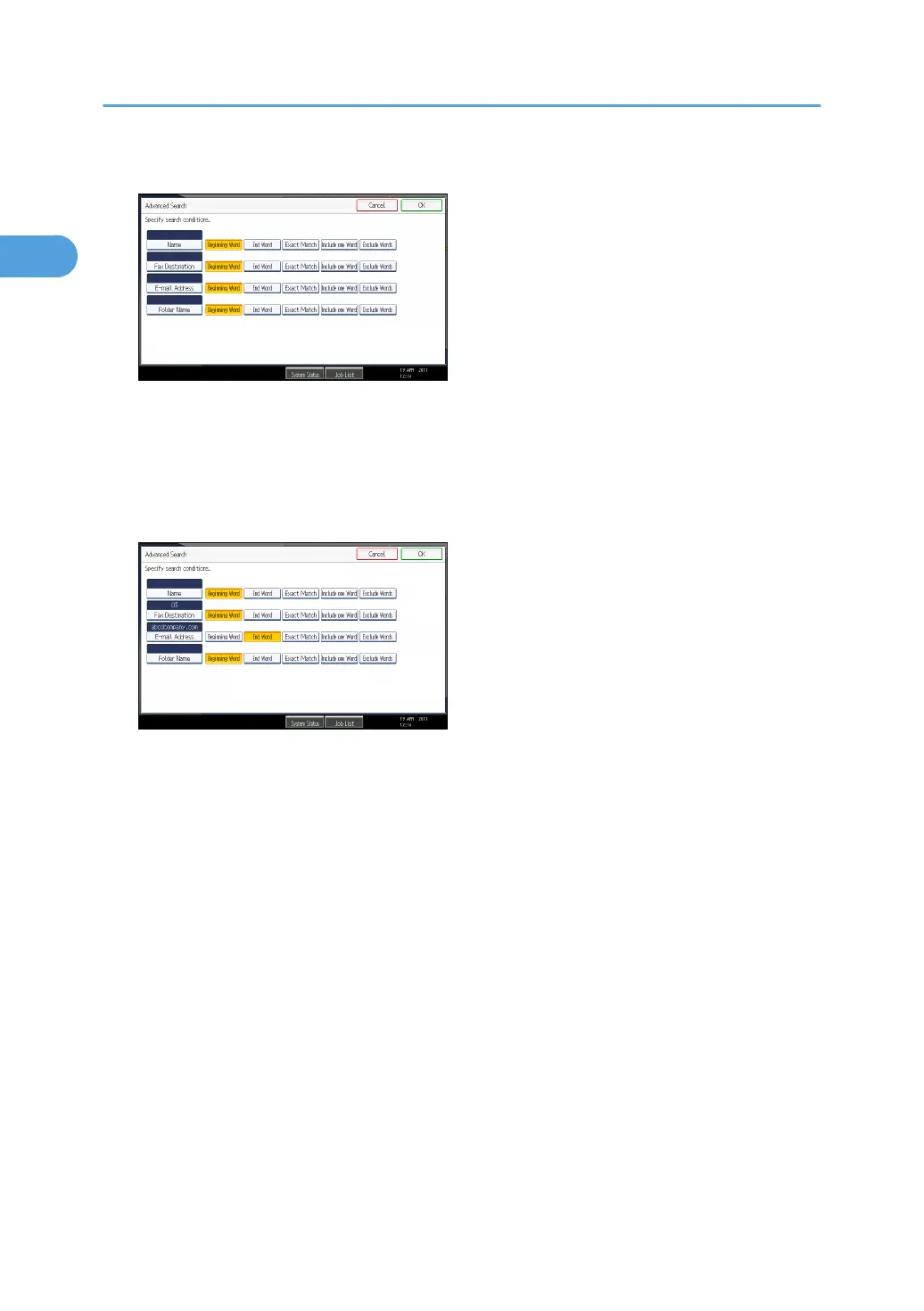
5. Press the key for each condition, and then enter a partial string.
The following conditions can be specified for Address Book searches: Name, Fax Destination, E-
mail Address, and Folder Name.
The following conditions can be specified for LDAP server searches: Name, Fax Destination, E-mail
Address, Company Name, and Department Name.
6. Select search criteria for each condition.
The meanings of the search criteria are as follows:
•
[Beginning Word]: Search for strings that start with the specified character.
Example: When searching for “ABC”, enter “A”.
• [End Word]: Search for strings that end with the specified character.
Example: When searching for “ABC”, enter “C”.
• [Exact Match]: Search for strings that fully match the specified character.
Example: When searching for “ABC”, enter “ABC”.
• [Include one Word]: Search for strings that include the specified character.
Example: When searching for “ABC”, enter “A”, “B”, or “C”.
• [Exclude Words]: Search for strings that do not include the specified character.
Example: When searching for “ABC”, enter “D”.
• [Fuzzy Search]: Perform a fuzzy search.
This item appears when selecting an LDAP server in step 2. The performance of fuzzy search
depends on the search method supported by the LDAP server.
7. Press [OK].
1. Transmission
142



 To Next Page