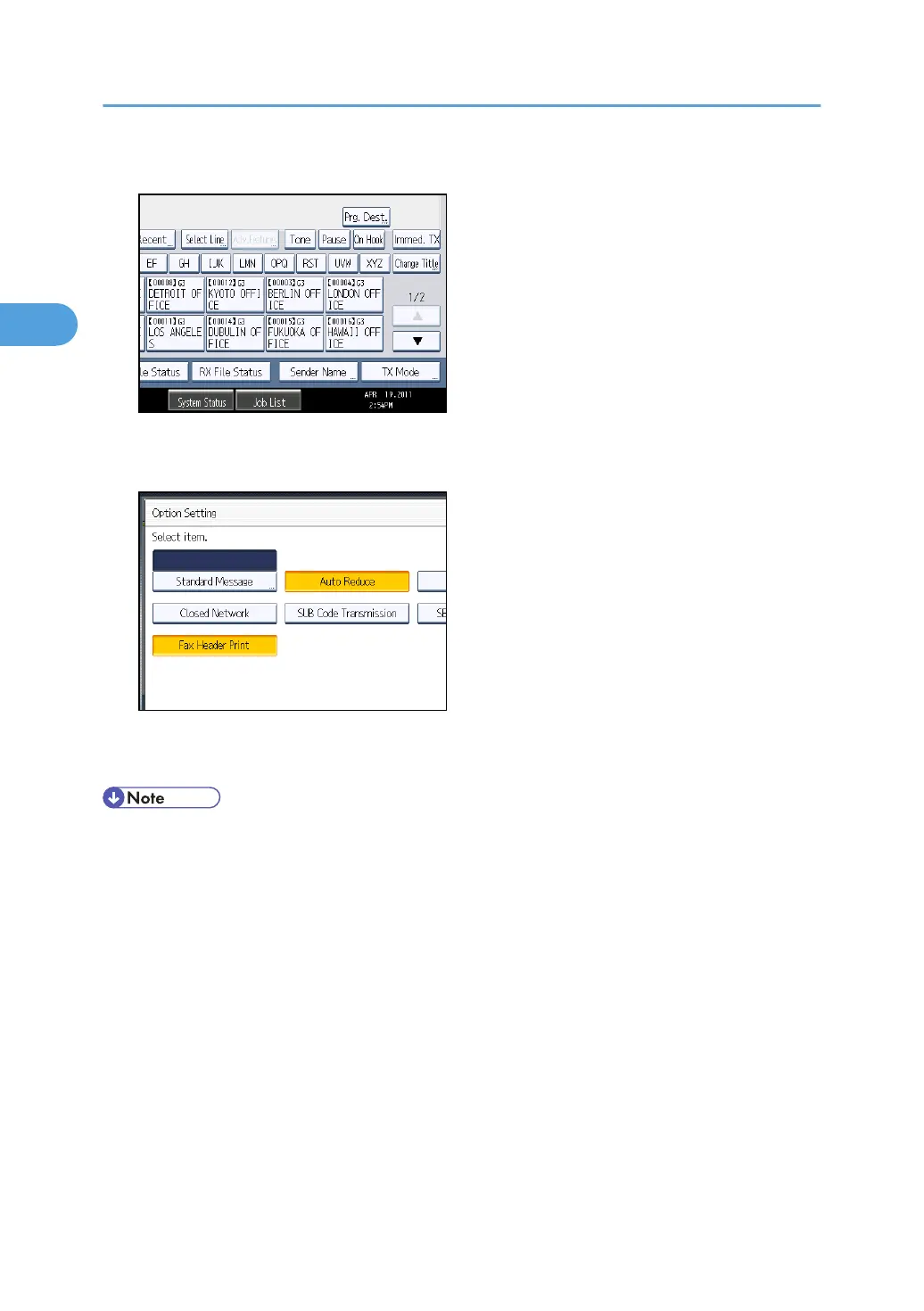
2. Press [TX Mode].
3. Select [Option Setting].
4. Make sure that [Fax Header Print] is highlighted.
5. Press [OK] twice.
6. Specify the destination, and then press the [Start] key.
• You can program fax header names using the Program Fax Information function in the Facsimile
Features menu. For details about the programming method, see “Registering Fax Information”.
•
You can select whether or not dates, fax header names, file numbers, or page numbers are printed
by changing their respective User Parameters (switch 18, bit 3, 2, 1, 0) in the Facsimile Features
menu. See “Parameter Settings”.
• If you used the number keys to specify the receiver, the first header name is printed on the receiver's
paper. To print the second header name, contact your service representative.
• You can program one of the Quick Operation keys with operations for this function. Using the
Quick Operation Key allows you to omit steps 2, 3, and 5. For details about Quick Operation Key,
see “General Settings”.
• In the USA, law requires that your telephone number be included in the Fax Header. Register the
telephone number (own fax number) and switch on Fax Header Print with User Parameters (switch
18, bit 1) in the Facsimile Features menu.
2. Other Transmission Features
200



 To Next Page