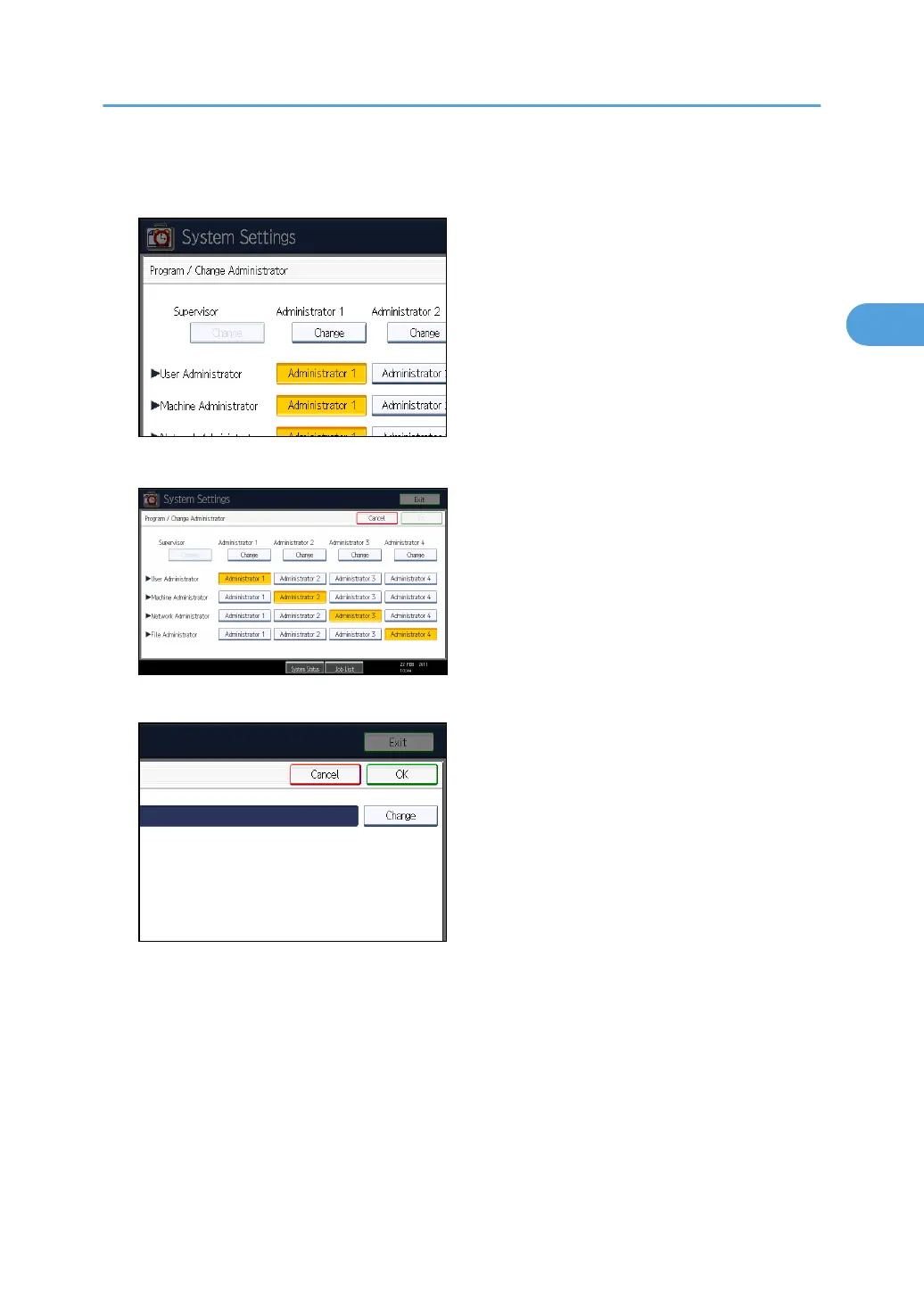
5. In the line for the administrator whose authority you want to specify, press [Administrator
1], [Administrator 2], [Administrator 3] or [Administrator 4], and then press [Change].
If you allocate each administrator's authority to a different person, the screen appears as follows:
6. Press [Change] for the login user name.
7. Enter the login user name, and then press [OK].
Enabling Administrator Authentication
33



 To Next Page