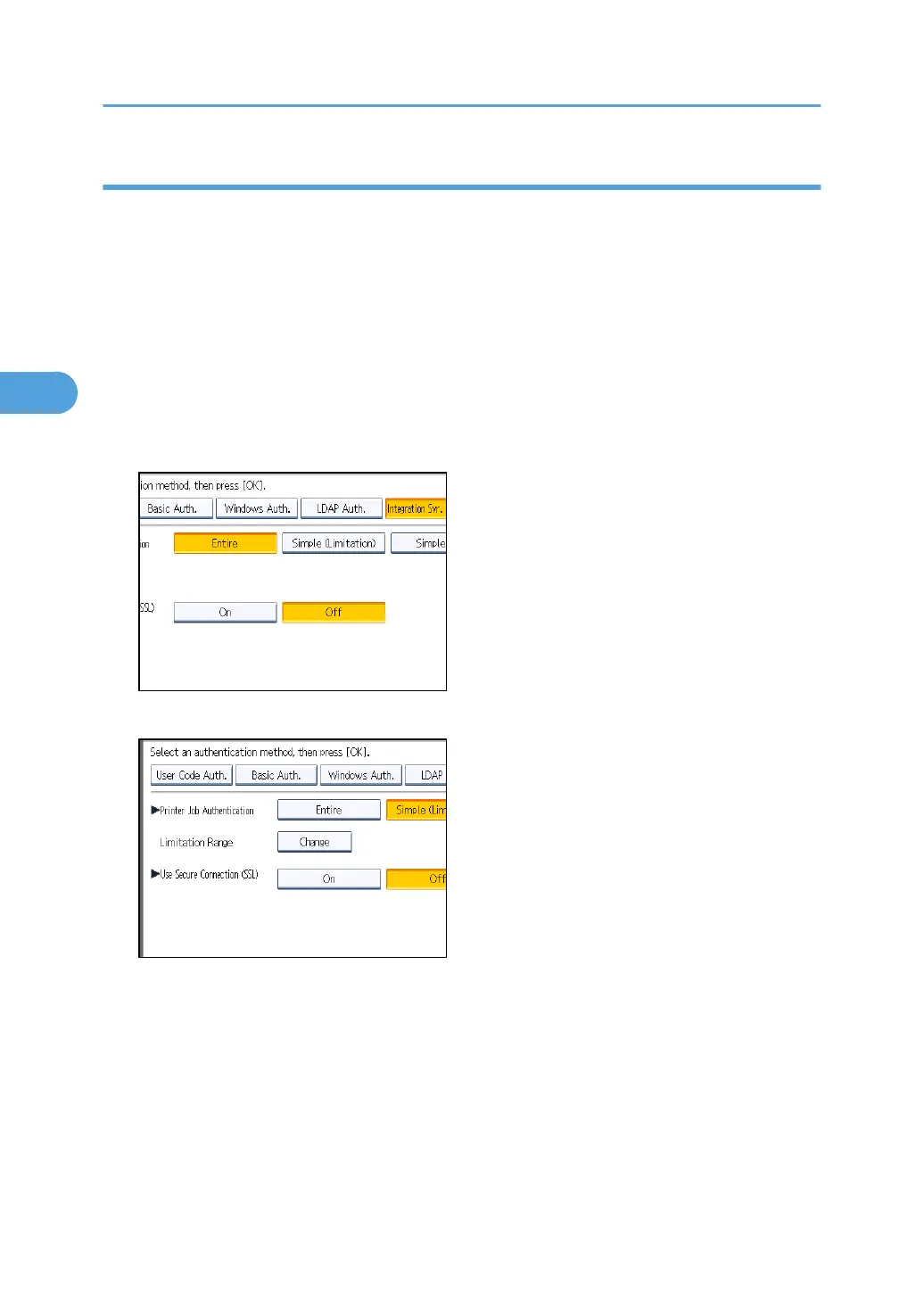
Selecting Simple (Limitation)
If you select [Simple (Limitation)], you can specify clients for which printer job authentication is not
required. Specify [Parallel Interface: Simple], [USB: Simple] and the clients' IPv4 address range in which
printer job authentication is not required. Specify this setting if you want to print using unauthenticated
printer drivers or without any printer driver. Authentication is required for printing with non-specified
devices.
If you select [Simple (Limitation)], you can print even with unauthenticated printer drivers or devices.
Specify this setting if you want to print with a printer driver or device that cannot be identified by the
machine or if you do not require authentication for printing. However, note that, because the machine
does not require authentication in this case, it may be used by unauthorized users.
1. Press [Simple (Limitation)].
2. Press [Change].
3. Specify the range in which [Simple (Limitation)] is applied to "Printer Job Authentication".
You can specify the IPv4 address range to which this setting is applied, and whether or not to apply
the setting to the parallel and USB interfaces.
4. Press [Exit].
3. Configuring User Authentication
80



 To Next Page