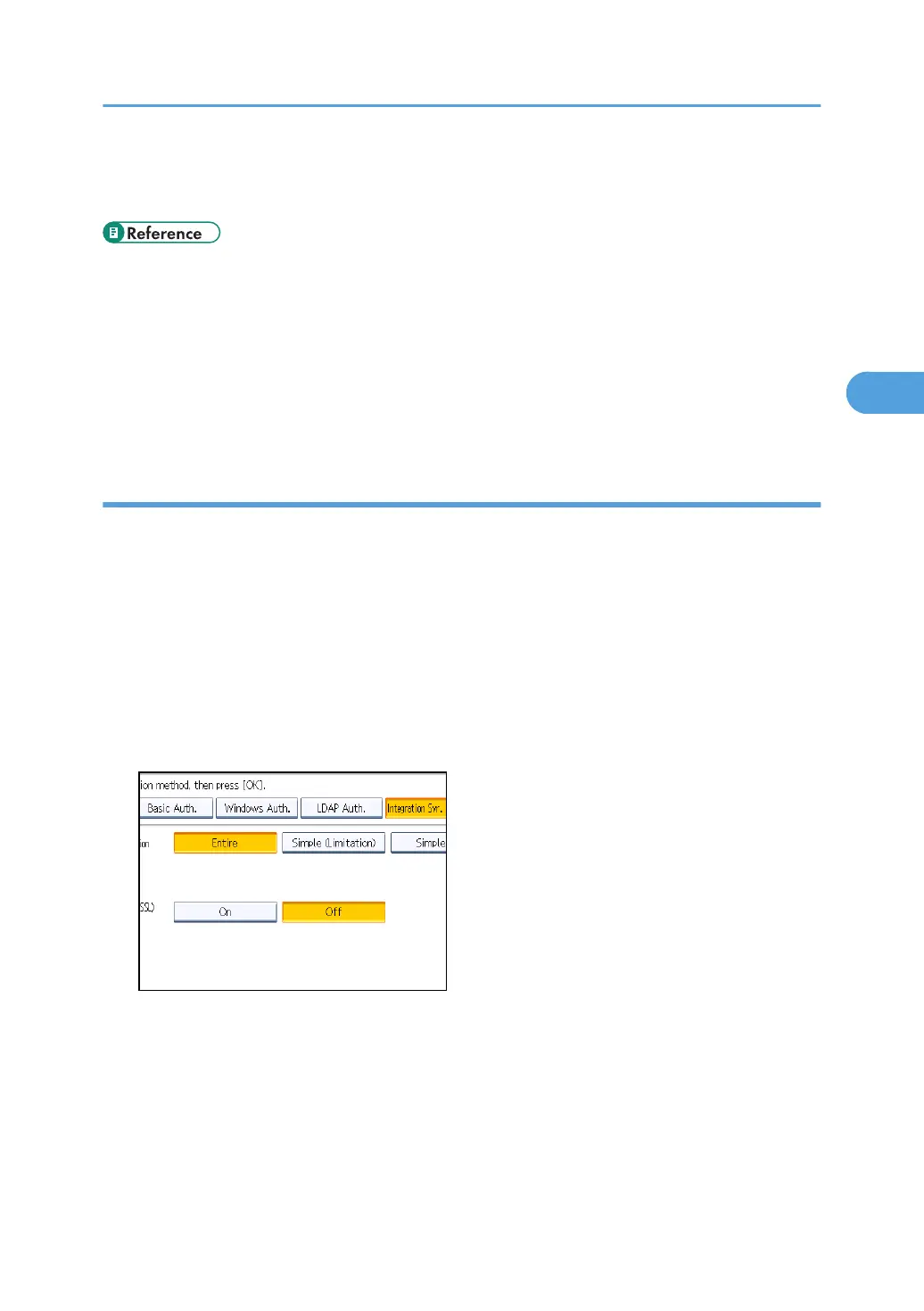
If you select [Simple (Limitation)], proceed to "Selecting Simple (Limitation)".
For a description of the printer job authentication levels, see "Printer Job Authentication".
• p.35 "Logging in Using Administrator Authentication"
•
p.36 "Logging out Using Administrator Authentication"
• p.158 "Limiting Available Functions"
• p.79 "Selecting Entire or Simple (All)"
• p.80 "Selecting Simple (Limitation)"
• p.82 "Printer Job Authentication"
Selecting Entire or Simple (All)
If you select [Entire], you cannot print using a printer driver or a device that does not support
authentication. To print in an environment that does not support authentication, select [Simple (All)] or
[Simple (Limitation)].
If you select [Simple (All)], you can print even with unauthenticated printer drivers or devices. Specify
this setting if you want to print with a printer driver or device that cannot be identified by the machine or
if you do not require authentication for printing. However, note that, because the machine does not
require authentication in this case, it may be used by unauthorized users.
1. Press [Entire] or [Simple (All)].
2. Press [On] for "Use Secure Connection (SSL)", and then press [OK].
To not use secure sockets layer (SSL) for authentication, press [Off].
3. Press the [User Tools/Counter] key.
A confirmation message appears.
If you press [Yes], you will be automatically logged out.
Integration Server Authentication
79



 To Next Page