• If the main power switch is turned off before "Erase All Memory" is completed, overwriting will be
stopped and data will be left on the hard disk.
•
Do not stop the overwrite mid-process. Doing so will damage the hard disk.
• We recommend that before you erase the hard disk, you use SmartDeviceMonitor for Admin to
back up the user codes, the counters for each user code, and the Address Book. The Address Book
can also be backed up using Web Image Monitor. For details, see SmartDeviceMonitor for Admin
Help or Web Image Monitor Help.
• Other than pausing, no operations are possible during the "Erase All Memory" process. If [Random
Numbers] is specified and the number of overwrites set to "3", the erase process will take up to
three hours.
• The "Erase All Memory" function also clears the machine's security settings, with the result that
afterward, neither machine nor user administration will be effective. Ensure that users do not save
any data on the machine after "Erase All Memory" has completed.
Using Erase All Memory
1. Disconnect communication cables connected to the machine.
2. Press the [User Tools/Counter] key.
3. Press [System Settings].
4. Press [Administrator Tools].
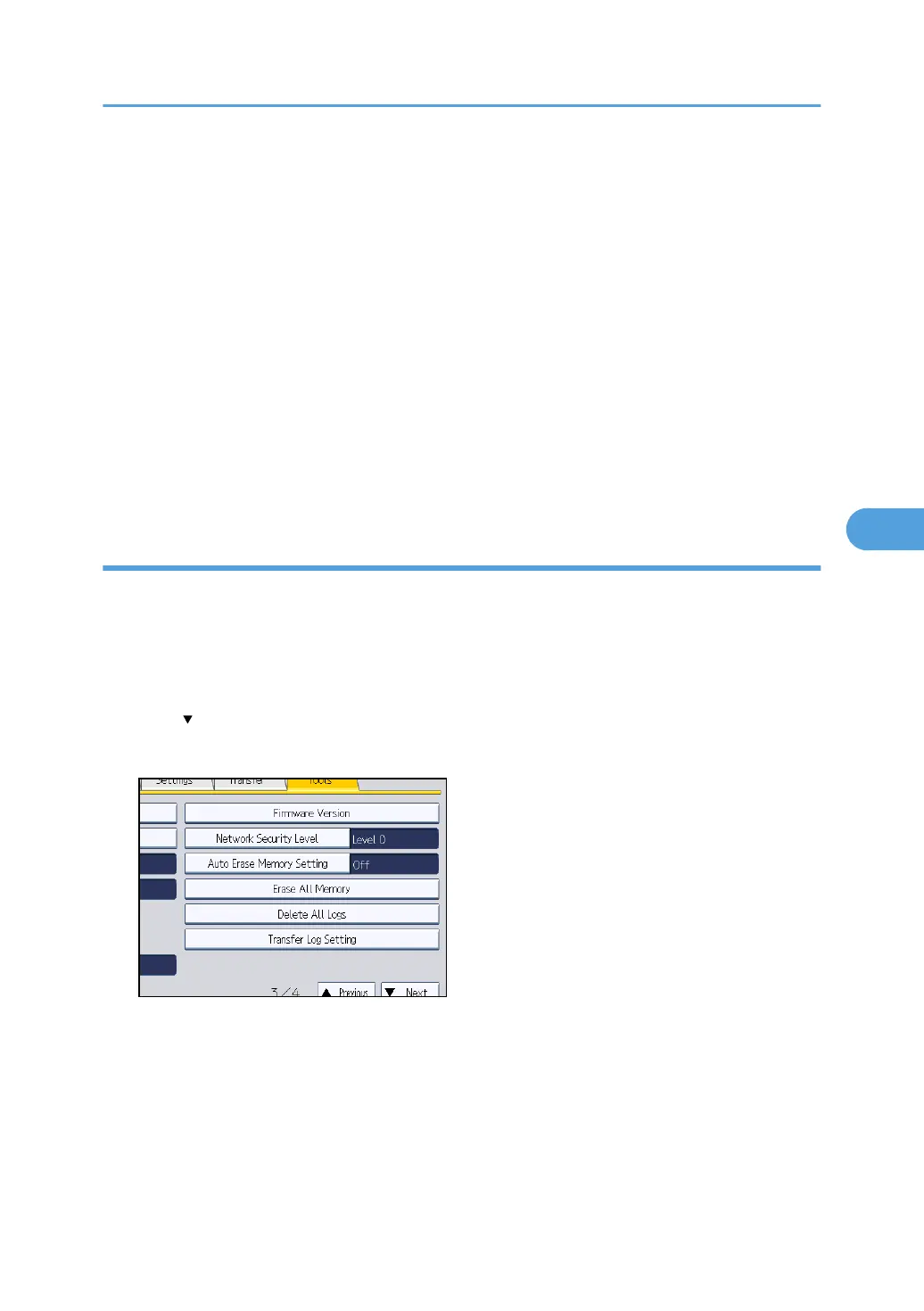
Press [ Next] repeatedly until [Erase All Memory] appears.
5. Press [Erase All Memory].
Deleting Data on the Hard Disk
147



 To Next Page