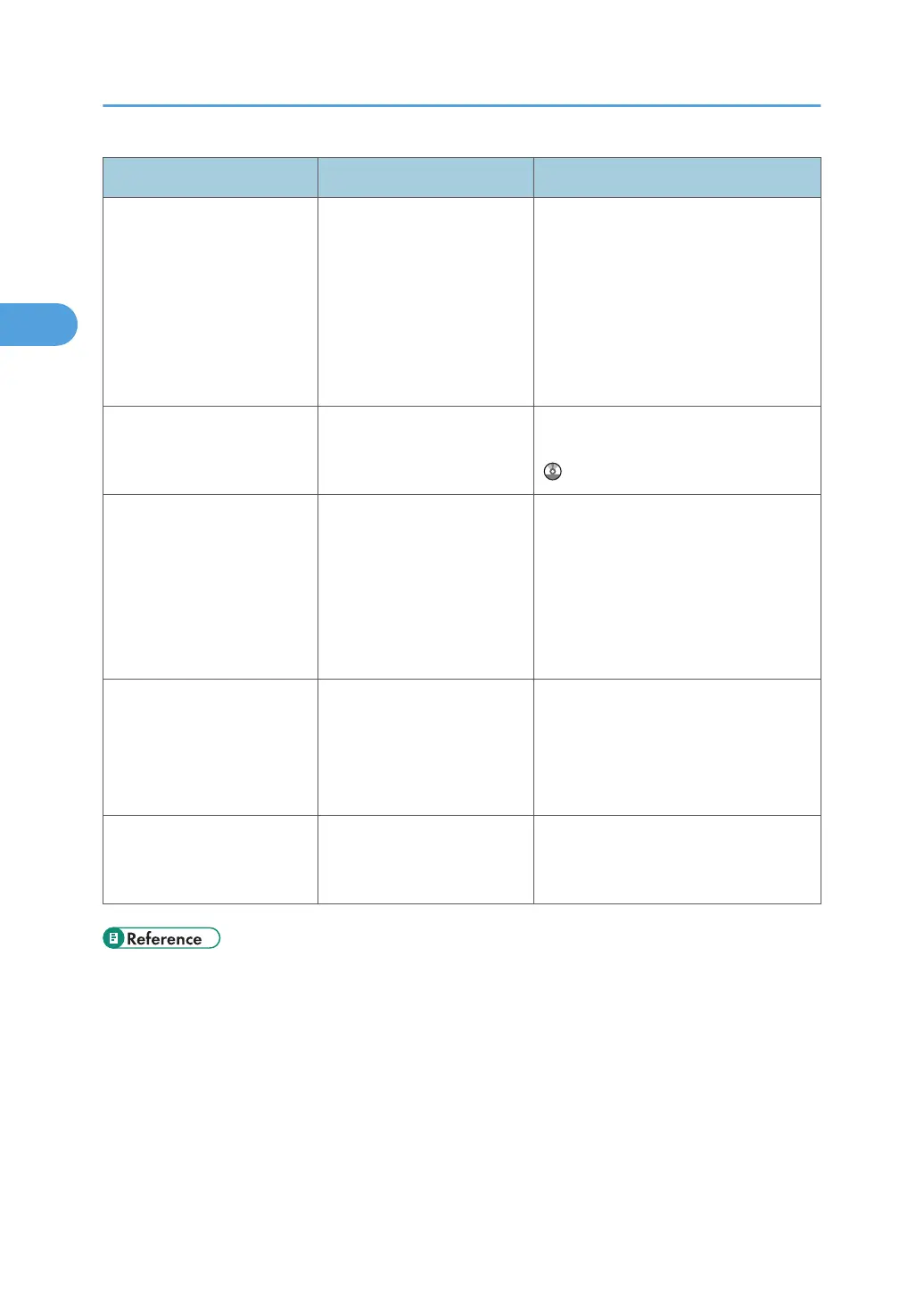
Message Causes Solutions
"Please wait." The destination list is being
updated from the network
using Web Image Monitor.
Wait until the message disappears. Do
not switch off the power while this
message is displayed. Depending on
the number of destinations to be
updated, there may be some delay
before you can resume operation.
Operations are not possible while this
message is displayed.
"Rotate Sort is not available
with this paper size."
A size of paper for which
Rotate Sort is not available is
selected.
Select a proper paper size. See "Sort",
Copy and Document Server Reference
.
"Stapling capacity
exceeded."
The number of sheets per set
is over the staple capacity.
Check the stapler capacity. See
"Specifications for 500-Sheet Finisher
(Optional)", "Specifications for Internal
Finisher (Optional)", "Specifications for
1000-Sheet Finisher (Optional)", or
"Specifications for Booklet Finisher
(Optional)", About This Machine.
"The selected file(s)
contained file(s) without
access privileges. Only
file(s) with access privileges
will be deleted."
You have tried to delete files
without the authority to do
so.
Files can be deleted by the person who
created the file. To delete a file which
you are not authorized to delete,
contact the person who created the
file.
"You do not have the
privileges to use this
function."
The logged in user name
does not have permission for
the selected function.
Contact your administrator about
permission for the required function.
• p.17 "When You Have Problems Operating the Machine"
2. Troubleshooting When Using the Copy/Document Server Function
28



 To Next Page