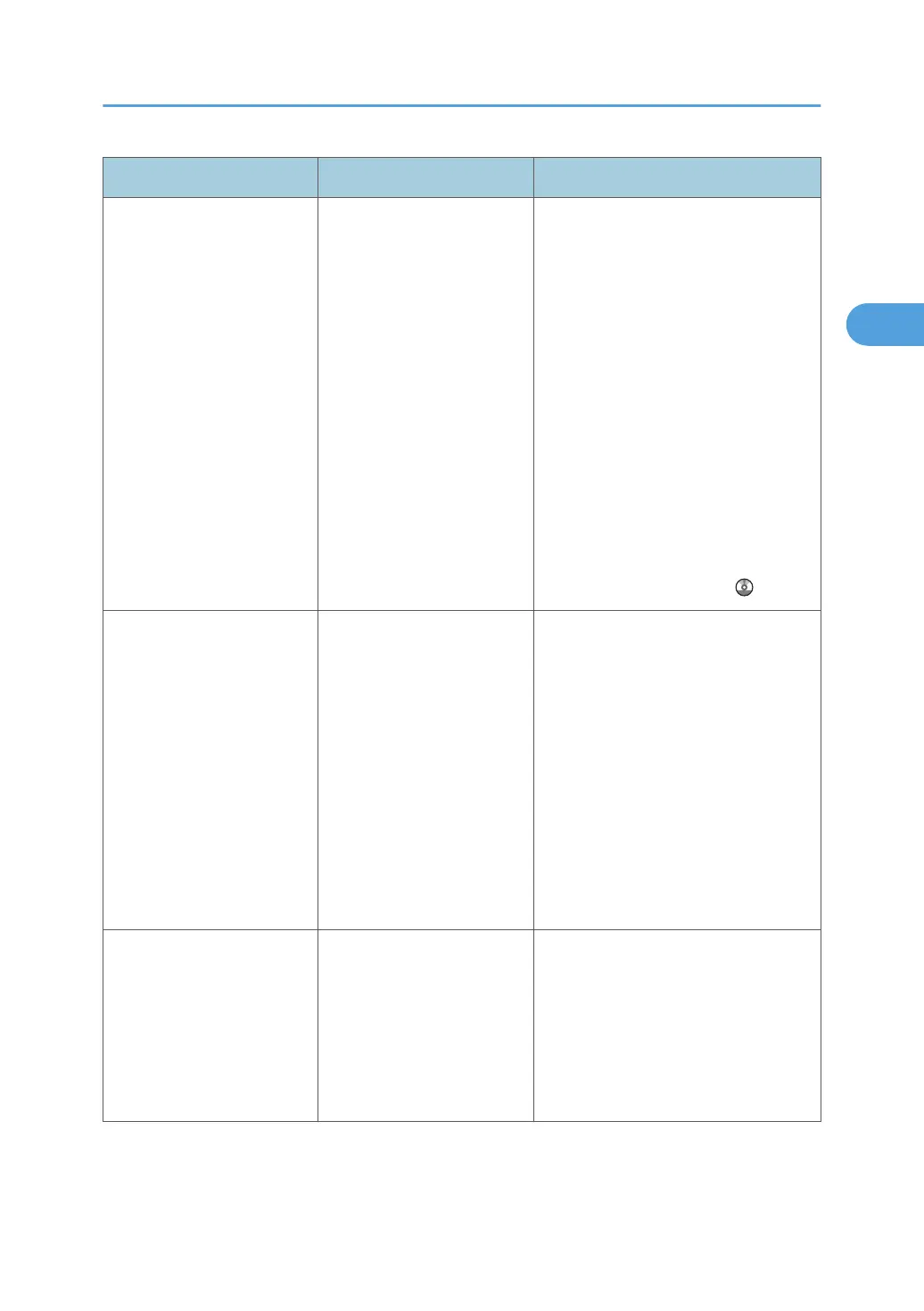
Problem Causes Solutions
You cannot find out what is
stored in a file.
You may not be able to
ascertain the contents of a
file simply from the file
name.
You can switch the Select File screen
between [List] and [Thumbnails]
display to check the contents of the file.
Check information other than the file
name.
•
List display
The file name, data of storage,
and user name are shown.
• Thumbnails display
An image of the stored file
appears.
You can enlarge the image by pressing
[Preview]. See "Checking the Details of
a Stored Document", Copy and
Document Server Reference
.
Memory frequently becomes
full.
The Document Server
memory is full.
Delete unnecessary files. On the file
selection display, select unnecessary
files, and then press [Delete File]. If this
does not increase available memory,
do the following.
•
Switch to the scanner screen, and
then delete unnecessary files
stored under the scanner function.
• Switch to the printer screen, and
then delete unnecessary files
stored under Sample Print, Locked
Print, Hold Print, or Stored Print.
"Cannot display preview of
this page." appears, and
you cannot check the
thumbnail image.
The image data may have
been corrupted.
Press [Exit] to display the preview
screen without a thumbnail.
If the selected document contains
several pages, press [Switch] on the
"Display Page" area to change the
page, and then a preview of the next
page will appear.
When You Cannot Make Copies As Wanted
39



 To Next Page