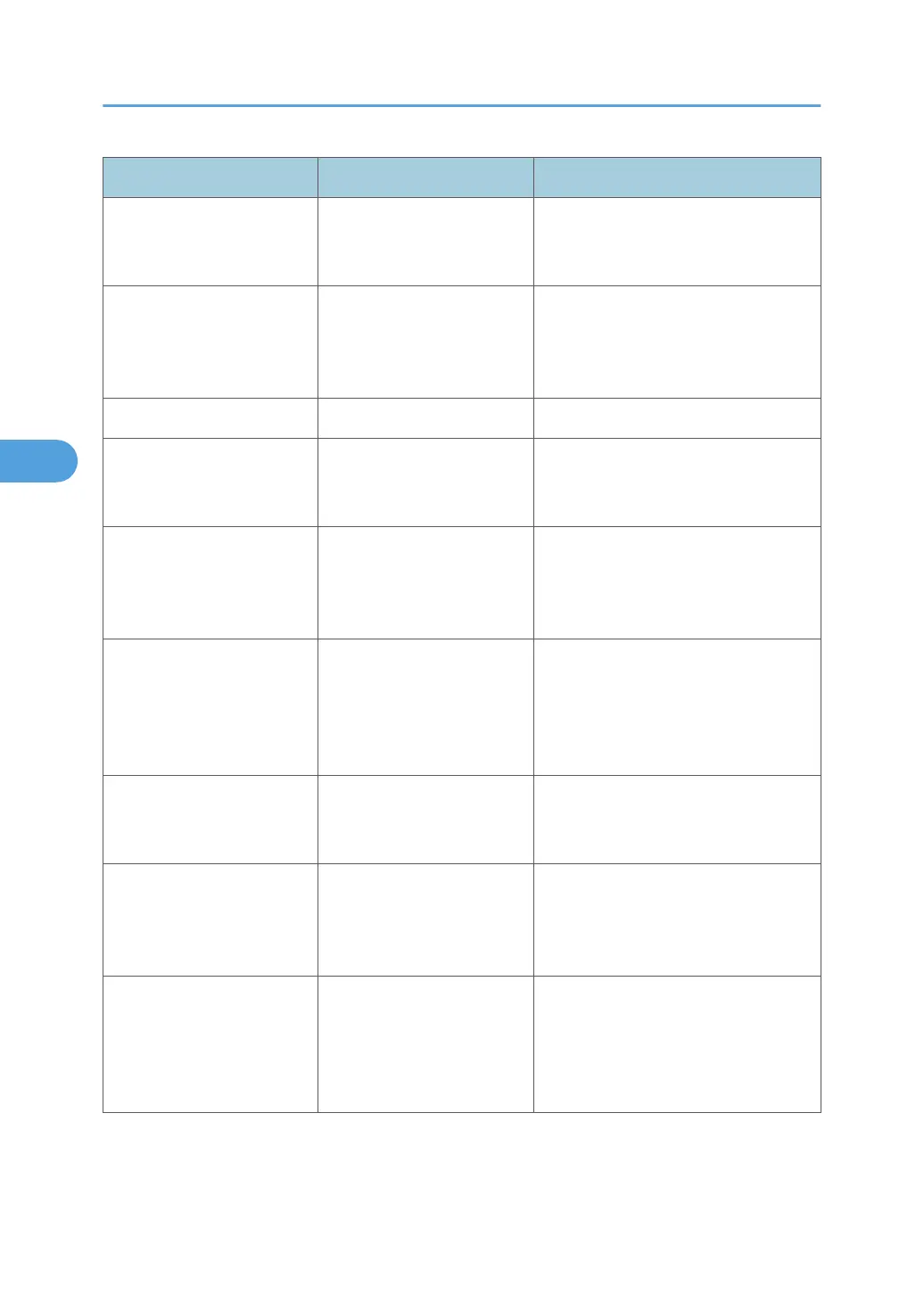
Message Causes Solutions
"Printing privileges have not
been set for this document."
The PDF document you have
tried to print has no
privileges to print.
Contact the owner of the document.
"Punch has been cancelled." Punch printing was
canceled.
Check the paper orientation, print
orientation, and then punch position.
Certain settings can produce print
results that might not be as expected.
"Receiving data failed." Data reception was aborted. Resend the data.
"Selected ppr. size is not
supported. Job was
cancelled."
Job reset is automatically
performed if the specified
paper size is incorrect.
Specify the correct paper size, and
then print the file again.
"Sending data failed." The machine received a
command to stop
transmission from the printer
driver.
Check if the computer is working
correctly.
"Staple has been cancelled." Stapling printing was
canceled.
Check the paper orientation, paper
quantity, print orientation, and staple
position. Certain settings can produce
print results that might not be as
expected.
"The entered password is
incorrect."
The password of the
encrypted PDF file has been
entered incorrectly.
Enter the correct password.
"The print job has been
cancelled because capture
file(s) could not be stored:
Exceeded max. memory."
The hard disk became full
after a file was stored.
Delete the files stored in the Document
Server or reduce the file size to be sent.
"The print job has been
cancelled because capture
file(s) could not be stored:
Exceeded max. number of
files."
The maximum file capacity
of the Document Server was
exceeded.
Delete the files stored in the Document
Server.
4. Troubleshooting When Using the Printer Function
82



 To Next Page