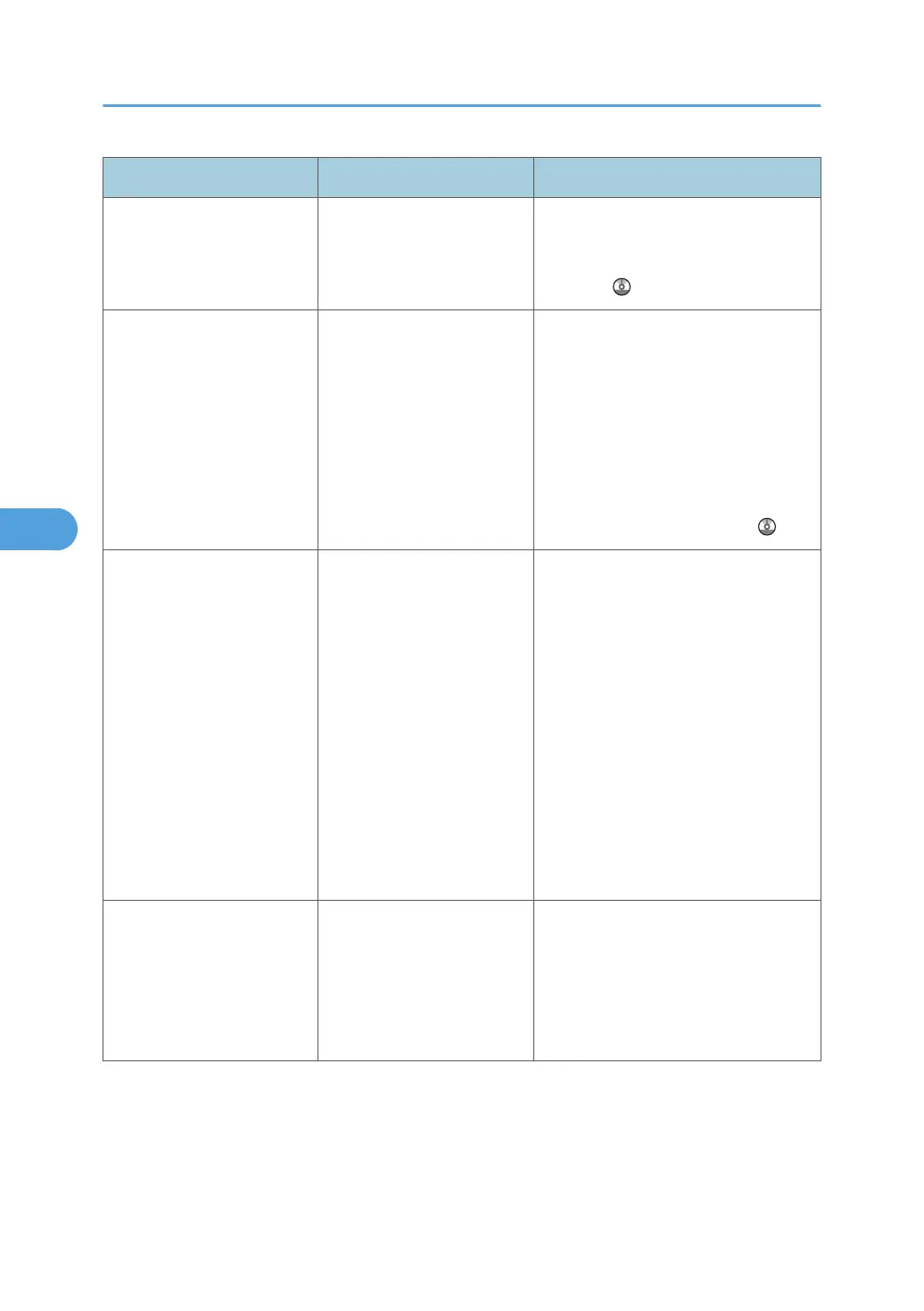
Message Causes Solutions
"Captured file exceeded
max. number of pages per
file. Cannot send the
scanned data."
The maximum number of
pages per file has been
exceeded.
Reduce the number of pages in the
transmitted file, and then resend the
file. See "Storage function", Scanner
Reference .
"Connection with LDAP
server has failed. Check the
server status."
A network error has
occurred and connection
has failed. Try the operation
once more.
• Try the operation once more. If
the message is still shown, the
network may be crowded.
•
In [System Settings], under
[Administrator Tools], check the
settings of LDAP server. For
details, see "Programming the
LDAP server", Network and
System Settings Reference
.
"Could not send the data
because the PC timed out
before it was sent."
A time out occurred when
using WSD Scanner. Time
outs occur when too much
time passes between
scanning an original and
sending its data. The
followings are likely causes
of time outs:
•
Too many originals per
set.
• Misfed originals.
• Transmission of other
jobs.
• Reduce the number of originals,
and then scan again.
• Remove any misfed original, and
then scan again.
• Use Scanner Journal to check
there are no jobs awaiting
transmission, and then scan
again.
"Destinations to which
encrypted files will be sent
contain users without
certificates or with invalid
certificates. Check the
destinations."
The destination's S/MIME
certificates are invalid or
cannot be found.
Contact your administrator.
5. Troubleshooting When Using the Scanner Function
102



 To Next Page