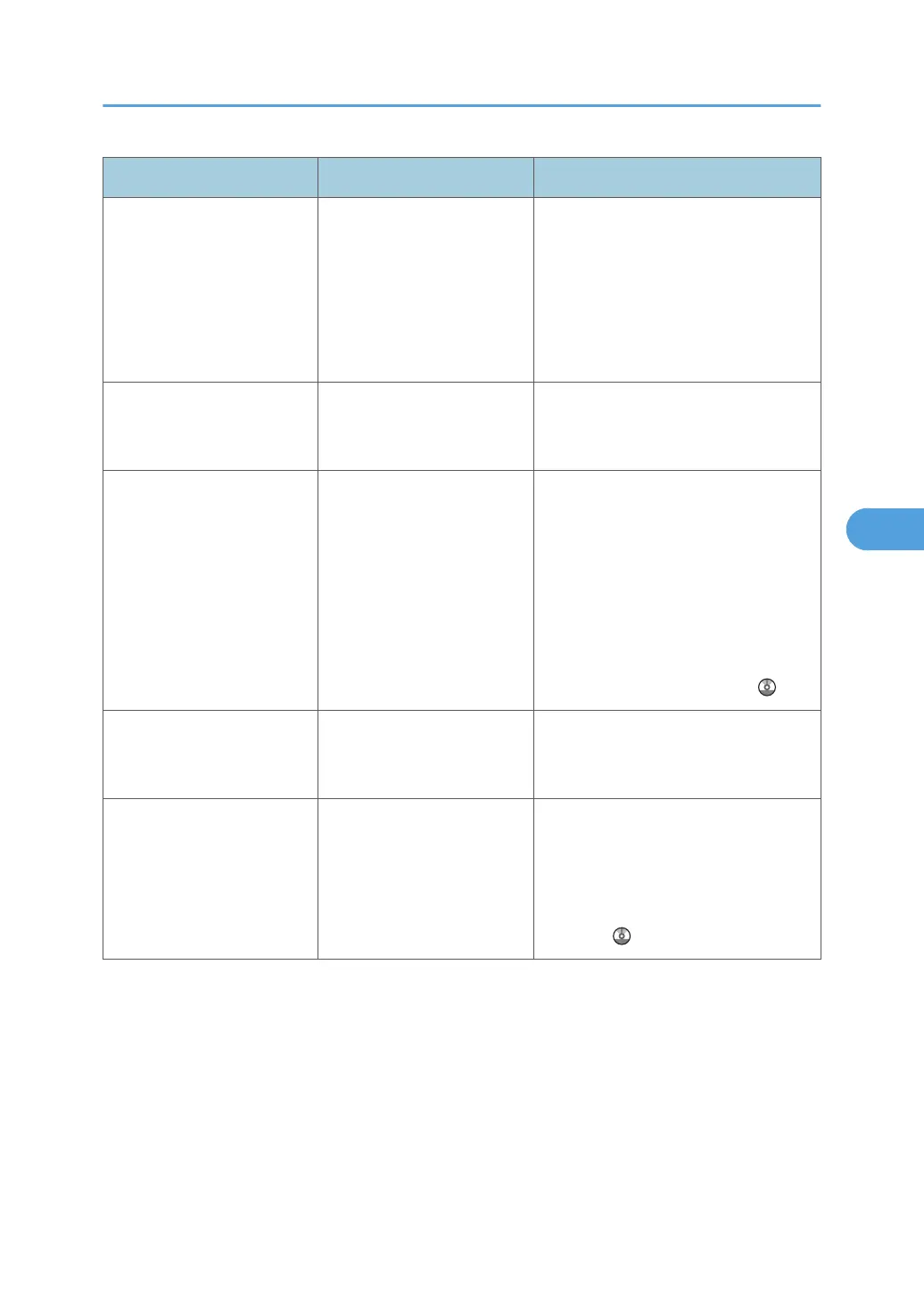
Message Causes Solutions
"Exceeded max. page
capacity per file. Press
[Write] to write the scanned
data to the memory storage
device, or press [Cancel] to
delete."
The scan could not be
completed because the
maximum number of pages
that can be scanned by this
machine was exceeded
during writing to the
Memory device.
Reduce the number of documents to be
written to the memory device, and then
try again.
"Exceeded maximum
number of file to store.
Delete all unnecessary files."
Too many files are waiting to
be delivered.
Please try again after they have been
delivered.
"Exceeded time limit for
LDAP server search. Check
the server status."
A network error has
occurred and connection
has failed.
• Try the operation once more. If
the message is still shown, the
network may be crowded.
•
In [System Settings], under
[Administrator Tools], check the
settings of LDAP server. For
details, see "Programming the
LDAP server", Network and
System Settings Reference
.
"Invalid certificates or no S/
MIME certificates were
found."
The destination's S/MIME
certificates are invalid or
cannot be found.
Contact your administrator.
"LDAP server authentication
has failed. Check the
settings."
The user name and
password differ from those
set for LDAP Authentication.
In [System Settings], under
[Administrator Tools], check the settings
of LDAP server. For details, see
"Programming the LDAP server",
Network and System Settings
Reference .
Messages Displayed When Using the Scanner Function
105



 To Next Page