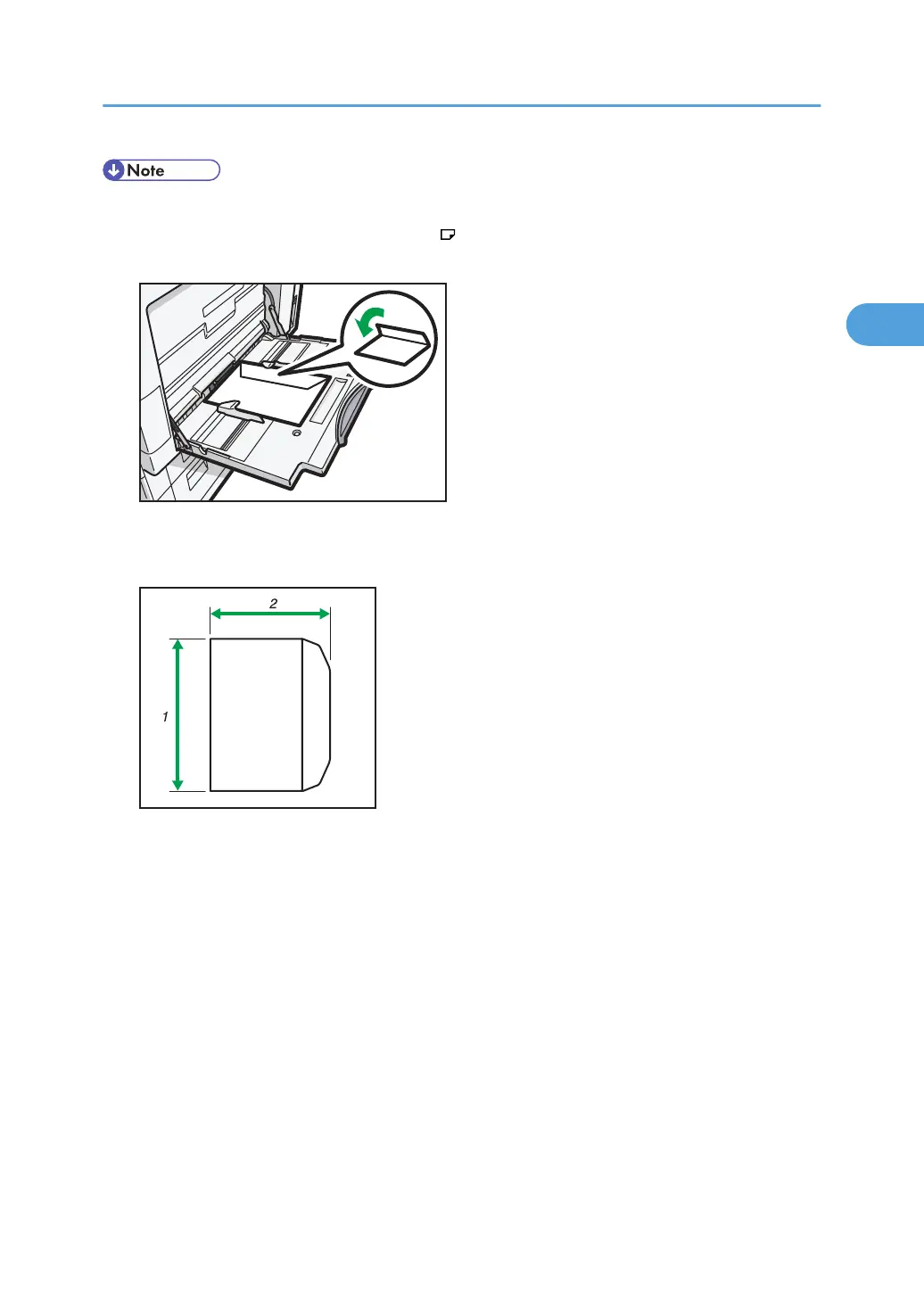
• Load envelopes with flaps fully open. Otherwise, they might not feed into the machine.
•
When loading envelopes in the landscape (
) orientation, set them so that their flaps are closed,
facing upward, and pointing toward the front of the machine.
• To print onto custom size envelopes, you must specify the envelope's dimensions. Be sure to include
the fully open flap in the horizontal dimension.
1. Vertical size
2.
Horizontal size
• Check the envelopes are not damp.
• Load only as much envelopes as can be held between the paper guides on the bypass tray. For the
number of envelopes that you can set on the bypass tray, see "Recommended Paper Sizes and
Types", About This Machine.
• Check there is no air in the envelopes before loading.
• To get better print quality, it is recommended that you set the right, left, top, and bottom print
margin to at least 15 mm (0.6 inch) each.
• You cannot print envelopes with duplex function.
• Load only one size and type of envelope at a time.
Setting Paper on the Bypass Tray
63



 To Next Page