2. Press [Print Jobs].
Either the Complete List or List Per User ID screen appears.
Complete List
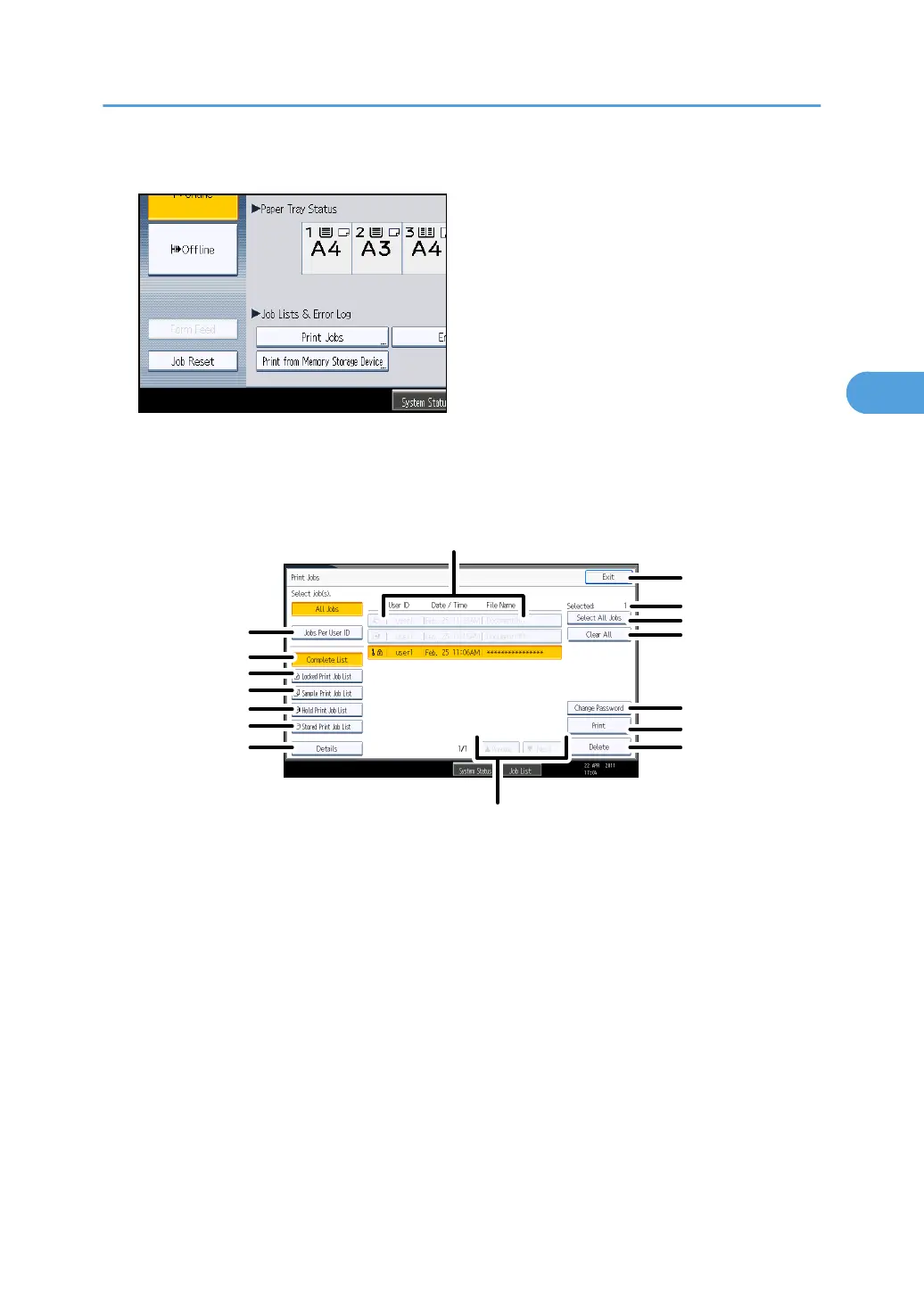
If you select [Complete List] from [Initial Print Job List], the following screen appears:
CHN006
1
2
3
4
5
6
7
8
9
10
11
12
13
15
14
16
1. User ID, Date / Time, and File Name display
Displays the time when the instruction to print the stored files was entered, the User IDs, and the file
names.
2.
Exit
Returns to the printer screen.
3. Selected:
Displays number of the files selected.
4. Select All Jobs
Selects all files stored in the machine.
5. Clear All
Clears all selections.
6. Change Password
Using the Print Job Function
107



 To Next Page