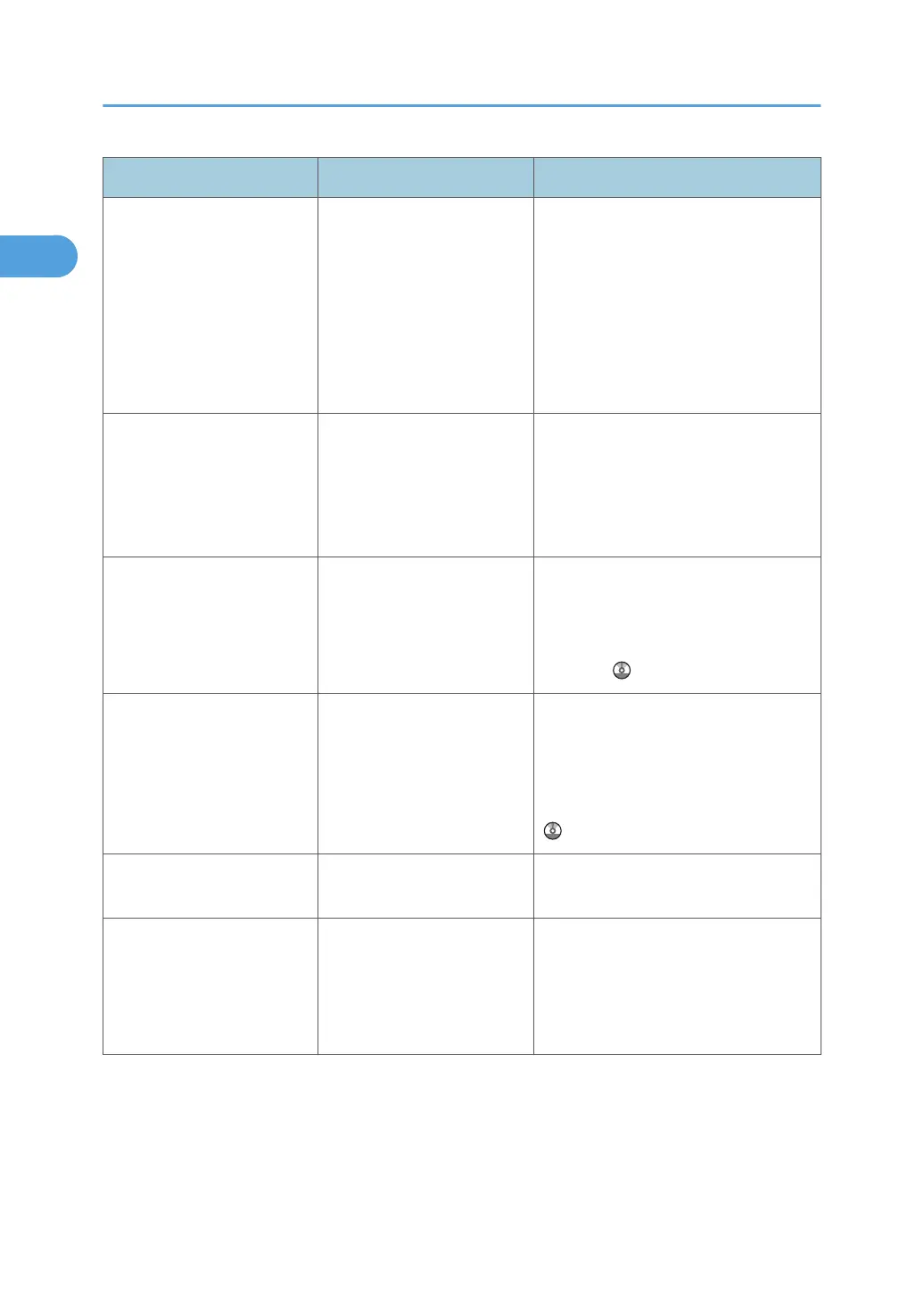
Problem Causes Solutions
Misfeeds occur frequently. Paper of undetectable size
has been loaded.
• Remove misfed paper. See p.
121 "Removing Jammed Paper".
•
If you load a paper size that is not
selected automatically, you need
to specify the paper size with the
control panel. See "Changing to a
Size That Is Not Automatically
Detected", About This Machine.
Misfeeds occur frequently. There is a foreign object on
the finisher shift tray.
• Remove misfed paper. See p.
121 "Removing Jammed Paper".
•
Do not place anything on the
finisher shift tray. It may cause a
paper jam.
Cannot print in duplex
mode.
"Apply Duplex" is set to [No]
for "Paper Type".
Under "Paper Type" in [Tray Paper
Settings], set "Apply Duplex" to [Yes].
For details, see "Tray Paper Settings",
Network and System Settings
Reference
.
Cannot print in duplex
mode.
You have selected a paper
type that cannot be used for
duplex print.
In [Tray Paper Settings], select a paper
type that can be used for duplex print.
For details about the paper types that
can be used, see "Duplex Copying",
Copy and Document Server Reference
.
"Following output tray is full.
Remove paper." appears.
The output tray is full. Remove paper from the output tray to
resume printing.
"Turn main Power Switch off"
appears.
The machine does not shut
down normally when the
main power switch is turned
off, and then immediately
turned on.
Turn off the machine. Wait for three
seconds or more after shutting it down,
and then turn it on again.
1. When the Machine Does Not Operate As Wanted
20



 To Next Page