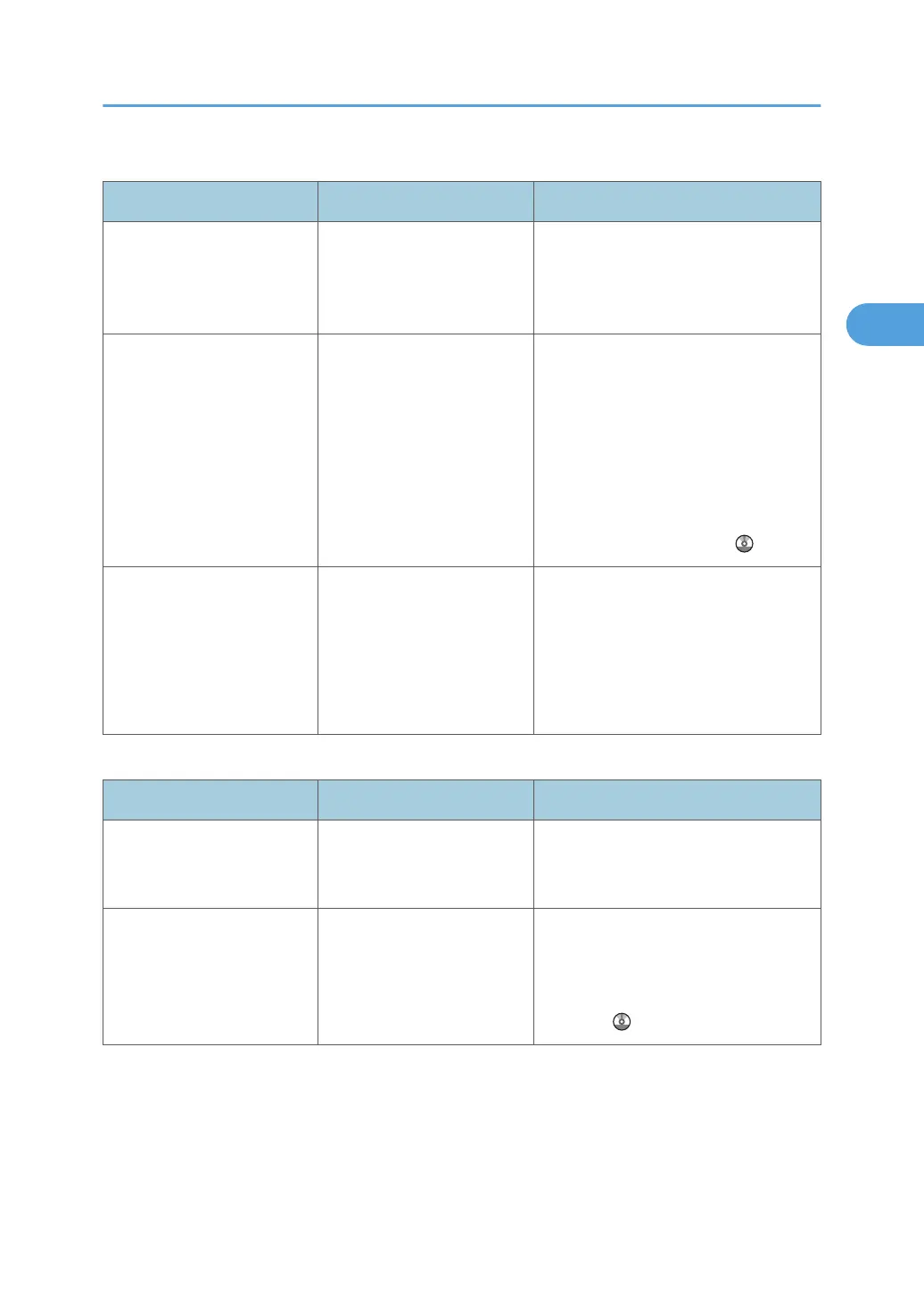
Combine
Problem Causes Solutions
Copies made with the
"Booklet" or "Magazine"
function cannot be folded
into a book correctly.
You have selected a setting
("Open to Left" or "Open to
Right") that does not match
the orientation of originals.
In [Copier / Document Server
Features], under [Edit], set
[Orientation: Booklet, Magazine]
properly.
When using "Combine",
parts of the image are not
copied.
You specified a
reproduction ratio that does
not match the sizes of the
originals and copy paper.
When you specify a reproduction ratio
using Manual Paper Select mode,
make sure the ratio matches the
originals and the copy paper. Select
the correct reproduction ratio before
using Combine mode. See "One-Sided
Combine", "Two-Sided Combine", or
"Auto Reduce / Enlarge", Copy and
Document Server Reference .
Copies are not in correct
order.
You placed the originals in
the incorrect order.
When inserting a stack of originals into
the ADF, the last page should be on
the bottom.
If you place an original on the
exposure glass, start with the first page
to be copied.
Duplex
Problem Causes Solutions
Cannot print in duplex
mode.
You have loaded thick
paper heavier than 105 g/
m
2
(28 lb.).
Change the paper.
Cannot print in duplex
mode.
"Apply Duplex" is set to [No]
for "Paper Type".
In [Tray Paper Settings], under "Paper
Type", set "Apply Duplex" to [Yes]. For
details, see "Tray Paper Settings",
Network and System Settings
Reference .
When You Cannot Make Copies As Wanted
37



 To Next Page