Regular
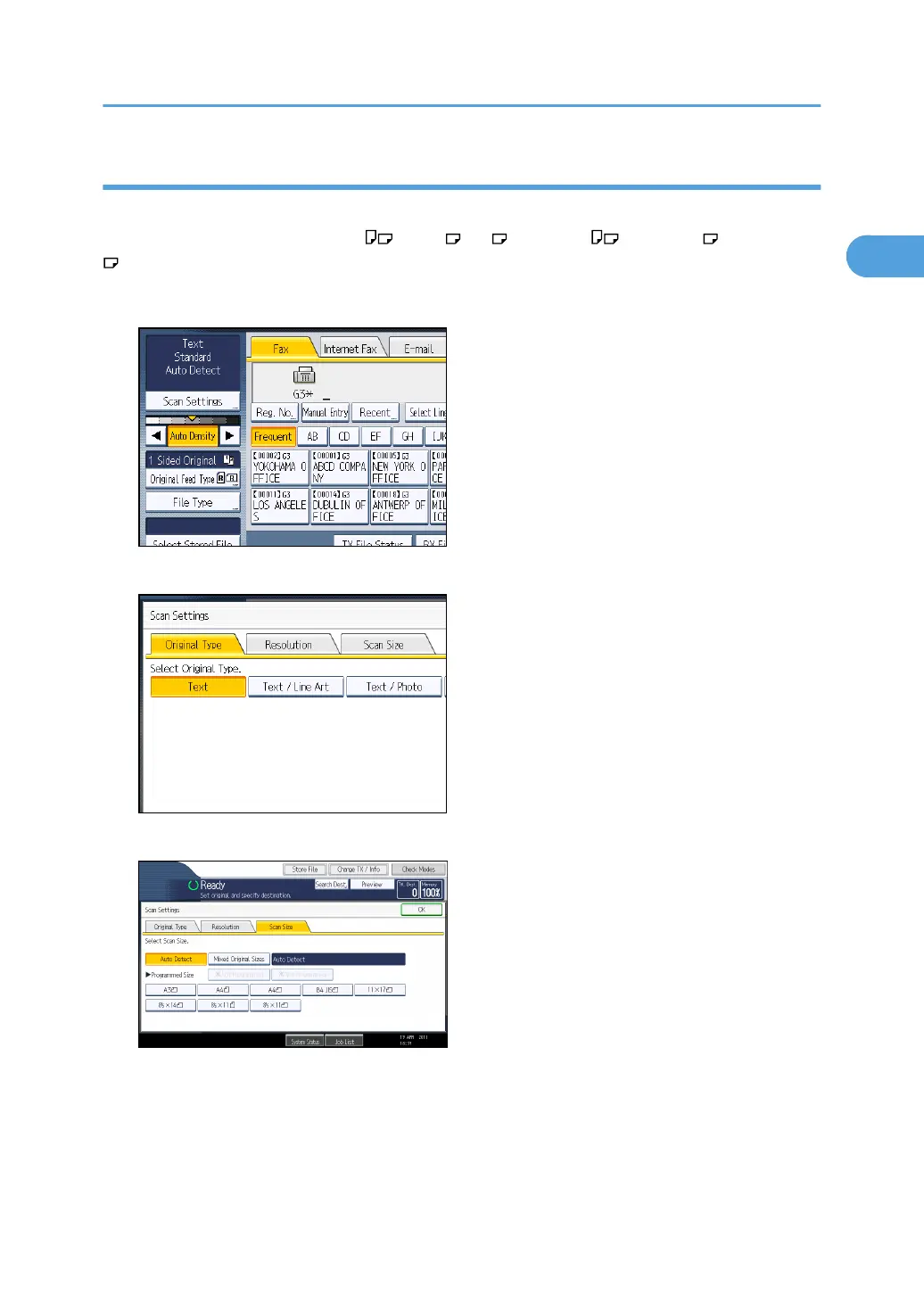
The placed original is scanned according to specified standard size regardless of actual size.
The sizes that can be specified are A4 , B4 JIS , A3 , 8
1
/
2
× 11 , 8
1
/
2
× 14 , and 11 × 17
.
1. Press [Scan Settings].
2. Press [Scan Size].
3. Press the size of the originals to be sent.
8
1
/
2
× 11 indicates Letter. 8
1
/
2
× 14 indicates Legal. 11 × 17 indicates Double Letter.
Scan Settings
75



 To Next Page