Service Parts Disassembly
Xerox Internal Use Only Phaser 7100 Service Manual 4-109
REP 4.11 Pinch Roller Kit
PL 4.3.99
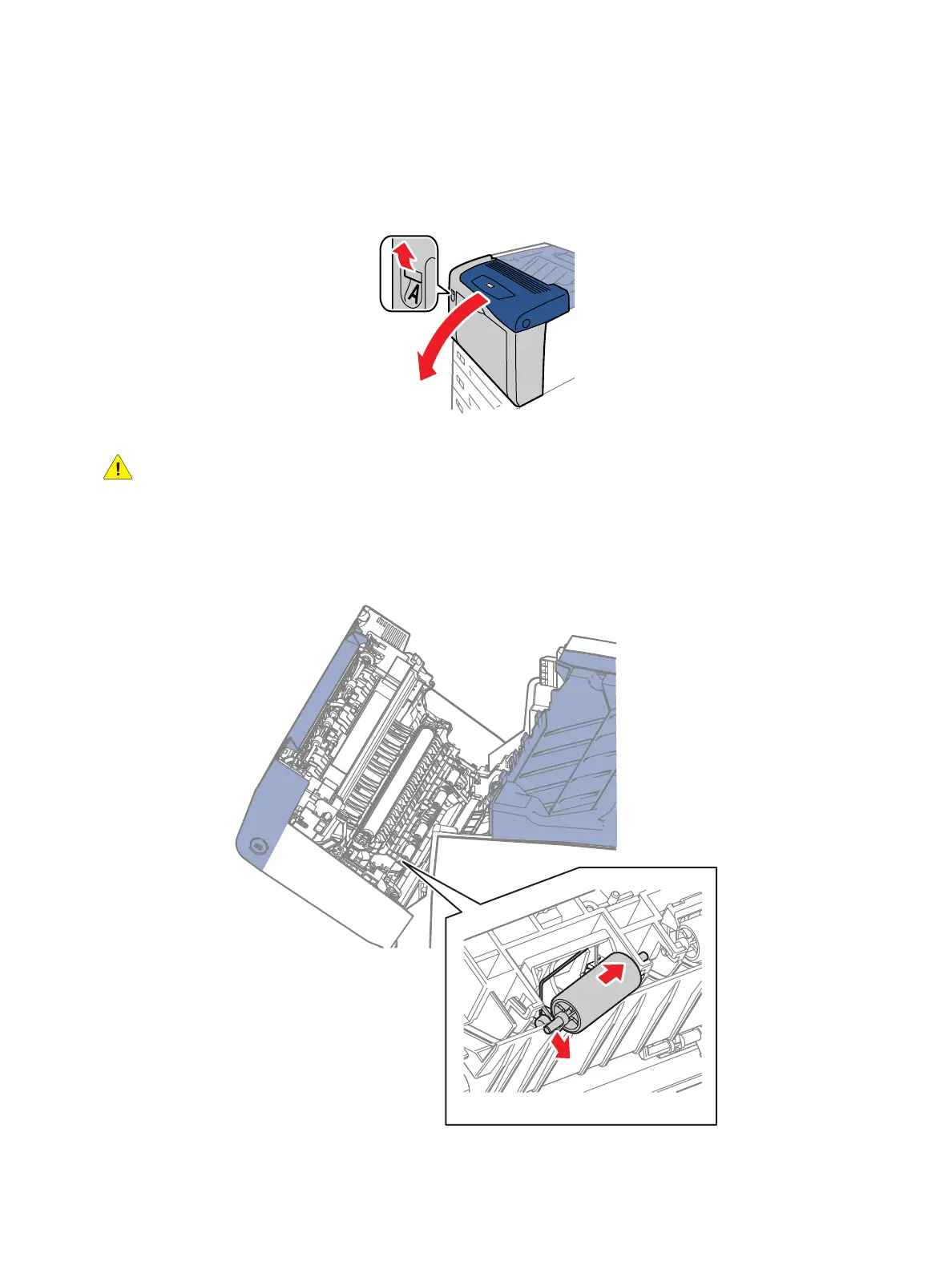
1. Release latch A and open the Front Frame Assembly (PL 4.1.6).
CAUTION: When pushing the Turn Pinch Roller Assembly (PL 4.3.13) to the side in the next step,
do not apply excessive force to prevent from damaging the Turn Pinch Roller Assembly.
2. While pushing the Turn Pinch Roller Assembly to one side, free the shaft at the other side from the
frame.
3. Remove the Turn Pinch Roller Assembly and the Turn Pinch Spring (PL 4.3.15).



 To Next Page
 Loading...













