Service Parts Disassembly
Xerox Internal Use Only Phaser 7100 Service Manual 4-29
REP 1.12 Control Panel Assembly
PL 1.1.17
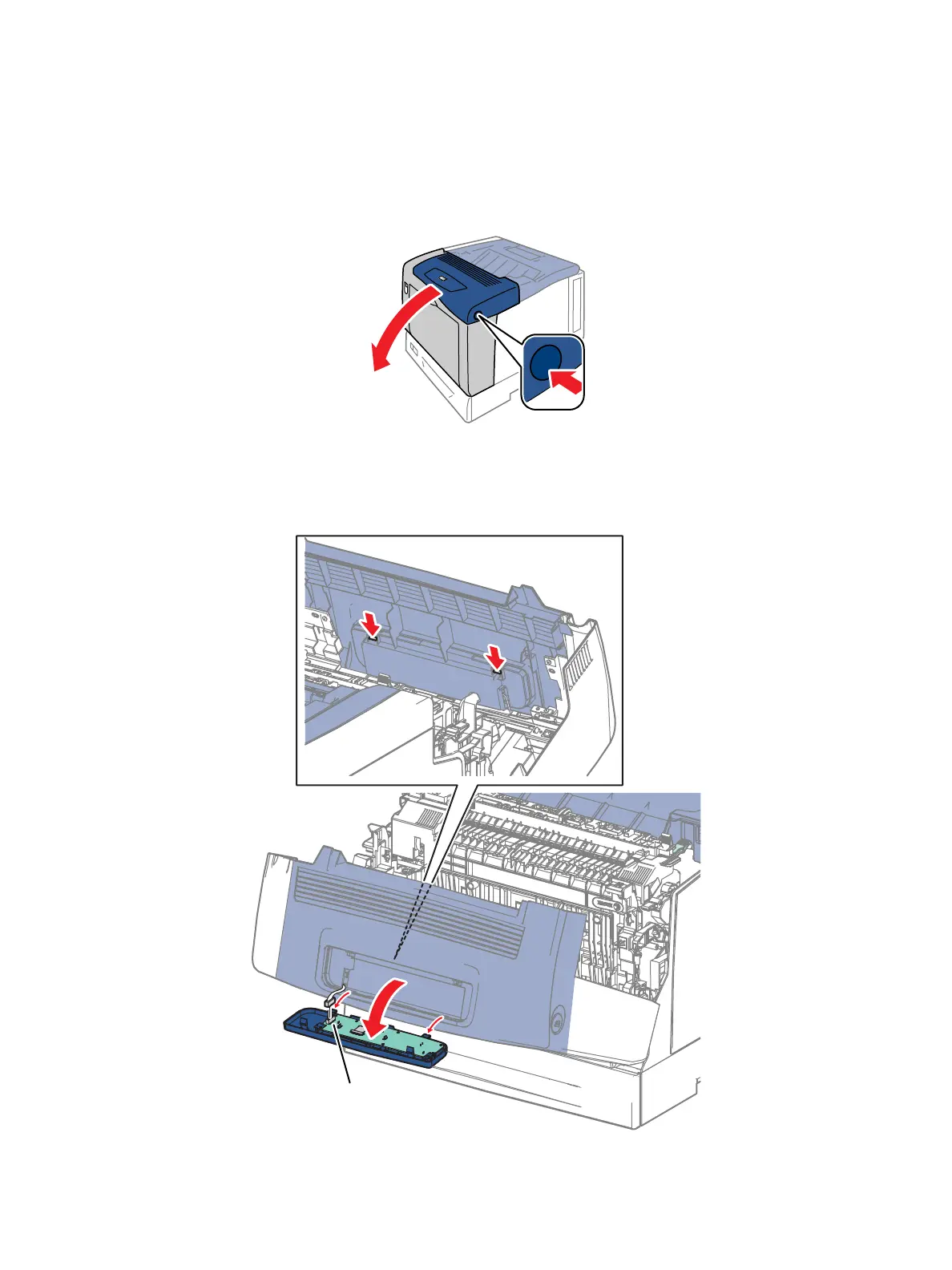
1. Press the B button and open the Front Cover Assembly (PL 1.1.38).
2. Release the 2 hooks that secure the Control Panel to the Front Cover Assembly.
3. Tilt the Control Panel toward the front, disconnect the wiring harness connector P/J102, and
remove the Control Panel Assembly.
2
1



 To Next Page
 Loading...













