Page 6-184
Programming
INTER-TEL
®
AXXESS
®
MANUAL VERSION 11.0 – May 2008
Network Group Assignment
4.115 To program Network Groups for P2P audio across nodes:
1. Create a Network Group on each node and assign each group the same extension num-
ber. For example, if the devices that will use P2P audio reside on nodes 2 and 3, pro-
gram a Network Group with the same extension number (e.g., P7000) on both nodes.
2. Assign the appropriate IP endpoints and IP trunks to the Network Group on each node.
For example, to use P2P audio between device 2000 on node 2 and device 3000 on
node 3, Network Group P7000 on node 2 must contain device 2000, and Network
Group P7000 on node 3 must contain device 3000.
3. Enable the Use Peer-To-Peer Audio flag for the Network Group on each node.
NOTE: IP softphones that are used as mobile devices cannot be part of a Network Group con-
figured for Peer-To-Peer Audio. If you attempt to add an IP softphone to the Network Group list
or change the Use Peer-To-Peer Audio setting of a Network Group to Yes, a warning message
appears.
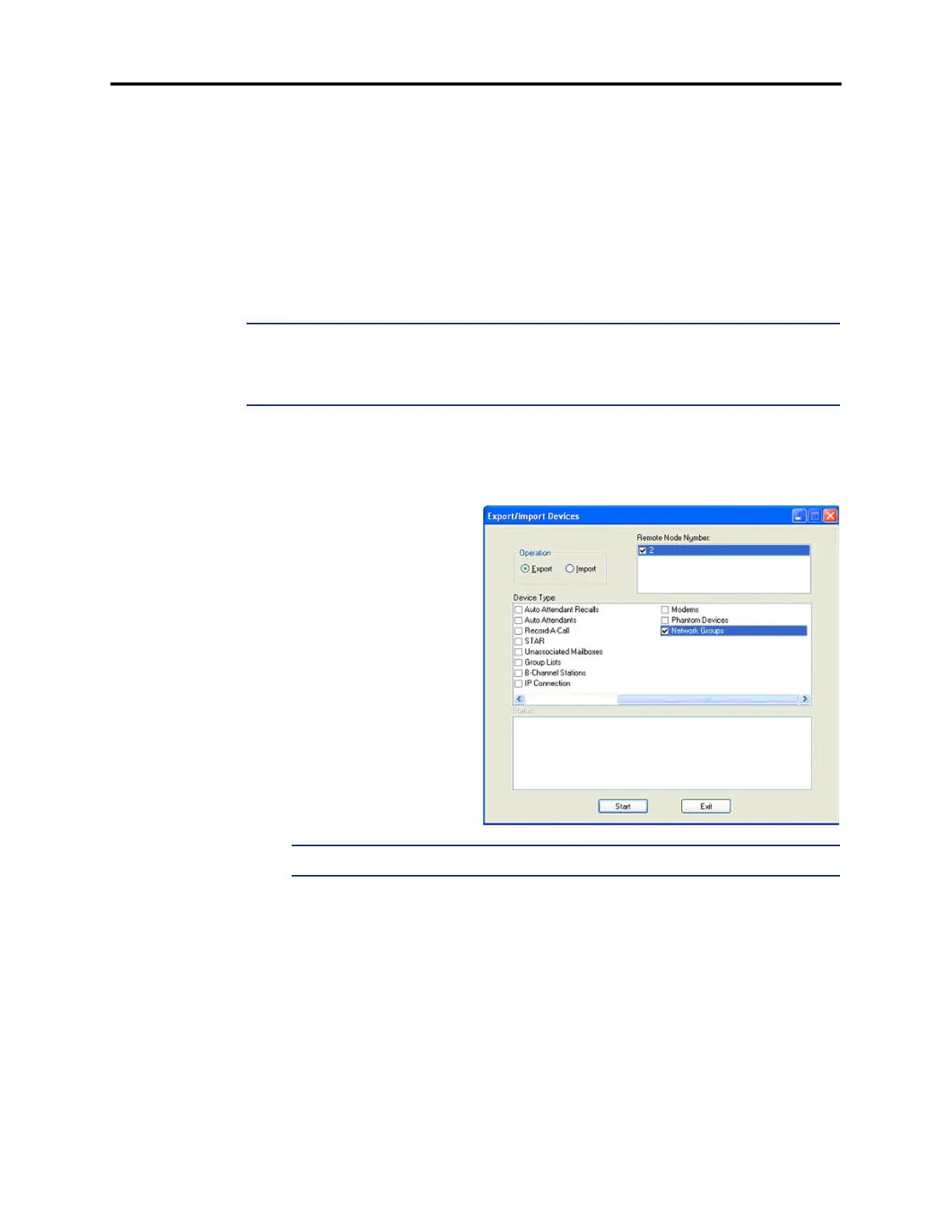
4.116 The Export/Import function (see page 5-171) located on the Operations menu can be
used to export/import Network Groups information to/from another node.
4.117 To export\import Network Groups:
1. In DB Studio, select
Export\Import from the
Operations menu. The dia-
log box on the right
appears.
2. Select Export or Import
for the Operation.
3. Select the Remote Node
Number to export to or
import from.
4. Select Network Groups as
the Device Type.
NOTE: Use the horizontal scroll bar to locate the Network Groups option.
5.
Click Start. The Export/Import status appears in the Status box.
4.118 Note that the export/import may fail due to one of the following:
• There is an active programming session on the selected remote node.
• The remote node is unable to communicate with its Voice Processor port.
• The remote node or its links are down.



 To Next Page