Page 6-54
Programming
INTER-TEL
®
AXXESS
®
MANUAL VERSION 11.0 – May 2008
Favorites Menu
10.13 When DB Programming saves the files, it uses the naming convention specified earlier.
NOTE: The history and Message Print queues are stored in RAM, not battery-backed RAM.
This means that if the system loses power, the queue information is lost. Inter-Tel recommends,
therefore, that you retrieve history and Message Print information before powering down when
troubleshooting the system. Queue files, however, are not affected by minor or major resets.
D. FAVORITES MENU
10.14 With the Favorites menu, you can add shortcuts to your most frequently visited folders
to the Favorites list. Then you can then simply open the Favorites menu and select the desired
entry from the list. The menu also has options for sorting the list and deleting entries.
E. HELP MENU
10.15 The Help drop-down menu allows access to the on-line Help files. This drop-down
menu also includes entries titled “About DB Studio,” “About Inter-Tel DB Programming,” and
“About Inter-Tel Software License” that, when selected, displays the software part number and
version and software license information.
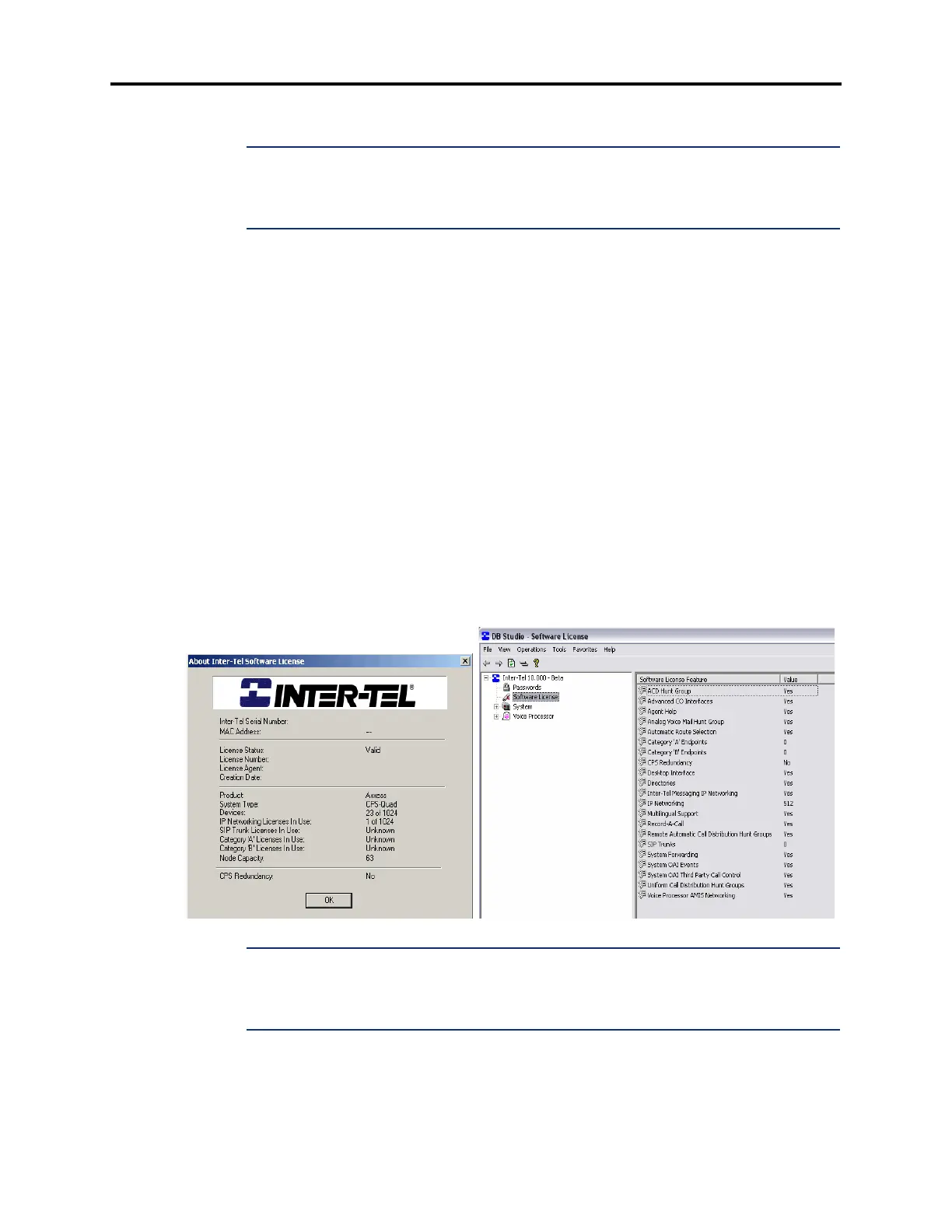
10.16 Because there is now a Software License folder, much of the information previously
located on the About Inter-Tel Software License dialog box no longer displays in the About
Inter-Tel Software License menu option. The dialog box contains main license and system
information along with the current status of dynamic usage information. Also, the current node
capacity appears. See the following examples. See page 6-97 for details about the Software
License directory.
NOTE: To check the call processing software version at an Administrator's phone, you can
enter 9900 [9100 in Europe] to enter Diagnostics mode, then enter 9928 [9128] to view the ver-
sion information for the call processing software. When finished, enter 9900 [9100] again to exit
Diagnostics mode.
Help - About Inter-Tel Software License
Software License Folder



 To Next Page