Page 6-304
Programming
INTER-TEL
®
AXXESS
®
MANUAL VERSION 11.0 – May 2008
Audio Diagnostics
3. Select the device type(s) and then select Next. A list appears. (You can view them in a
list by selecting the List button or view details by selecting the Details button.)
NOTE: To highlight a series of items, hold down SHIFT while selecting the first and last
items you want. To highlight two or more items that are not consecutive, hold down
CTRL while selecting the desired items.
4.
Highlight the appropriate items and then select Add Items. When you have added all
the devices select
Finish. Your selections appear in the list.
NOTE: If you want to see the programming for a specific item, double-click on its
extension number to jump to its programming area.
10.16 To delete a device from a list: To delete one or more item from the list, highlight them
and then right-click. Select
Remove Selected Items.
10.17 You can also assign attendants in station programming by selecting the station’s Associ-
ated Extensions and Attendant options and selecting the station that will serve as the attendant
(see page 6-203).
C. AUDIO DIAGNOSTICS
10.18 This folder contains 12 flags listing audio diagnostics problems. You can enable only
four of the 12 audio problems for the system. In v9.115 or later system, the first four audio
problem numbers are selected by default. After the selected audio problems are enabled (set to
Yes), the problems are displayed as options on the endpoint when the station user accesses the
Audio Diagnostics (see page 5-318) feature code (320). Each audio problem has a unique num-
ber (01-12) assigned so non-display users can access the feature. To see the same displays
across all nodes, the Audio Diagnostics settings must be programmed the same in each node in
DB Studio.
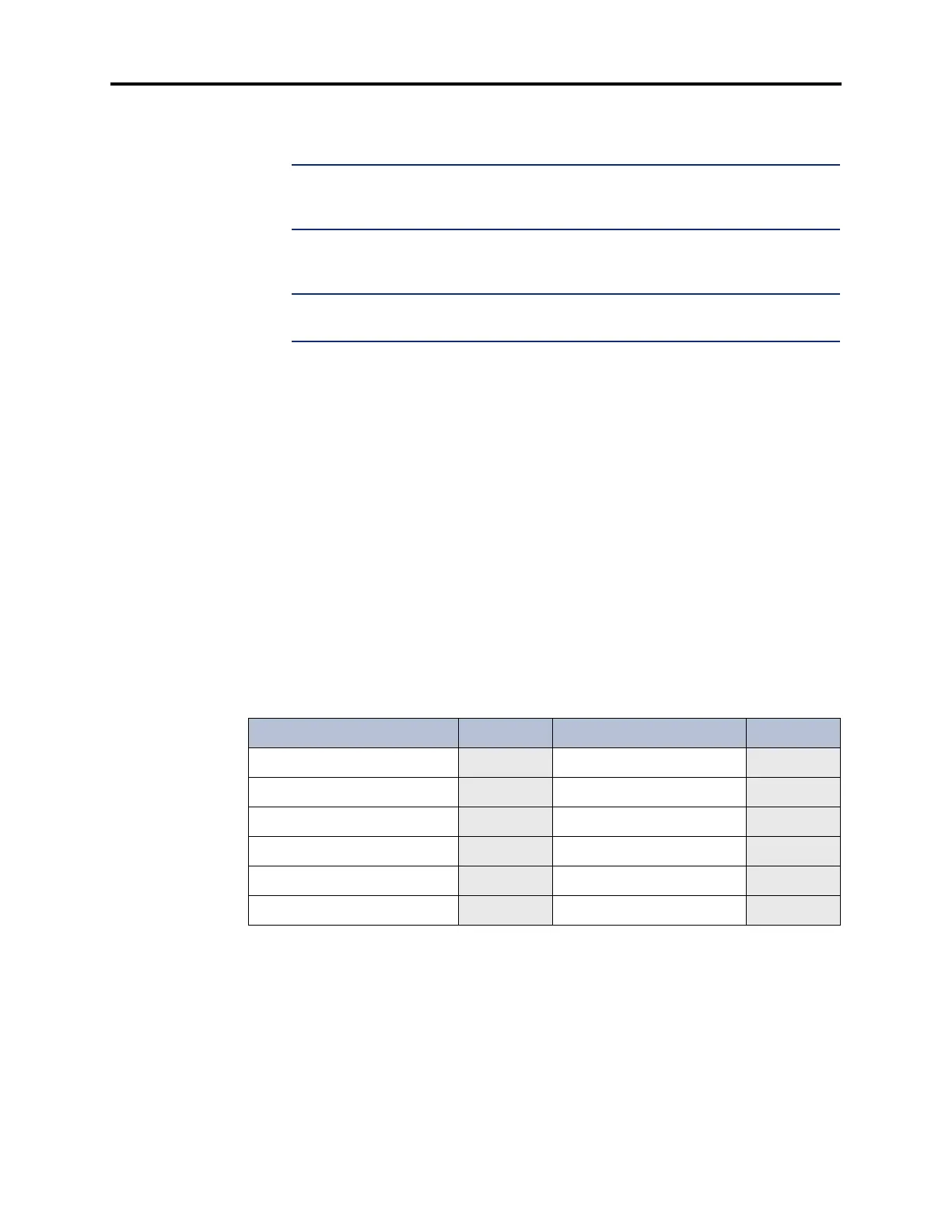
10.19 Select four of the following 12 flags to enable Audio Diagnostics for the system:.
* Enabled by default.
Table 6-35: Audio Diagnostics
AUDIO PROBLEM NUMBER AUDIO PROBLEM NUMBER
Echo
01* Too Loud 07
Static
02* Distorted 08
One-Way Audio
03* Delayed Audio 09
No Audio
04* Clipping 10
Choppy Audio
05 Cross-Talk 11
Too Soft
06 Other 12



 To Next Page