Page B-6
Appendix B — RS232
INTER-TEL
®
AXXESS
®
MANUAL VERSION 11.0 – May 2008
Cabling
4. CABLING
4.1 System serial ports (except for the PCDPM serial ports) use a modular jack for RS232
connections. Therefore, a modular line cord and modular adapter must be used for RS232 con-
nections to the system serial port. Inter-Tel recommends that you always use 8-wire
revers-
ing line cords for all RS232 connections. Inter-Tel's modular adapters are designed to be
used only with reversing
line cords.
NOTE: Although the system serial ports use 8-pin modular jacks and will support 4-wire, 6-
wire, and 8-wire reversing line cords, Inter-Tel recommends that you always use 8-wire
reversing line cords for all RS232 connections. Using 4-wire or 6-wire reversing line cords
introduces limitations that, if not properly programmed for, will result in an inoperable RS232
serial connection. Inter-Tel ships only 8-wire reversing line cords with RS232 related products.
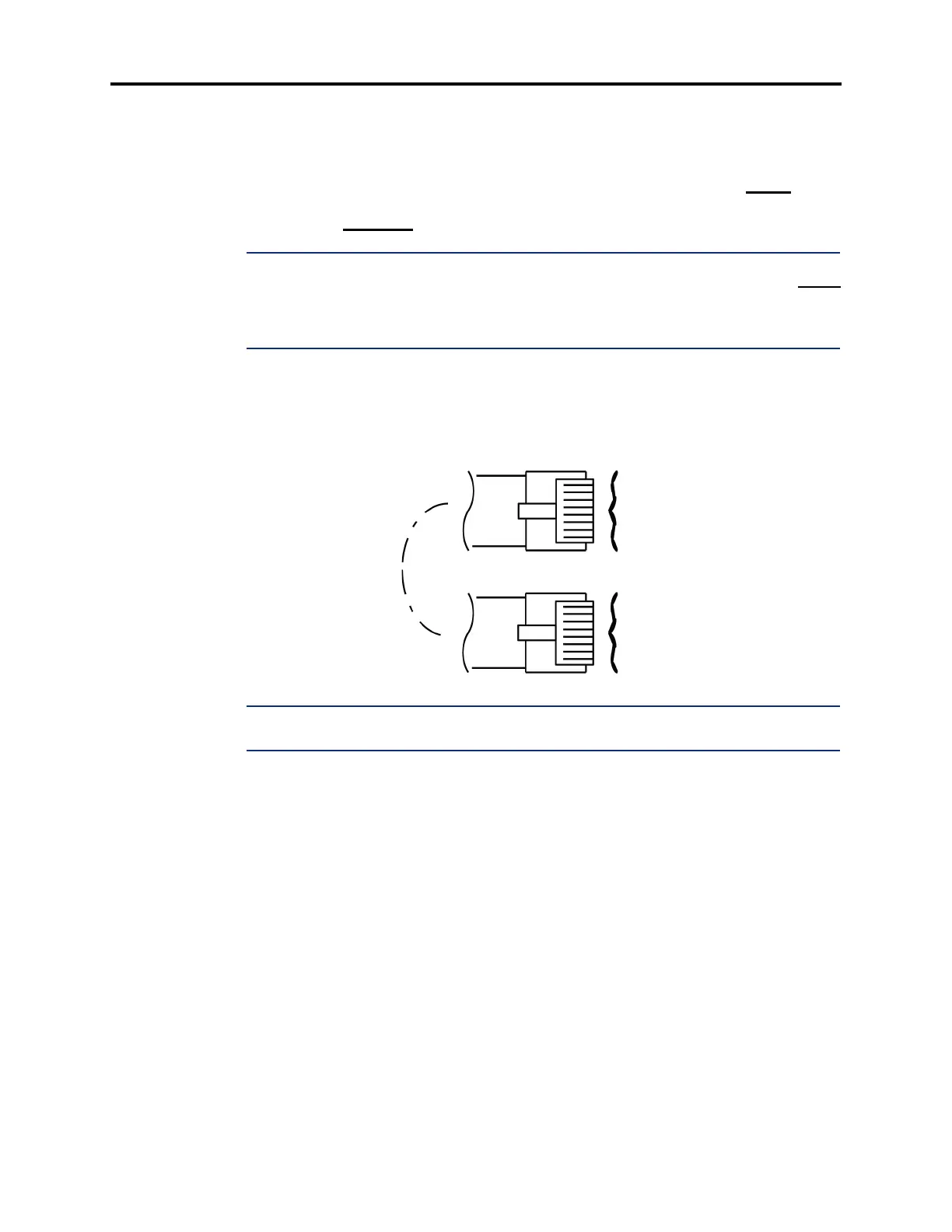
4.2 A reversing cable simply inverts the order of the wiring from one to the other. For
example, on an 8-wire reversing line cord, pin 1 on one end of the cable goes to pin 8 on the
other end, pin 2 goes to pin 7, etc. Reversing line cords can be identified by examining the
modular plug connectors side-by-side as shown in the diagram below.
NOTE: The colors shown in the diagram above can vary and are used for illustration purposes
only.
4.3 For other RS232 connections, including PCDPM connections and PC serial COM port
to PC serial COM port connections, use a 12-foot DB9M-to-DB9F straight-through cable (part
no. 813.1683).
4.4 A straight-through cable does not change wiring from one end to the other. On an 8-
wire straight-through cord, pin 1 on one end goes to pin 1 on the other end, pin 2 goes to pin 2,
etc.
WHITE
BROWN
YELLOW
GREEN
RED
BLACK
ORANGE
BLUE
BLUE
ORANGE
BLACK
RED
GREEN
YELLOW
BROWN
WHITE
8
7
6
5
4
3
2
1
8
7
6
5
4
3
2
1
8-WIRE REVERSING LINE CORD (TOP VIEW)



 To Next Page