Page 6-21
Programming
INTER-TEL
®
AXXESS
®
MANUAL VERSION 11.0 – May 2008
Database Converter Utility
PROGRAMMING
6
4. DATABASE CONVERTER UTILITY
4.1 The conversion program does not support converting version 5.1 or earlier databases to
version 9.1 or later databases. If you must convert a pre-v5.1 database, do the following steps:
1. Use an earlier version of DB Programming to convert the pre-v5.1 database to a v9.x
database.
2. Use v9.1 DB Programming to convert it to a v9.1 database.
4.2 There are two different conversion programs loaded on the computer when a PC has
DB Programming v9.0 or earlier and v9.1 or later loaded. The programs are stored in the fol-
lowing locations:
• C:\Inter-Tel\Update\AutoConv.exe (for v9.0 and earlier systems)
• C:\Inter-Tel\Update\AxxessAutoConversion.exe (for v9.1 and later
systems)
4.3 Short cut icons can be created for both conversion programs to be used on the same
machine. All of the fields are automatically populated.
4.4 To convert an older database to a newer version:
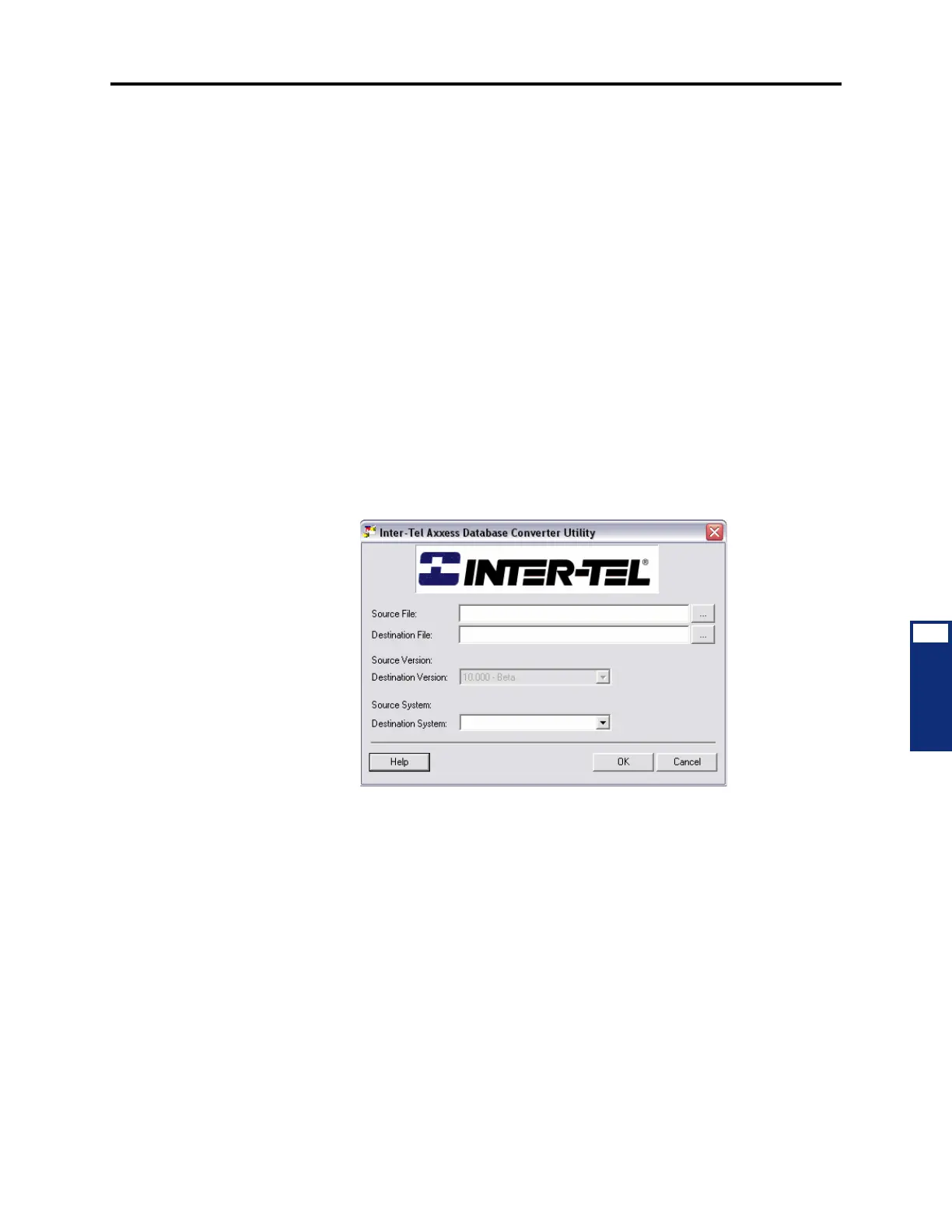
1. Select Start - Programs - Inter-Tel DB Programming - DB Converter. The main screen
appears, as shown below.
2. Verify that the desired source file path is selected in the Source File text box. Click the
Browse (…) button to change the path.
3. Verify that the desired destination file path is selected in the Destination File text box.
Click the Browse (…) button to change the path.
4. Verify that the destination version to which you want the database converted is selected
in the
Destination Version drop-down list box. To change the version, select the
desired version from the drop-down list box. The Destination Version drop-down box is
grayed out initially until you have entered a source file and whenever the source file is
being changed.
5. Verify that the desired destination system for the new database is selected in the Desti-
nation System
drop-down list box. The available options are as follows:
• 64 (CPC - Single): The new database uses a Call Processing Card (CPC) and have
up to 64 devices.
• 128 (CPC - Dual): The new database uses a CPC and have up to 128 devices.
• 256 (CPC - Dual): The new database uses a CPC and have up to 256 devices.



 To Next Page