Page 6-104
Programming
INTER-TEL
®
AXXESS
®
MANUAL VERSION 11.0 – May 2008
System-Wide Programming Field
18. SYSTEM-WIDE PROGRAMMING FIELD
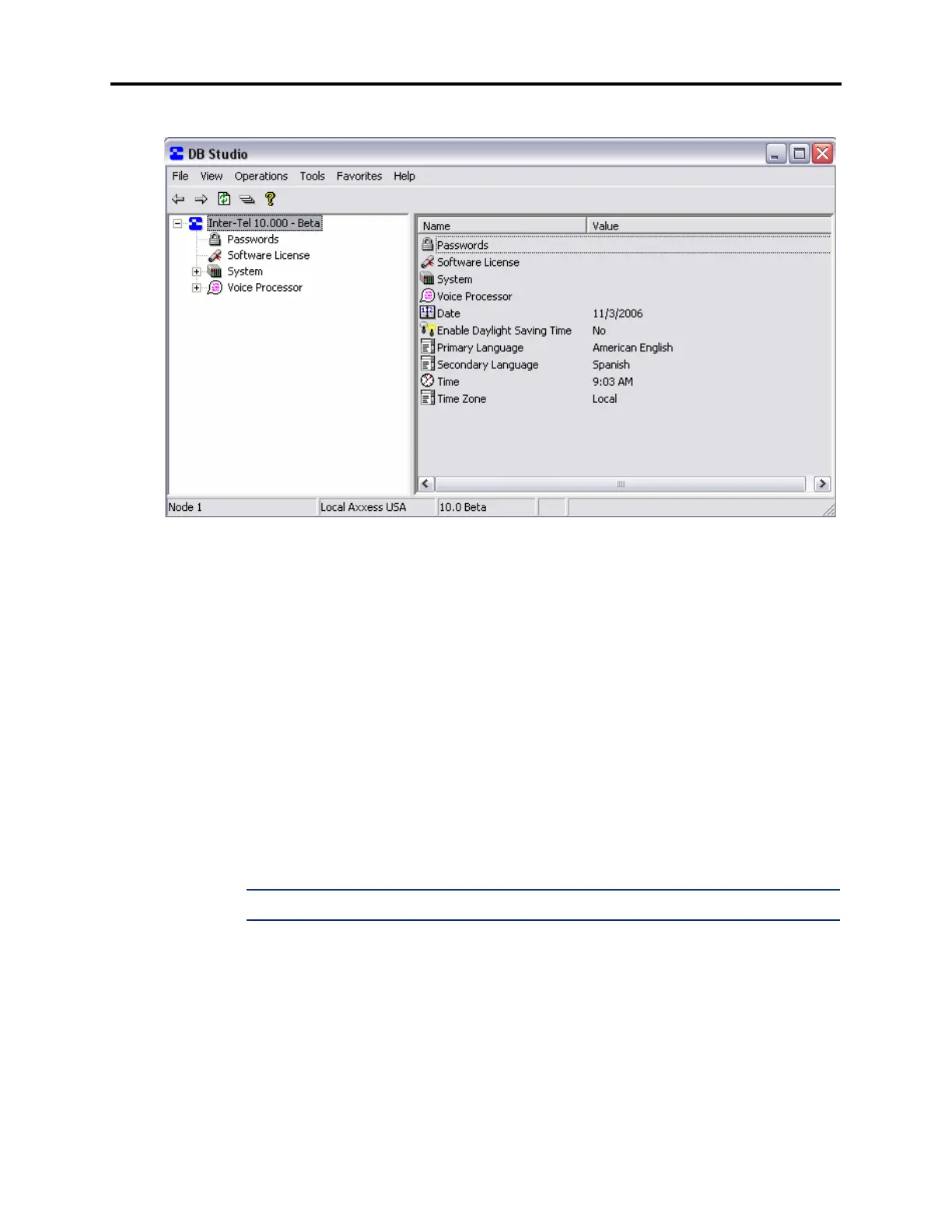
18.1 In the screen shown above, there are system-wide fields for setting the system date,
time, time zone, and primary and secondary languages. They are programmed as follows.
A. DATE
18.2 When you select Date, you can edit the month, day, and/or year. If you select the scroll
arrow, a small calendar appears. Scroll to the correct month and then select the correct date.
Press
ENTER or select another field to save your change.
B. TIME
18.3 To change the time, select the current Value. Then highlight the hour or minute digits
and scroll to the desired setting. When finished, press
ENTER or select another field to save
your change.
C. TIME ZONE
18.4 To change the time zone, select the current Value. Then scroll to the desired setting.
When finished, press
ENTER or select another field to save your change.
NOTE: Chassis within an ATM-based node cannot span time zones.



 To Next Page