Page 3-81
Installation
INTER-TEL
®
AXXESS
®
MANUAL VERSION 11.0 – May 2008
Equipment Chassis Grounding
INSTALLATION
3
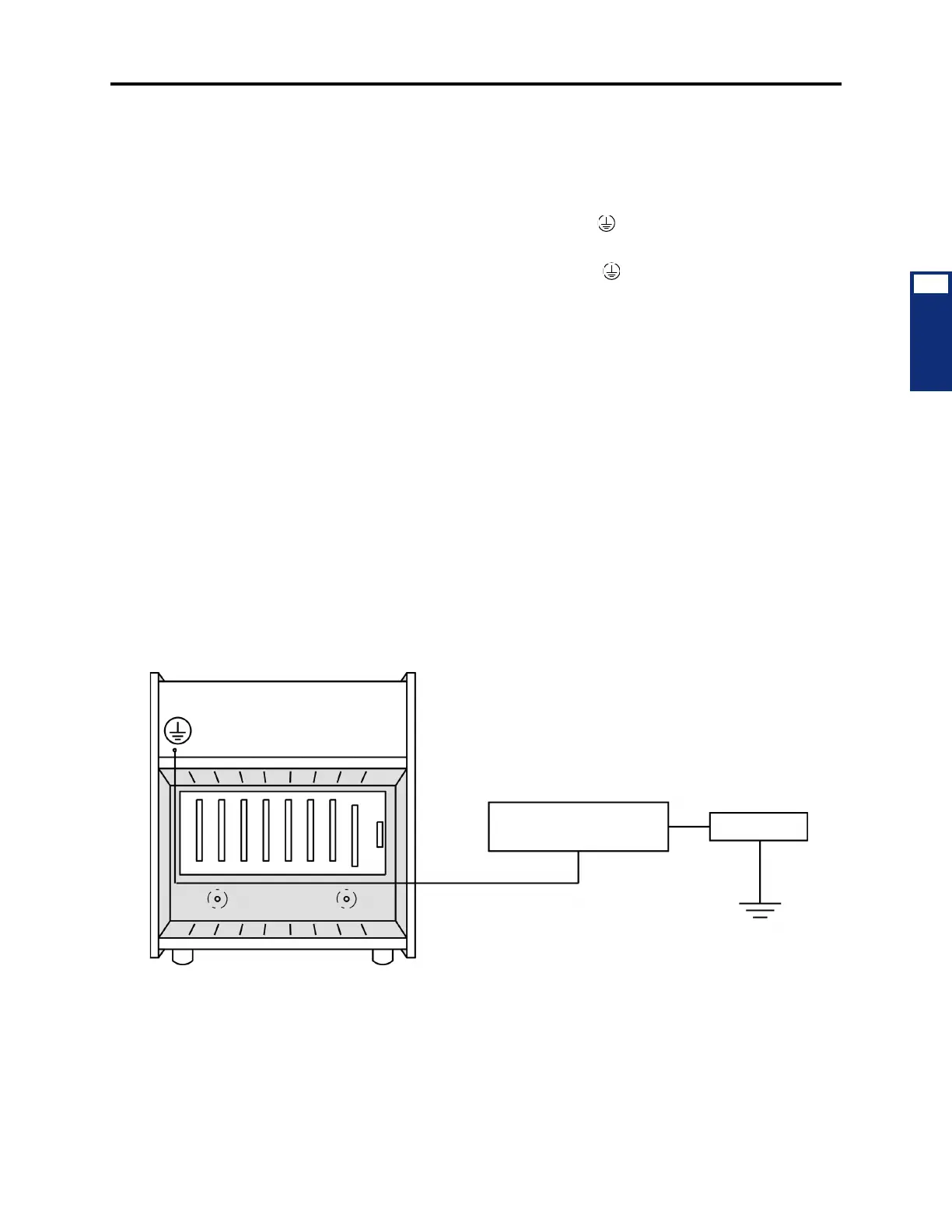
8.11 To ground the system (see Figure 3-41 below):
1. Ensure that the system’s AC power source is properly grounded. DO NOT defeat (or
leave floating) the ground wire in the AC power cord.
2. Install an AC surge/spike protector with a built-in ground lug and connect it to:
a. The ground lug (indicated by the symbol ) on the front of the power supply
unit.
b. The ground lug (indicated by the symbol ) on each Single-Line Adapter, if
used.
c. Battery compartments, if used.
d. Trunk gas discharge tubes, if used.
8.12 If AC power-related problems appear on the system while in operation, one of the fol-
lowing three methods can be used to test the ground.
• Use a digital multimeter to measure the difference of potential between the equipment
chassis ground point and the power neutral, and between the chassis ground point and
the third wire ground. If the voltage measurement exceeds 0.5V, noise may develop on
the system. If this occurs, call an electrician.
• Use a Megger to test the ground point. (A Megger should be available through the local
power company.) The reading should be 5 ohms or less.
• Unplug the AC power cord from the outlet and insert a ground isolation plug into the
outlet. Plug the AC power cord into the ground isolation plug. If the problem ceases,
call an electrician. When finished, remove the ground isolation plug to restore ground
protection.
Figure 3-41. Equipment Chassis Grounding
EQUIPMENT CHASSIS
GROUND LUG
#10 GROUND WIRE
SURGE/SPIKE PROTECTOR
WITH GROUND LUG
AC OUTLET
GOOD GROUND



 To Next Page