Page 6-45
Programming
INTER-TEL
®
AXXESS
®
MANUAL VERSION 11.0 – May 2008
Software License Upload
PROGRAMMING
6
8. SOFTWARE LICENSE UPLOAD
8.1 After you are in DB Programming, you must upload software license. If you do not
upload the software license, the system considers the license as “invalid” and issues Alarm 125
(see page 7-20).
NOTE: Licenses are tracked by and specific to the serial number on the CPC or CP Server
security key. If you attempt to upload a license to a CPC or CP Server with a different serial
number, an error message appears, and the upload fails.
8.2 To upload a license:
1. Select Software License Operations - Upload Software License from the Operations
menu.
2. Enter the path and name of the license file or click Browse to search for the file.
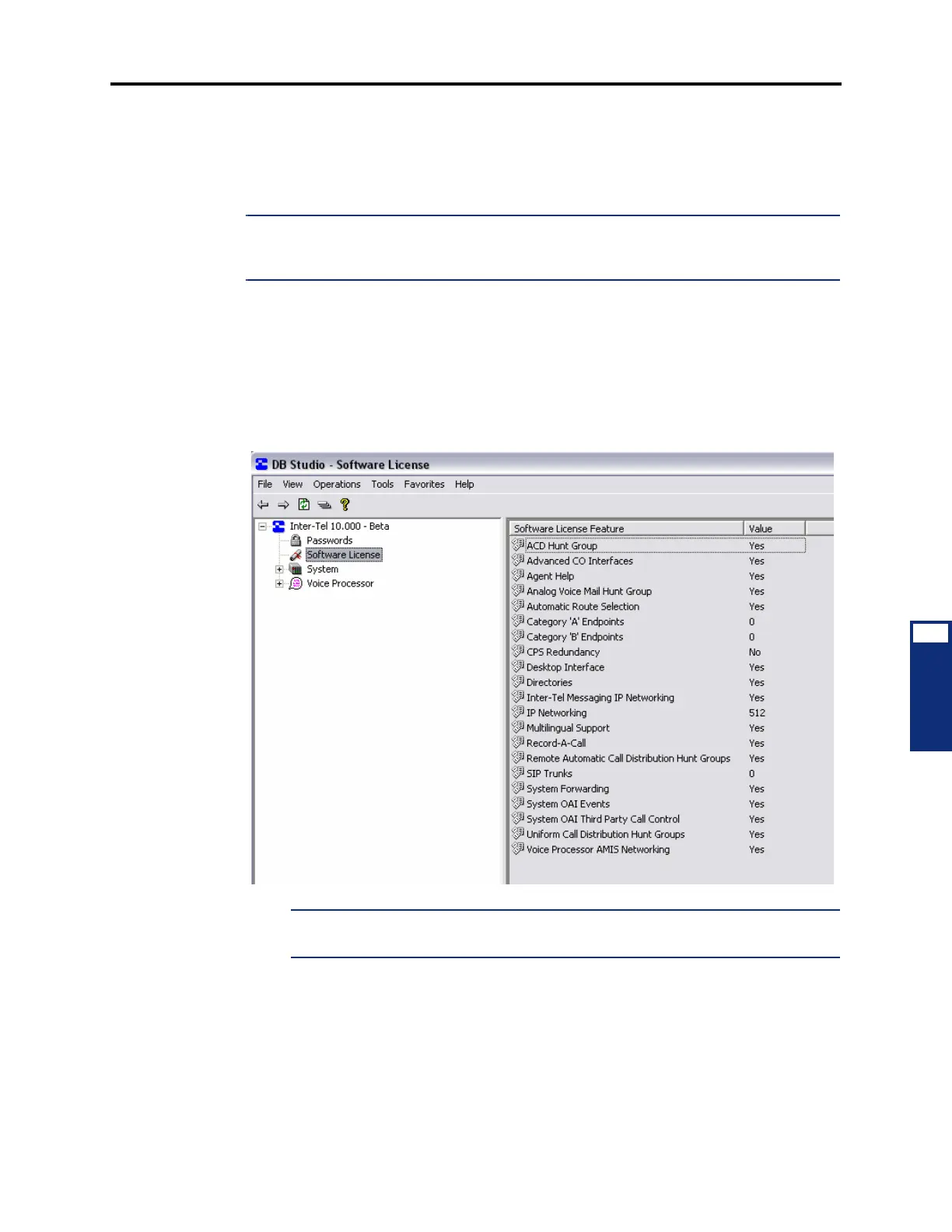
3. Click Start. The system compares the new software license to the existing license, if
any, as shown below. For details about changing software licenses, see page 7-105.
NOTE: If you click Start before selecting a license (.isl), a message appears,
informing you that you have not identified a file name.
4.
Click Finish. If you click Cancel, the license is not uploaded.



 To Next Page