Page 7-75
Troubleshooting
INTER-TEL
®
AXXESS
®
MANUAL VERSION 11.0 – May 2008
IPRC Diagnostic Displays
7
TROUBLE-
SHOOTING
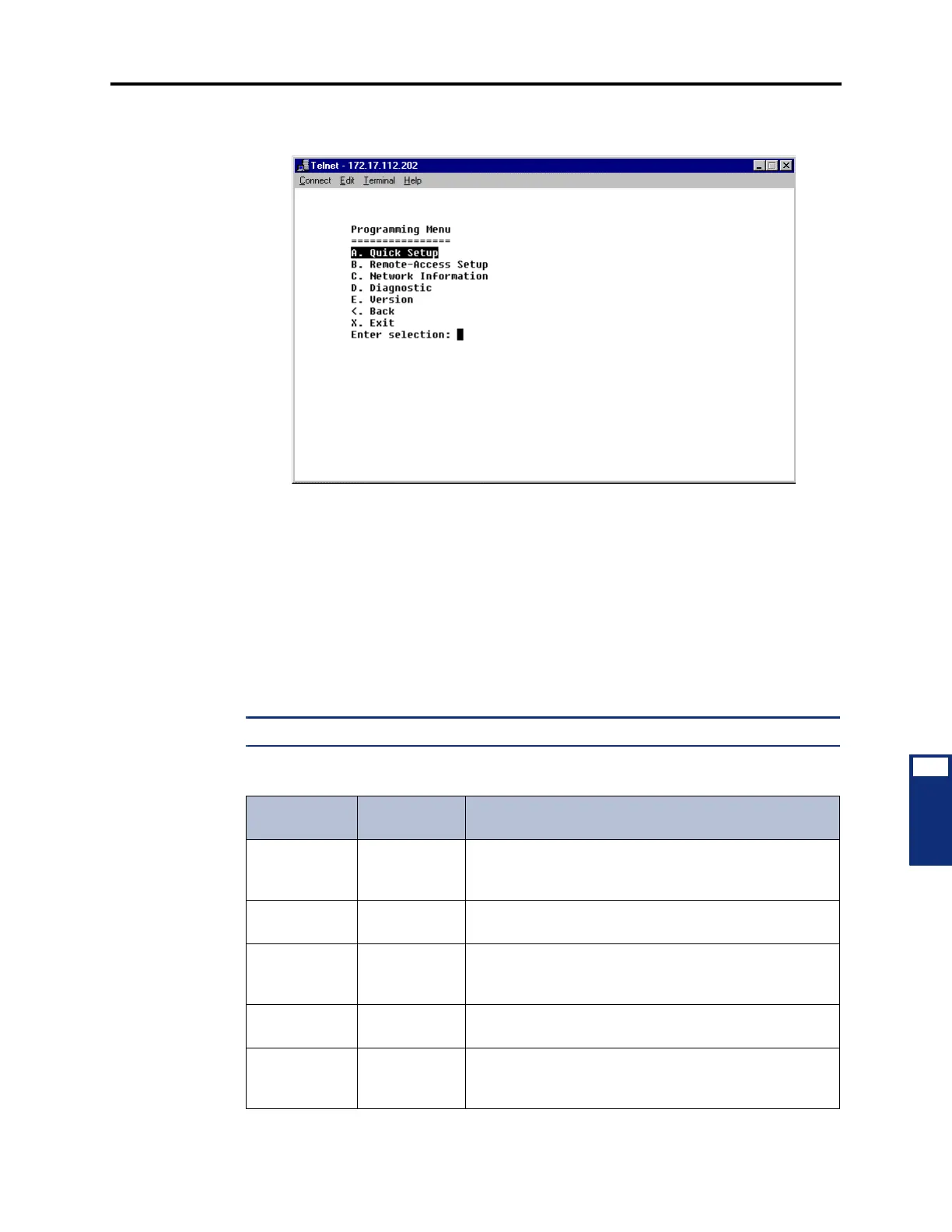
4. Enter A (not case-sensitive) at the Enter selection prompt. The Programming Menu
appears, as shown below.
5. Enter D (not case-sensitive) at the Enter selection prompt to access the diagnostic infor-
mation.
6. Enter the letter associated with the desired display. See the following section for a list
of available screens.
D. IPRC DIAGNOSTIC DISPLAYS
7.11 The following table describes the available displays and the information associated with
each screen. The display name for both the serial and Web interface is also indicated where
applicable.
NOTE: “N/A” indicates that the display is not available when using a Web interface.
Table 7-22. IPRC Diagnostics Displays
Serial
Display Name
Web
Display Name
Contains
Network
Information
Network Information about the status of the network, the card’s
Ethernet address, subnet mask, gateway IP address, and
WINS information.
Version
Information
Firmware
Version
Information about the version of the boot code and the
application code.
NICS Statistics N/A Information about the Ethernet driver. This display may
point out problems with the Ethernet driver or assist in
solving bandwidth- and Ethernet-related problems.
Thread
Registry
N/A Information about the threads in the system, showing the
name, priorities, and state of each thread.
Timer Alarm
Statistics
N/A Information about the timer alarms that may be running
on the IPRC. Currently, the IPRC uses timer alarms for
LED flashing and setting the audio-receive timers.



 To Next Page