Page 6-96
Programming
INTER-TEL
®
AXXESS
®
MANUAL VERSION 11.0 – May 2008
Access Rights
17.8 A system password will be requested at the start of each programming session, unless
there are no passwords in the database.
17.9 Passwords can be programmed in any order or left blank. If one or more passwords are
left blank, press
ENTER when the Request System Password dialog appears. This allows
access to the highest level containing a blank password.
Access Rights
17.10 To program access rights:
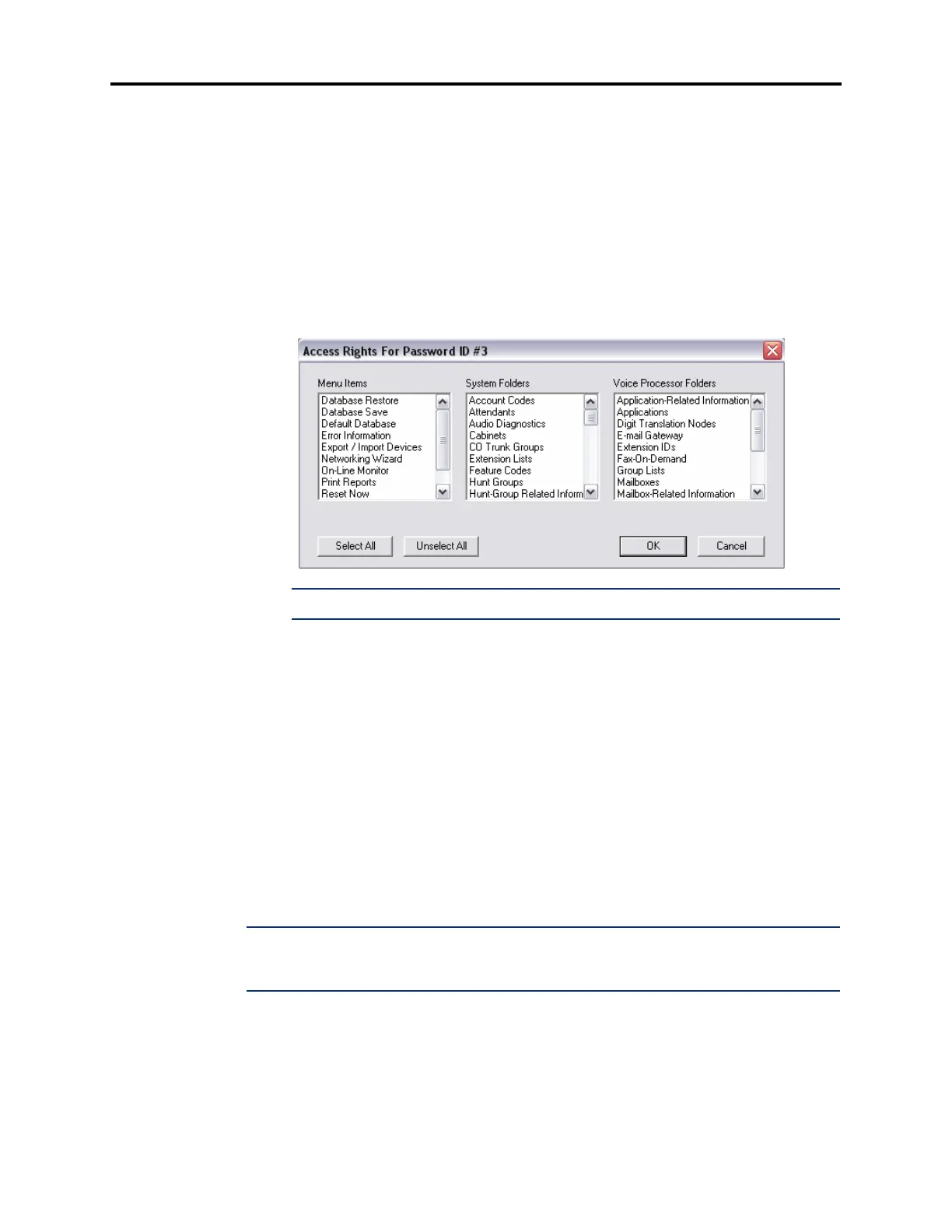
1. Right-click on the desired password number and select Edit Access Rights. The fol-
lowing screen displays.
NOTE: You cannot program access rights for the Administrator (password #1).
2.
Select the menu items, system folders, and voice processor folders to which the pass-
word user will have access. You can select these options in any combination for each
password by scrolling through the list and highlighting the desired options (hold down
the
CTRL key to highlight several topics). Selecting one of these folders gives you
access to all subfolders and the items they contain. Or, click
Select All/Unselect All to
select/clear every item in every list. To select/deselect multiple items that are listed con-
secutively, press
SHIFT while selecting the first and last item within a list. To select/
deselect multiple items that are not listed consecutively, press
CTRL while making your
selection.
There are two special cases to note. In order to gain access to the items in the System
root folder, you must select the
Cabinet folder. Similarly, to gain access to the items in
the Voice Processor root folder, you must select the
Voice Processor Networking
folder.
3. Click OK.
NOTE: Although a user can be given access to the Password folder, the user will be allowed
to edit only his own description and password. The user is not allowed to edit other passwords
or descriptions.



 To Next Page