Page 3-87
Installation
INTER-TEL
®
AXXESS
®
MANUAL VERSION 11.0 – May 2008
Install the Power Supply Unit
INSTALLATION
3
F. INSTALL THE POWER SUPPLY UNIT
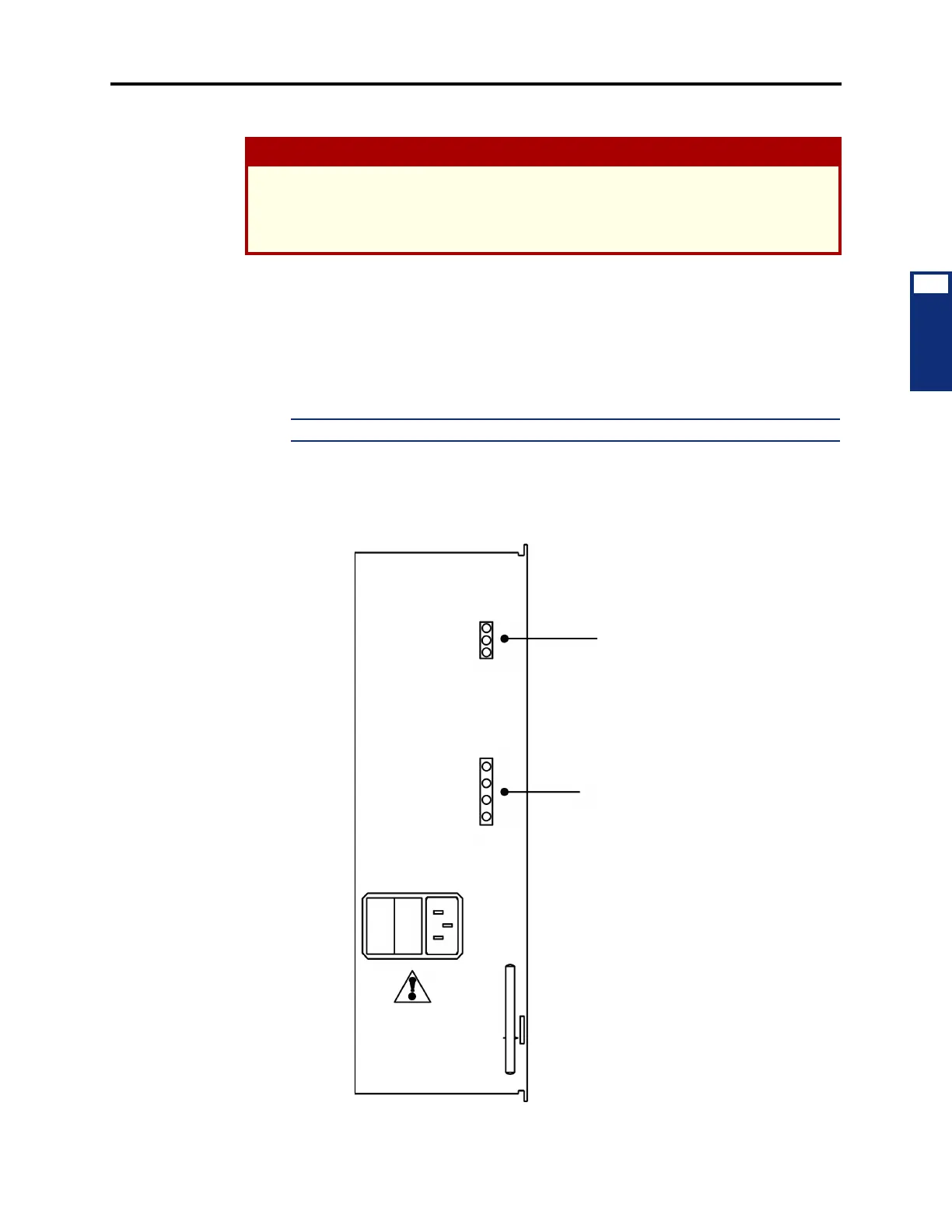
9.7 Install the power supply unit in the chassis as outlined in the following steps (see Figure
3-44 below):
1. Remove the four screws securing the panel on the front of the chassis and set the panel
aside.
2. Carefully slide the power supply unit into the far left slot in the chassis until it locks
securely into place.
NOTE: The 6-amp power supply unit is not supported in Europe.
3.
Connect the AC power cable to the front of the power supply unit.
Figure 3-44. 9-Amp or 6-Amp Power Supply Unit
CAUTION
HIGH VOLTAGE. When the system power is turned ON, the power supply unit contains
110VAC. Before inserting or removing the power supply unit, make sure the AC POWER
switch has been turned OFF for at least five minutes. Failure to allow the high voltage to dis-
sipate can cause bodily injury.
LED INDICATORS
VOLTAGE
TEST POINTS
LEFT LEVER
TO REMOVE
100-260
VAC
-5V
+5V
+24V
-5V
GND
+24V
+5V



 To Next Page