Page C-31
Appendix C — CP Server
INTER-TEL
®
AXXESS
®
MANUAL VERSION 11.0 – May 2008
Diagnostics Monitor Utility
APPENDICES
NOTE: The Ext field is currently not used and is grayed out.
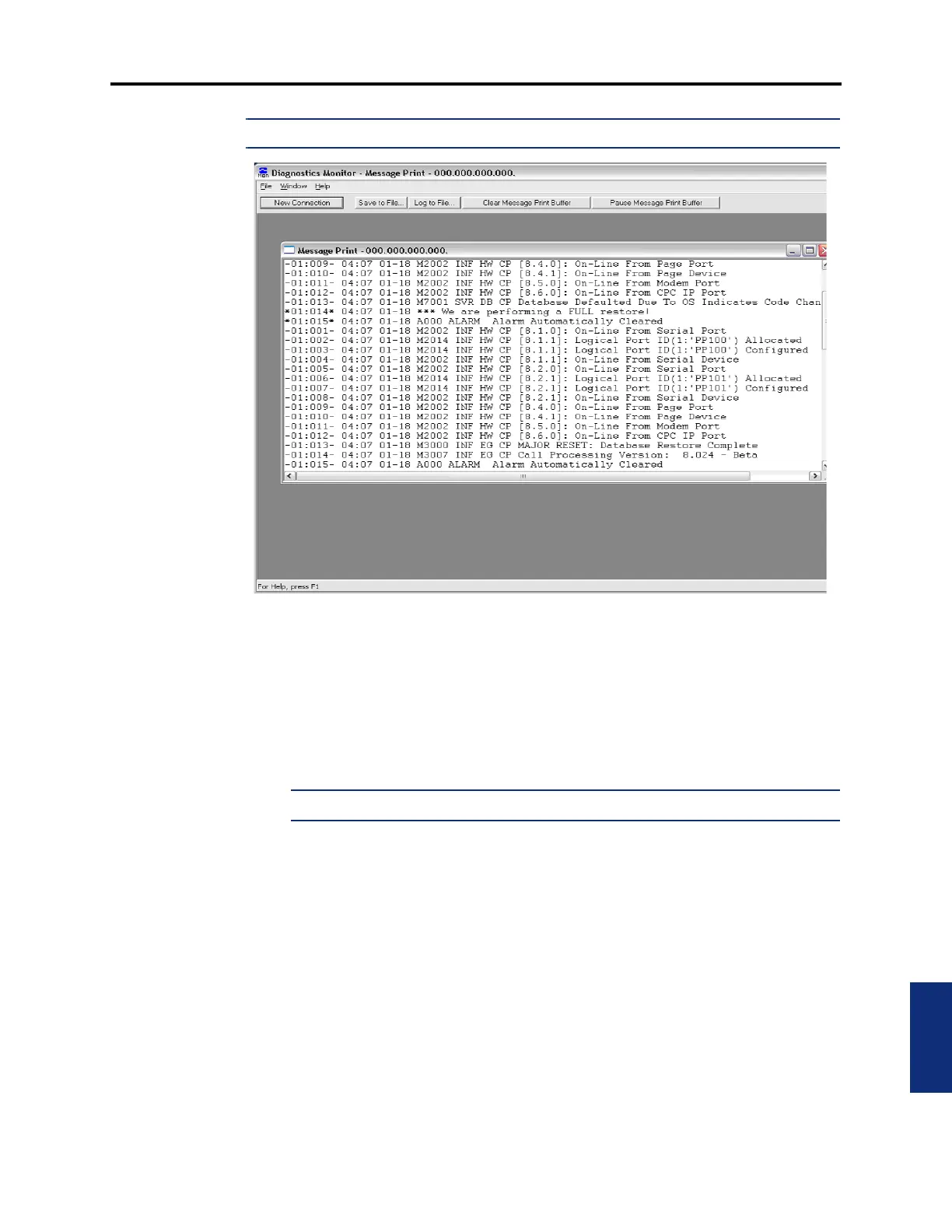
23.3 When you click OK, the Diag Mon establishes the connection to the CP Server. When
main screen appears, as shown above, it has the following menus:
• File Menu: When there is no active socket connection open, the only selectable menu
options are New Connection, Print Setup, and Exit. Selecting New Connection or using
CTRL-N, will present the New Connection Dialog to the user. When an active socket
connection exists, the Save to File, Log to File, and Close Connection options are avail-
able.
NOTE: Printing is currently not supported.
— New Connection: Starts the New Connection dialog described on the previous
page. This can also be accessed using
CTRL+N.
— Save to File: Saves the contents of the active socket connection to a file for later
review. This can also be accessed using
CTRL+S.
— Log to File: Saves the current contents of the active socket connection to a file and
logs any future inputs from the socket connection into the file. Selecting this
option again will turn off the logging feature. If logging is active for a socket con-
nection, a check mark will display next to the menu option. This can also be
accessed using
CTRL+L.
— Close Connection: Closes the connection of the active socket.
— Print and Print Setup: Not supported.
— Exit: Terminates the Diag Mon application.



 To Next Page